

We are launching a new version of our Slack app for Spike. New architecture, a proper incident workflow you can run end to end without leaving Slack, and our first real go at bringing AI into the mix. We didn’t get here in a straight line though. This is the story of why we rebuilt our Slack app from the ground up, how we did it, and what we ran into along the way.
Why we rebuilt our Slack app
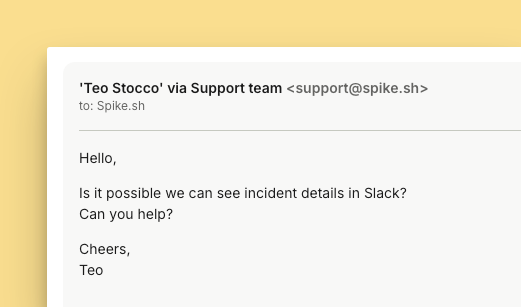
A lot of our customers live in Slack. Over eighty percent of them use it with Spike. Alerts land there, the on-call person gets tagged, and a lot of the discussion around fixing things happens in the Slack threads. We’ve pushed close to a million alerts through Slack over the last couple of years.
But as we talked to customers, we kept hearing the same ask: fewer round trips for the small stuff. Acknowledge an incident here, unacknowledge it there. To be clear, the dashboard is still where the heavy lifting happens, and plenty of teams spend most of their day in it. But for the quick actions in the middle of an incident, people wanted to stay in the thread, with more context and more control right there. And on our end, we’d been wanting to bring real AI features into Spike for a while, not just bolt something on, and Slack felt like the right place to start.
The previous app was built directly inside our core API. And it worked really well. However, to scale the Slack app and bring in all the features people were asking for, living inside the core API just wasn’t going to cut it. So we had to break it out into a separate service altogether.
What we shipped
You can now run an incident from start to finish without leaving Slack.
- Acknowledge and unacknowledge incidents right from the thread
- Pull up the full payload
- Fetch the activity log on demand
- Invite teammates in to take a look
- Ask Spike AI to summarise what’s happened, point at possible root causes, and suggest what to check next, and much more
- Add a resolution note
- Sync an incident with a status page incident
- Link unfurling, so an incident in a thread actually looks like an incident, not just a link
The old setup wasn’t enough
The old app ran on a single Slack interaction handler. And to be clear, it was good, and it got us up to speed really fast in the early days. The problem was how it grew. Every action, every form, every component we rendered in Slack flowed through that one handler, and over time it all got tightly coupled. Acknowledge, resolve, create a channel, it all lived in one actions.js. Adding anything new meant extending code that was already doing five other jobs, and touching one piece could quietly break another. It worked, but things were easy to miss, and honestly, we felt locked in.
There wasn’t one dramatic pain point that made us go “this has to be rebuilt right now.” The handler did its job just fine while it lived inside the API. But once we knew we wanted to bring AI into the Slack experience, we could see that wiring it into a tightly coupled system was going to get painful.
Moving to bolt and rethinking the architecture
Once we decided to pull the Slack app out into its own microservice, the first thing we settled on was keeping everything simple and loosely coupled. Every file has one job. Want to acknowledge an incident? There’s acknowledge.js. Resolve? resolve.js. Add an emoji reaction on acknowledge? reaction.js. Nothing is tangled up with anything it doesn’t need to know about. Adding a feature now means adding a file, not carefully operating on a system that didn’t want to be touched, and that’s exactly what makes this easy to keep scaling from here.
While we still valued the DRY approach for common logic, we carefully avoided falling back into the tight coupling we had just moved away from. For us, allowing a small amount of duplication is well worth it to ensure each file remains completely isolated and autonomous.
There’s been an unexpected bonus too. We work with Claude Code a lot, and when every action is one small self-contained file, architectural changes and code reviews get so much simpler, a diff actually tells you the whole story. As for the library, that choice was easy: we went with Bolt, the one Slack recommends in their own docs, and let it handle clicks, submissions.
The challenges we hit along the way
Jailbreak risk and AI safety
The moment you put an AI assistant inside a product, you inherit a whole new class of problems. One of the trickiest for us: how do you keep Spike AI focused on incidents and not let it drift into things it was never meant to do?
Because let’s be honest, if you give people an AI, someone’s going to try to get it to write a bedtime story for their kids or sing a lullaby, all from inside their incident tool. Funny in the moment, but it points at a real design challenge. An incident tool’s AI should be answering questions about incidents. That’s it. Keeping it in that lane without also blocking legitimate questions is harder than it sounds, and you can’t cover every case.
So we locked down the core decisions and drew clear boundaries around what the assistant will and won’t engage with. It’s not airtight and probably never will be. We’ll keep tightening it as people find gaps.
The activity log debate
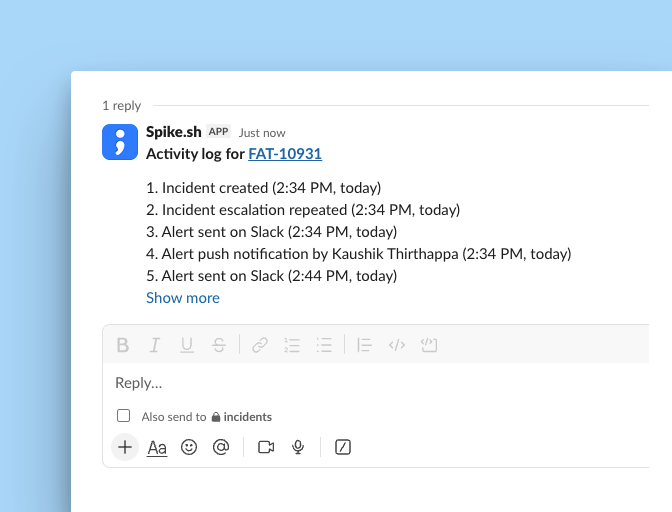
We had long discussions and debates on the activity log. Quick context if you haven’t used it: it’s a record of everything that happens after an incident triggers. Anything automated that fires off, anything a human does, it all gets captured in one timeline. Who got alerted, when it escalated, whether a Jira or Linear ticket was created, whether a playbook ran, whether it synced to a status page incident. The full life cycle of an incident in one place.
The debate was about how to surface it in Slack. Kaushik was pushing hard for a live version, where every new entry in the activity log posts to the thread as it happens. Incident created, message. Escalated to level one, message. Escalated to level two, another message. His argument was that it makes browsing and managing an incident directly in Slack so much nicer, you just scroll the thread and see the whole story unfold.
But I was worried it might turn into noise. If someone’s juggling three or four separate incidents in a day, a live activity log could easily quadruple the number of messages hitting their Slack. Even with an option to turn it off, that felt like a lot. So we settled it a different way: you can fetch the full activity log on demand whenever you want it, as a single consolidated message rather than a stream. And for a lightweight sense of what’s happening, we went with reactions.
If a live activity log is something you’d actually use though, we’re open to it. Drop us a message on live chat and tell us. If enough people ask for it, we’ll build it.
Permission gaps we discovered
Building for Slack surfaced a question we hadn’t fully thought through: who should be allowed to do what?
The whole point of the new app is to lower the barrier, so anyone in a Slack channel can pull up incident details, jump in, and help out, even if they’re not a Spike user. That openness is kind of the point. An intern who spots something during an incident shouldn’t need an account to say so. Fetching the payload, for instance, works whether or not you’re connected.
But push that idea further and it gets uncomfortable. Some actions carry real weight. Creating a status page incident, for example, goes out to your customers, and that’s a lot of power to leave open to anyone in the channel. You want that kind of thing behind a control you actually own. So we drew the line there: the lighter, collaborative stuff stays open to everyone, while sensitive actions stay with Spike users.
The approval journey
Building the app was the easy part. The longer stretch was the review and approval process with Slack.
We’d started this whole project back at the beginning of the year. We submitted our first change to Slack around the 10th of March, though that one was really just for a URL change. Then we figured that as long as we were in the queue, we might as well add the new features we’d been planning, so we resubmitted on the 24th of March with the fuller scope.
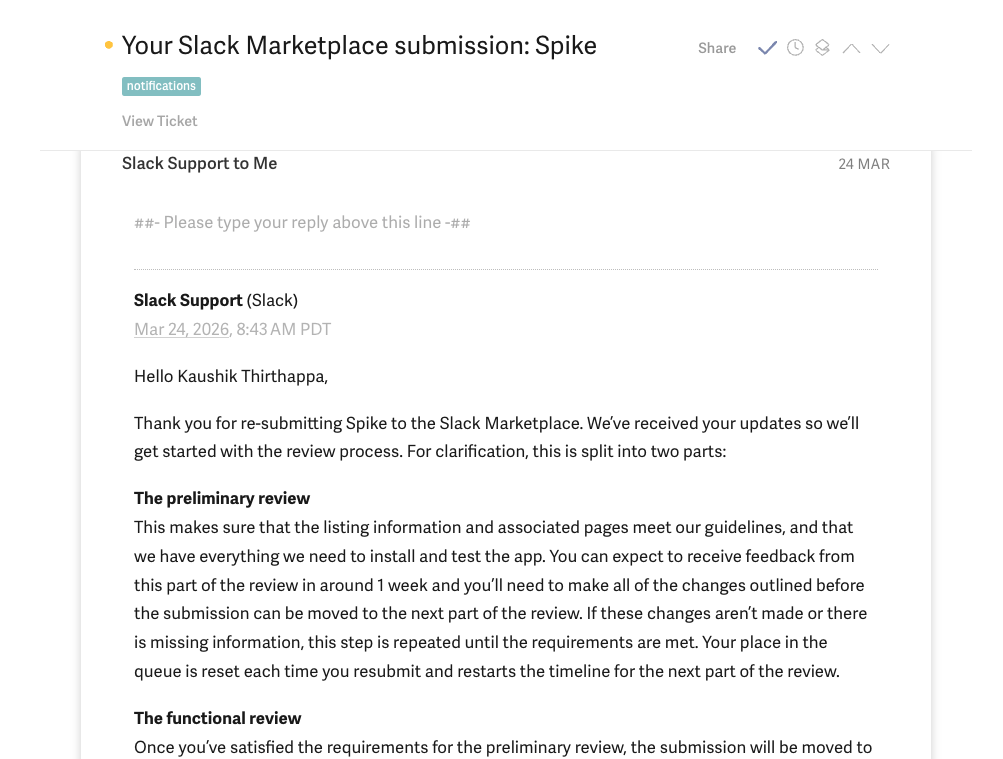
From there it was a waiting game. Slack’s docs say the review takes about 5 to 6 weeks. We heard back around the 30th of May, and got our final approval on the 10th of June after making changes as per their suggestions, so all in it came to the better part of 5 months.
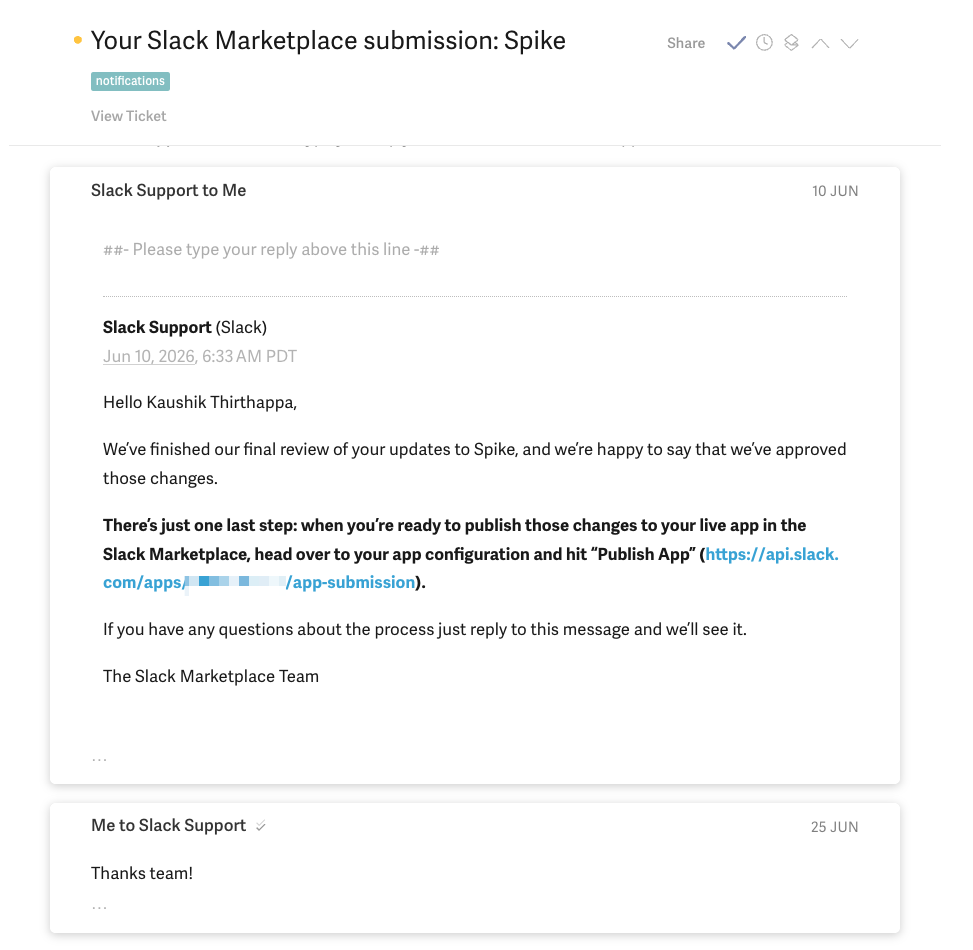
So much happened on our end during that window that it genuinely felt like an entire era had passed at Spike. We even released our new dashboard while we were waiting. If you’re building a Slack app yourself, it’s worth planning for the review to take a while, and not letting it block the rest of your roadmap. We kept building throughout, and by the time approval came through, we were ready to move.
What’s next — MS Teams integration
We’re not stopping at Slack. Plenty of teams live in Teams the way others live in Slack. Same workflow, same AI, coming there next. We’ll have more to share soon.
Closing notes
That’s the story of how our new Slack app came together, the why behind it, the debates we had, and the challenges we’re still working through.
If you’re already using Spike, give it a spin and play around with Spike AI. A few prompts to get you started:
“What are the possible root causes here?”
“What should I check next to resolve this?”
“When am I on-call ?”
Tell us what you think, whether it’s a feature request, a rough edge you hit, or something you’d want to see next like a live activity log.
Drop us a message on live chat in your dashboard, or reach out at [email protected]. You can also find us on LinkedIn and X.
Thanks for reading.