Changelog

All new releases and improvements to Spike

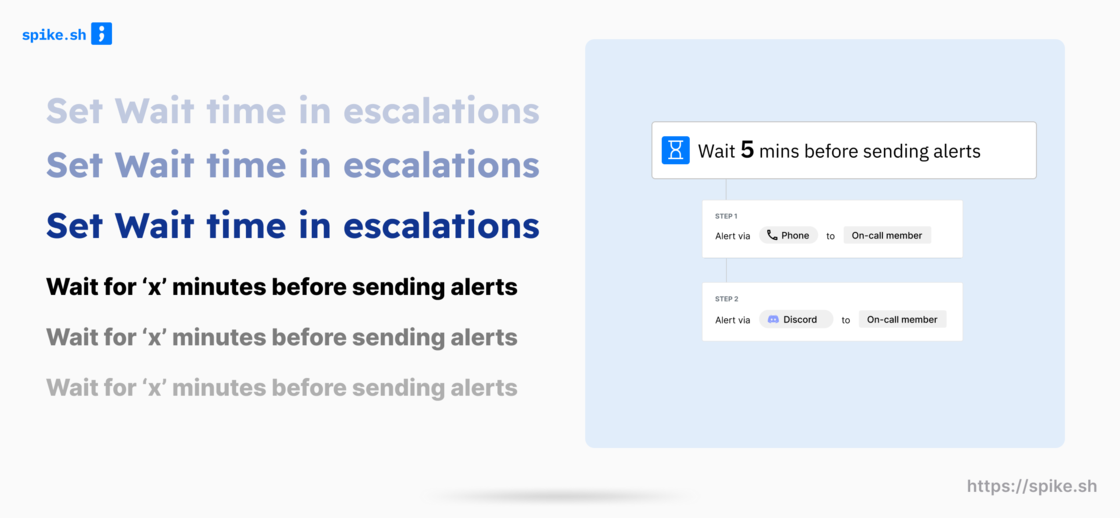
Wait 'x' mins before sending alerts

Wait time (1).png

Head over to your escalation policies and set a Wait time.

This will enable you to wait for 'x' minutes before alerts begin. Wait time is especially catered towards users who see incidents automatically resolving on it's own every often.

Why get an alert if an incident you know will auto-resolve in 5 mins? That's where wait time comes in :)

You maybe noticed we were working on this - https://roadmap.spike.sh/10

Reports v0.1 📉

Reports (1).png

Sparkling new Reports are here.

We built our new reports from the ground up. The new engine is radically optimized empowering you to measure and see if you are doing better over time.

With our new reports, you will be able to answer these types of questions -

  1. Are the number of incidents gradually decreasing?
  2. Are my team-mates getting bothered a lot with alerts?
  3. Who is our most active responder?
  4. How many hours has one person been on-call over the past 2 months?
  5. How many alerts are my team-mates getting?

Our reports are still in beta. We have got the engine running now so feel free to write to [email protected] with requests and feedback.

Introducing favorites for quick access

[New feature] image.png

You know that incident that always keep repeating itself?? This is the one you perhaps hate the most.

In the past, we have had our own incidents that's been bugging us and we remembered them either via their Incident ID such as INC-124 or by the incident title.

To make it easier to access those annoying incidents, we have introduced Favorites. You can hit that ⭐️ star icon on any incident and access it easily from the sidebar. How cool is that?!!

Not just incidents, Favorites are also supported for every integration, service, escalation, alert rules, title remappers, and even outbound webhook for easy access.

War rooms - automatically get all responders on a single call asap

Video integrations.png

War rooms creates instant meeting rooms and involved all possible stakeholders on a single call.

Every second matters during critical incident resolution. The last thing we want is for members to scramble around to find the right link to join the discussion. War rooms solve this problem.

Our war room integrations are --

  1. Google Meet
  2. Zoom (coming soon)
  3. Your personal link (think Daily.co, Gather.town, etc)

Learn more 👉

Send incidents to JIRA, Linear, and ClickUp

Ticketing.png

Numerous times, your incidents seek a longer path to complete resolution. Adding the incident and it's details to your Project tracking software makes it extremely easy to track it's progress.

Our first iteration of Project tracking integrations feature

  1. JIRA Cloud
  2. Linear
  3. ClickUp

Visit your dashboard, select one or more incidents and send it to your favorite project tracking software.

Click here to setup 👉

Learn more

Alerts on WhatsApp

Whatsapp.png

SMS is too mainstream and full of spam. Yikes ! who wants that?!!

Our new WhatsApp bot takes away the pain of SMS and lets you take quick actions without ever leaving WhatsApp.

You can receive alerts for -

  • New incidents
  • Acknowledge timeout
  • When your on-call shift starts
  • When your on-call shift ends

Visit https://app.spike.sh/replace-sms-alerts to replace all SMS alerts to WhatsApp in just 2 clicks

💡Pro tip - You can Acknowledge and Resolve incidents directly from WhatsApp.

Telegram alerts are here

Telegram.png

Ditch your SMS for our new Telegram bot - @spikeHQ_bot. Add the bot and run the /connect command to get started.

Similar to our WhatsApp bot, the Telegram bot intends to take away the pain of SMS and sends you timely alerts.

You can receive alerts for -

  1. New incidents
  2. Acknowledge timeout
  3. When your on-call shift starts
  4. When your on-call shift ends

Visit https://app.spike.sh/replace-sms-alerts to replace all SMS alerts to Telegram in just 2 clicks

💡Pro tip - You can Acknowledge and Resolve incidents directly from Telegram.

Introducing Title remapper

Title remapper (3).png

Title remapper empowers you to programmatically change the incident title to add better context in real-time.

You will have sample payloads for any integration to write a template and test your new incident title. Write HandlebarsJS code (which is easy to pick up) for templating :)

Visit Alerts > Title remapper on your dashboard.

× Zoomed Image