

TL;DR
Incident.io is built for Slack-first incident response. It has structured triage and post-incident workflows. However, on-call scheduling is sold as a separate add-on costing $12–20/user/month. Spike is the best Incident.io alternative because on-call is built in, not billed separately, with full control over alert delivery.
| Tool | Best For | Key Strength |
|---|---|---|
| Spike | Teams of all sizes looking for an end-to-end incident management platform with granular alert control | Built-in status pages, keyword-based incident routing to the right team, on-call activity log with override history |
| PagerDuty | Large enterprises needing deep integrations and runbook automation | 750+ integrations, bi-directional Jira sync, AIOps noise reduction |
| Squadcast | SRE teams needing dual alert control and ML-based noise reduction | Team and individual alert control, round robin escalation, Global Event Ruleset |
| Zenduty | Small teams needing SLA tracking and task templates | Email acknowledgment, escalation failsafe |
| Jira Service Management | Teams already deep in the Atlassian ecosystem | Native Jira and Confluence integration |
When I reviewed Incident.io, I found that it handles all the core elements of incident management well. Plus, it has deep Slack integration, flowchart-style escalations, and structured post-incident flows.
But you are here looking for Incident.io alternatives. Maybe its deep Slack focus doesn’t fit your team’s workflow. Maybe you find it expensive with its separate pricing for on-call management. Or you just need more control over alerts.
This blog post lists 5 Incident.io alternatives: Spike, PagerDuty, Squadcast, Zenduty, and Jira Service Management.
I signed up for and tested each tool mentioned here. I set up services, configured alert channels, designed escalation policies, and built on-call schedules to test their alerting, incident response, and on-call management capabilities.
I’ve also added a feature checklist at the end to cover the finer details side by side, so you can compare them quickly.
5 Incident.io alternatives for incident management
1. Spike
Spike is an end-to-end incident management platform used by hundreds of engineering teams across 40+ countries. It’s built for teams that want alerting, on-call, and incident response without a steep learning curve or a steep price tag.
Key features
- Spike supports both team-level and individual-level alert control. Managers can specify call this person, SMS that person, or ping a specific Slack channel. Individual engineers can still override their own delivery method with personal alert overrides.
- Spike gives you ready-to-use templates for alerting, on-call schedules, and escalation policies. This helps you get started quickly instead of building everything from scratch.
- Every on-call schedule gets its own activity log and a separate override history. You can always see who covered a shift and when.
- Status pages come built in on every Spike plan, with support for custom domains and public or private visibility.
- Slack alerts support
@hereand@channelmentions, so you can notify an entire channel at once. You can also acknowledge or resolve an incident by replying#ackor#resto an alert email.
| Pros | Cons |
|---|---|
| Simultaneous alerts per escalation step notify multiple responders at once, instead of waiting through a sequence. | No native Zoom integration. War rooms currently connect through Google Meet or a personal meeting link only. |
| Repeat escalation runs on a fixed 10-minute interval for up to 5 repetitions, so unacknowledged incidents don’t go silent. | No built-in postmortem templates. You can trigger a webhook to kick off postmortem documentation, but the templates live outside Spike. |
| Acknowledgment timeout auto-escalates if no one responds in time, so nothing slips through. | |
| Playbooks automate incident actions like creating a war room, opening a ticket, or updating a status page. | |
| On-call layers support start and end dates, so holiday coverage can activate automatically and deactivate after the holiday ends. |
Pricing
- Starter ($7/user/month): Includes alerting, on-call schedules, and a status page.
- Business ($14/user/month): Unlocks unlimited alerts, advanced alert routing, war rooms, and Jira integration.
- Enterprise: Custom pricing, with SSO, dedicated support, Live Call Routing managed by Spike, and more.
Best for
Teams that want alerting, on-call, and incident response in one plan without a steep price tag or a steep learning curve.
Choose Spike if
You want both team-level and individual-level alert control, plus an activity log with override history.
Hear what customers say about Spike
Key point: Spike is the best Incident.io alternative for teams that want on-call included in the plan, not billed as an add-on, with full control over how alerts get delivered. It also keeps a complete on-call activity log with override history.
2. PagerDuty
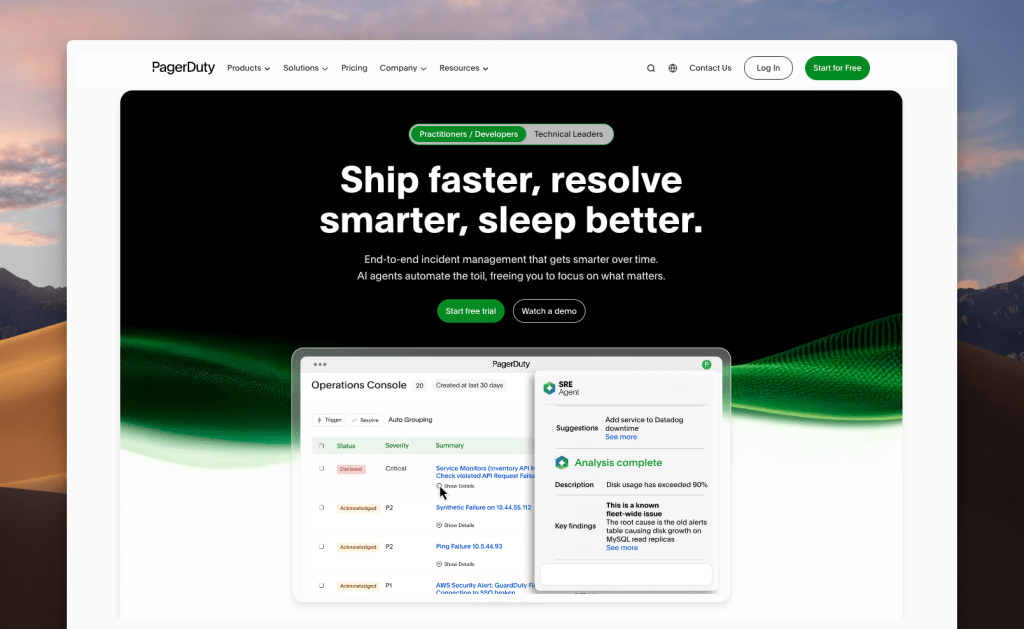
PagerDuty is one of the most established incident management platforms available, with solid on-call scheduling and reliable alerting. However, its pricing adds up fast once you factor in add-ons, and the feature set takes real effort to configure and maintain.
Key features
- PagerDuty connects with 750+ integrations and offers bi-directional Jira sync.
- AIOps adds machine-learning-based alert grouping and noise reduction on top of standard deduplication, grouping, and suppression.
- War rooms can spin up through native Zoom integration, configured through Response Plays.
- On-call shift notifications can be scoped to specific services, so you only get handoff alerts for the services you actually own.
| Pros | Cons |
|---|---|
| Slack alert actions like acknowledge, resolve, escalate, and create a dedicated incident channel | No team-level control over the alert delivery method. Only individual preferences are supported. |
| Includes postmortem templates | Status pages and AIOps both cost extra. Status pages start at $89/month per page, and AIOps runs $799/month on top of the per-user subscription. |
| Escalation policies can repeat automatically up to 9 times if an incident goes unacknowledged |
Pricing
- Free ($0/month, up to 5 users): 100 phone/SMS alerts/month, 1 on-call schedule, 1 escalation policy
- Professional ($25/user/month): Adds Slack and Teams, more schedules, status pages up to 250 subscribers, and post-incident reviews
- Business ($49/user/month): Adds custom fields, advanced ITSM integrations, and status pages up to 500 subscribers
- Enterprise: Custom pricing for end-to-end incident management
To learn more, check out PagerDuty’s pricing breakdown →
Best for
Teams that need deep ITSM integrations and complex runbook automation, and have the budget to support premium add-ons.
Choose PagerDuty if
You want native Zoom integration for instant war rooms, or need on-call handoff alerts scoped to specific services so you’re not paged for services you don’t own.
Key point: PagerDuty connects with 750+ integrations and offers deep runbook automation. AIOps and status pages are both separate add-ons that push the real cost higher. Alert delivery method is also set by each individual, with no team-level control.
3. Squadcast
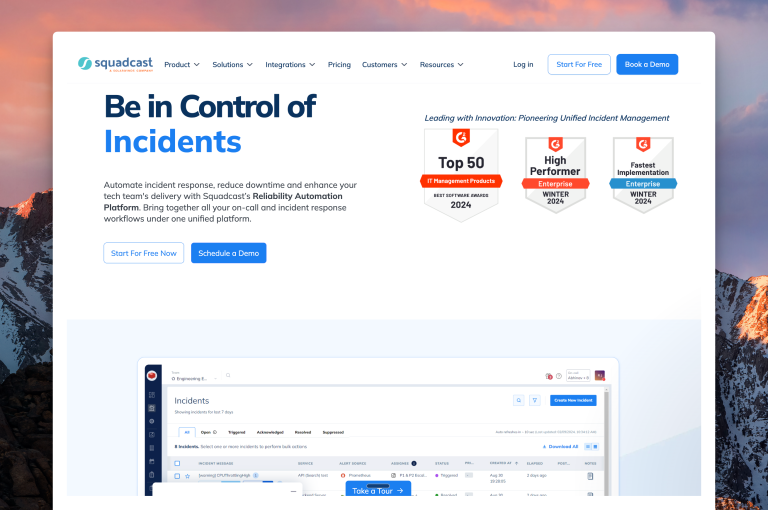
Squadcast is an SRE-focused incident management platform with reliability workflows built in. SolarWinds acquired Squadcast and is now its parent company, which is worth factoring into any long-term vendor decision.
Key features
- Escalation steps support dual alert control: custom routing set by a manager or personal routing based on individual preferences.
- Round robin escalation is available at each step. You also get options to repeat the policy, send acknowledge reminders, and re-trigger incidents that were acknowledged but never resolved.
- Squadcast uses real-time machine learning to group related alerts automatically.
- A Global Event Ruleset acts as one central webhook. Instead of setting up a separate webhook for every integration and service combination, alerts route through if/else logic based on their payload.
| Pros | Cons |
|---|---|
| The “View Gaps” toggle highlights on-call coverage gaps directly on the schedule calendar, both while building a schedule and after it’s live. | No on-call activity log or override history, so past schedule changes and overrides aren’t tracked anywhere. |
| Postmortems have a one-click creation button right after resolving an incident, with status tracking through in progress, under review, and published stages. | No way to trigger a test alert to confirm an alert channel is configured correctly before relying on it. |
| Service-level working hours support delaying or rerouting alerts outside business hours on a per-service basis. |
Pricing
- Pro ($20/user/month): Includes alerting, on-call schedules, escalation policies, postmortems, and automation rules.
- Premium ($29/user/month): Adds advanced escalations, runbooks, incident workflows, SLO tracking, and status pages.
- Enterprise: Custom pricing, adds unlimited data retention, intelligent alert grouping, AI-generated incident summaries, audit logs, and ServiceNow sync.
Best for
SRE teams that want machine-learning-based alert grouping built in, without paying extra for noise reduction.
Choose Squadcast if
You want dual-level alert control and round-robin escalation, and you’re comfortable with SolarWinds as Squadcast’s parent company.
Key point: SolarWinds is now Squadcast’s parent company, which is worth factoring into a long-term decision. That said, Squadcast still includes real-time ML-based alert grouping at no extra cost and dual-level alert control.
4. Zenduty
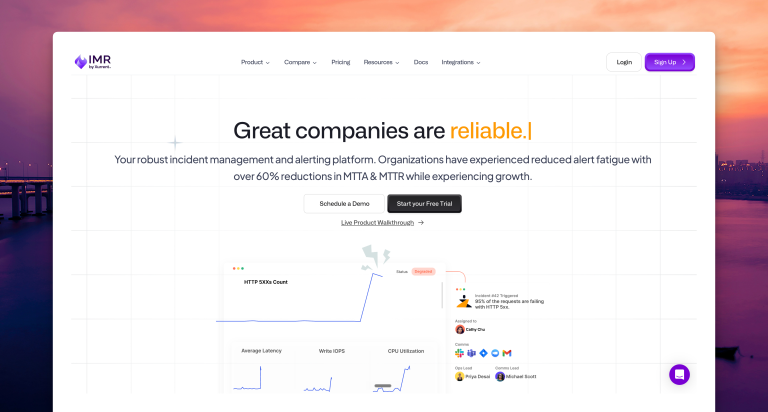
Zenduty is an incident management platform focused on structured workflows and stakeholder communication. Xurrent acquired Zenduty and now operates it as Xurrent IMR, which is worth factoring into any long-term vendor decision.
Key features
- Services support task templates that function as checklists for new responders, plus SLA policies that set response time targets.
- Escalation policies include a “move to next rule if no user is found” failsafe, so a misconfigured step doesn’t stall the whole policy.
- Each incident has a dedicated Stakeholders tab where you can add people, draft updates, and send them using reusable message templates.
- You can acknowledge or resolve an incident by replying directly to the alert email, without opening the dashboard.
| Pros | Cons |
|---|---|
| Custom postmortem fields and reusable templates are available, with AI-assisted postmortem report generation. | No built-in status page. Requires a separate statuspage.io subscription, billed on top of Zenduty itself. |
| Override history is tracked on every schedule, so you can see who covered a shift and when. | Repeat escalation delay is fixed at 1 minute with no way to customize it, and there’s no on-call activity log to review past schedule changes. |
| Escalation policies support round robin routing as an option, in addition to standard sequential escalation. |
Pricing
- Starter ($6/user/month): Up to 5 users, 1 team, 5 integrations per team, and 100 call/SMS credits per user monthly.
- Growth ($16/user/month): Up to 50 users, 5 teams, unlimited call/SMS, and 9×5 support. Status page is an optional add-on at $10,000/year.
- Enterprise (custom pricing, minimum 80 users): Unlimited seats, teams, and integrations, 24×7 priority support, and status page included.
Best for
Teams that need structured incident workflows with SLA tracking, task templates, and are comfortable with Xurrent as the parent company.
Choose Zenduty if
You want an escalation failsafe that skips empty rules automatically, plus the option to acknowledge or resolve incidents straight from an email reply.
Key point: Zenduty covers structured workflows, with task checklists, SLA tracking, and email-based acknowledgment. However, it has no built-in status page and no on-call activity log to fall back on.
5. Jira Service Management (JSM)
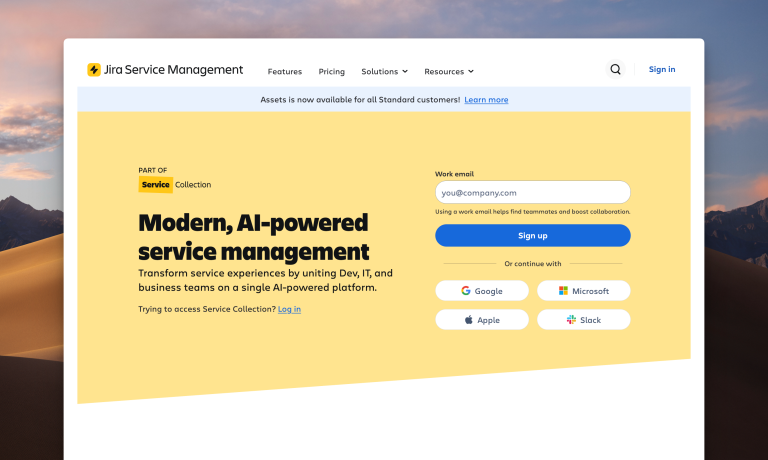
Jira Service Management (JSM) is Atlassian’s official incident management product, built for teams already running Jira and Confluence. It ties incidents directly into your existing Atlassian workflow, but takes more configuration effort than a purpose-built incident management tool.
Key features
- JSM supports both individual notification preferences and team-level escalation rules for who gets alerted at each step.
- Repeat escalation is fully customizable. You can set the delay after the last step, cap the number of repetitions, and choose whether alerts reopen automatically.
- Incidents can trigger automatic Jira ticket creation with bi-directional sync, and Slack gets a dedicated channel the moment an alert becomes an incident.
- Rovo, JSM’s built-in AI, surfaces similar past alerts and suggests responders based on incident history.
| Pros | Cons |
|---|---|
| Includes a dedicated “Notify Stakeholders” button after an incident resolves, plus automation to send stakeholder updates by email or Slack. | No delivery channel control per escalation step. You can set who gets alerted, but not whether it’s a call, SMS, or Slack message. |
| Postmortem creation is available on both Enterprise and Premium plans, not locked to the top tier only. | No on-call activity log. It requires a separate statuspage.io subscription for status pages. |
| Admins can hide specific alert channels or contact methods from non-admin users, useful for teams that want tighter control over notification setup. |
Pricing
- Free: Up to 3 agents, includes basic alerting and on-call schedules.
- Standard ($20/agent/month): Adds escalation policies, audit logs, and multi-region data residency.
- Premium ($51.42/agent/month): Adds advanced incident management, AIOps capabilities, and real-time monitoring.
- Enterprise: Custom pricing, adds unlimited Atlassian sites, advanced security, and analytics.
Best for
Teams already deep in the Atlassian ecosystem that want incident management tied directly to Jira and Confluence.
Choose JSM if
You want Rovo’s AI-suggested responders, fully customizable repeat escalation, and an automatic Jira ticket with bi-directional sync for every incident.
Key point: JSM is Atlassian’s official incident management product and the most direct fit for Jira-heavy teams. However, managers control who gets alerted, not how, since the delivery channel stays with the individual. It also has no built-in status page or on-call activity log.
What about OpsGenie?
Though OpsGenie is a familiar name in this space, it’s not on this list as an active option. Atlassian ended new OpsGenie sales on June 4, 2025, and has scheduled a full shutdown for April 5, 2027. If your team is still running OpsGenie, migration planning should already be underway.
We’ve covered the shutdown and migration path in more detail in these posts:
- OpsGenie Shutdown: What You Need to Know and Your Next Steps
- 7 best OpsGenie alternatives in 2026 (plus 3 open source options)
- How to migrate from OpsGenie before the shutdown
With OpsGenie shutting down, businesses are switching to Spike with 50% off their first six months. Learn more →
Incident management feature checklist
| Feature | Incident.io | Spike | PagerDuty | Squadcast | Zenduty | JSM |
|---|---|---|---|---|---|---|
| Separate spaces for teams to manage incidents | ✅ | ✅ | ✅ | ✅ | ✅ | ✅ |
| Trigger incidents from incoming emails directly | ❌ | ✅ | ✅ | ✅ | ✅ | ✅ |
| Trigger external webhooks automatically | ✅ | ✅ | ✅ | ✅ | ✅ | ✅ |
| Auto-resolve incidents when system is healthy | ✅ | ✅ | ✅ | ✅ | ✅ | ✅ |
| Route alerts based on severity and priority | ✅ | ✅ | ✅ | ✅ | ❌ | ✅ |
| Route alerts based on time of day | ✅ | ✅ | ✅ | ✅ | ✅ | ✅ |
| Out-of-office routing for on-call responders | ✅ | ✅ | ✅ | ✅ | ✅ | ✅ |
| Auto-acknowledge incidents | ❌ | ✅ | ❌ | ❌ | ✅ | ✅ |
| Automatic postmortem creation | ✅ | ❌ | ✅ | ✅ | ✅ | ✅ |
| On-call activity log | ❌ | ✅ | ❌ | ❌ | ❌ | ❌ |
| Separate override history | ❌ | ✅ | ❌ | ❌ | ✅ | ❌ |
Key point: Spike is the only tool in this comparison with both an on-call activity log and a separate override history. Every other tool tested is missing at least one.
Pricing at a glance
| Tool | Starting price | On-call included? |
|---|---|---|
| Spike | $7/user/month | Yes, included on every plan |
| Incident.io | $19/user/month (Team plan) | No. On-call is a $12/user/month add-on, bringing the real cost to $31/user/month |
| PagerDuty | $25/user/month (Professional plan) | Yes |
| Squadcast | $20/user/month (Pro plan) | Yes |
| Zenduty | $6/user/month (Starter plan) | Yes |
| JSM | $20/agent/month (Standard plan) | Yes |
Which Incident.io alternative fits your team
| Scenario | Best Choice | Why |
|---|---|---|
| You need an audit trail of who covered which on-call shift and when | Spike | The only tool tested with both an on-call activity log and separate override history |
| You want holiday coverage that turns on and off automatically | Spike | On-call layers support start and end dates |
| You want machine-learning alert grouping without paying for an add-on | Squadcast | Real-time ML-based grouping is included at every tier |
| You need AI-suggested responders based on past incident history | JSM | Rovo surfaces similar past alerts and suggests responders |
| You want SLA response time targets built into each service | Zenduty | SLA policies and task templates ship standard |
| You’re weighing long-term vendor stability | Spike or PagerDuty | Neither has changed ownership recently, unlike Squadcast (SolarWinds) or Zenduty (Xurrent) |
How to choose an Incident.io alternative
If you want full control over how alerts reach your team, plus a complete record of who covered whose on-call shift: Choose Spike. It’s the only tool tested with both team-and-individual alert control and a full on-call activity log with override history.
If you need 750+ integrations and runbook automation: Choose PagerDuty. It has the deepest integration library in this comparison, though status pages and AIOps both cost extra.
If you want machine-learning alert grouping without paying for an add-on, plus round robin escalation: Choose Squadcast. Alert grouping is included at every tier, and round robin routing comes standard on every escalation step.
If you want escalations that never stall on an empty step, and email acknowledgment via reply: Choose Zenduty. Its “move to next rule” failsafe keeps escalations moving, and replies don’t need #ack or #res syntax.
If your team already runs Jira and Confluence: Choose JSM. It ties incidents directly to your existing Atlassian tools, though managers can’t control delivery channel and there’s no on-call activity log.
Final thoughts
If you’ve read this far, Incident.io is probably still a solid product in your eyes. Its Slack-first triage and post-incident workflows aren’t in question. But something brought you to a comparison post instead of a signup page, usually the on-call bill that grows the moment you turn it on, or a manager who can’t decide how someone gets paged.
Every tool on this list gets the basics right: alerting, on-call scheduling, escalation policies. The real differences show up in the details: who controls how an alert gets delivered, whether on-call is priced in or billed separately, and whether a schedule change or override actually gets recorded anywhere.
Spike is the best Incident.io alternative for exactly those reasons. On-call comes with the plan, not billed on top of it, starting at $7/user/month. Managers and individual engineers both get real control over alert delivery, and every schedule keeps its own activity log and override history, so you always know who covered a shift and when. That combination is what makes Spike worth trying before you commit to anything else on this list.
FAQs
What is Incident.io?
Incident.io is a Slack-native incident management platform built around structured incident response, post-incident reviews, and automated workflows. It handles the full incident lifecycle inside Slack, with on-call scheduling and alerting available as a separate add-on rather than included in the base plan.
Why do teams look for Incident.io alternatives?
Teams look for Incident.io alternatives for three main reasons. On-call is billed separately from the base plan instead of included. Alert delivery control is limited to individual preferences, with no manager-level override. And the Slack-first setup adds configuration steps that aren’t necessary if alerting and on-call are the main priority.
Does Incident.io charge extra for on-call?
Yes, Incident.io charges extra for on-call. It bills on-call as a separate add-on costing $12–20/user/month on top of its base plan, which starts at $19/user/month for the Team plan. Spike includes on-call scheduling and alerting on every plan starting at $7/user/month.
Is there a free alternative to Incident.io?
There’s no full-featured free alternative that matches Incident.io’s incident response depth. Open-source tools like GoAlert, OneUptime, and Keep cover alerting and on-call scheduling at no cost, if your team can self-host and maintain the infrastructure. If you’d rather use a fully hosted tool without server maintenance, Spike starts at $7/user/month with a 14-day free trial.
How long does it take to migrate from Incident.io to Spike?
Migration time depends on how many services, integrations, and on-call schedules you’re recreating. With Spike’s ready-to-use templates for schedules, escalation policies, and alert rules, a full setup can be rebuilt in under two hours.
Is JSM a good Incident.io alternative?
JSM works well specifically for teams already running Jira and Confluence, since incidents and tickets stay in sync automatically. For teams outside the Atlassian ecosystem, JSM has real gaps. Managers can’t choose how an alert gets delivered, and there’s no on-call activity log to review past schedule changes. That makes JSM a weaker fit than tools built specifically around on-call and alerting.
How does Spike compare to Incident.io overall?
Spike focuses on alerting and on-call as core, built-in features. Incident.io focuses on Slack-based incident triage and post-incident review, with on-call sold separately. Teams that want dual-level alert control, an on-call activity log with override history, and built-in status pages tend to prefer Spike. Teams that prioritize structured incident triage inside Slack tend to prefer Incident.io.
Does Incident.io support Slack alert mentions like @here or @channel?
Incident.io’s alerting works through auto-subscribe rules and personal notification preferences rather than direct Slack mention support in alert messages. Spike supports @here and @channel mentions directly in Slack alerts, so a whole channel or group gets notified at once.
Can I acknowledge or resolve an Incident.io alert by replying to the email?
No, Incident.io doesn’t support acknowledging or resolving incidents by replying to an alert email. Zenduty and Spike both support this. Spike uses #ack and #res in an email reply, while Zenduty allows a direct reply without formatting.