

TL;DR
OpsGenie is shutting down on April 5, 2027, and Atlassian will delete all non-migrated data after shutdown. Spike is the best OpsGenie alternative for DevOps and SRE teams. It has the same workflows that OpsGenie users are already familiar with, and starts at $7/user/month. Plus, OpsGenie users get 50% off their first six months.
| Tool | Best For | Starting Price |
|---|---|---|
| Spike | Teams migrating from OpsGenie who want a familiar setup, built-in status pages, and straightforward pricing | $7/user/month |
| PagerDuty | Enterprise teams that need deep ITSM integrations and have the budget to support premium add-ons | $25/user/month |
| Incident.io | Slack-heavy teams that want incident response to stay in chat | $19/user/month |
| Squadcast | Teams that want dual alert control, and are comfortable with SolarWinds as the parent company | $20/user/month |
| Zenduty | Teams that need affordable alerting, and can work without team-level alert control or a built-in status page | $6/user/month |
| xMatters | Enterprise teams with complex ITSM and automation requirements | $9/user/month |
| Splunk OnCall | Teams already running Splunk for observability | Custom pricing |
OpsGenie built a loyal following among DevOps and SRE teams for good reason. It has simple on-call scheduling, solid alerting, and a no-nonsense interface. But Atlassian stopped new sales for OpsGenie on June 4, 2025, and the platform shuts down completely on April 5, 2027. If you are still on OpsGenie, you need to move because Atlassian will delete all non-migrated data after the shutdown.
Atlassian wants you to migrate to Jira Service Management (JSM). That move feels too complex and expensive for many teams. To help OpsGenie users find a better fit, I put together a list of the 7 best OpsGenie alternatives, along with 3 open source options.
I did not just read feature pages. I signed up for each tool and tested them thoroughly. I triggered test alerts, built on-call schedules, and worked through incident response workflows. Every recommendation here comes from actual hands-on use, not spec sheets.
Why is Atlassian shutting down OpsGenie?
Atlassian is consolidating its product lineup into Jira Service Management (JSM). OpsGenie, as a standalone product, no longer fits that roadmap. So they decided to shut it down.
Atlassian’s official recommendation is to move to Jira Service Management. That works well if your team already runs on Atlassian products. But if you are not deep in that ecosystem, JSM is a difficult sell. I tested it myself and found the interface nested and complex. Simple tasks like setting up alert channels took more steps than they should. Pricing is also higher than OpsGenie.
For most DevOps and SRE teams, JSM is not a lateral move from OpsGenie. It is a heavier, more expensive product built around a ticketing system first and incident management second.
There are better alternatives that feel far more familiar to OpsGenie users, and I have listed them in this blog post. Keep reading to find more about them.
7 best OpsGenie alternatives
1. Spike
Spike is a standalone, end-to-end incident management platform used by hundreds of engineering teams across 40+ countries.
For OpsGenie users, Spike feels like home with a familiar setup. The on-call schedules, escalation policies, and alert workflows mirror the ones they already know, except the interface is cleaner and the pricing is more affordable.
Key features
- Spike delivers alerts through multiple channels, including phone call, SMS, WhatsApp, Slack, Microsoft Teams, Discord, push notifications, and email.
- On-call schedules sync directly to Google Calendar, so your team always knows who is on call without logging into the tool.
- With native Slack integration, you can acknowledge, resolve, escalate, and create a dedicated incident channel without switching tools.
- Alert Routing Rules route incidents based on time, priority, or team. Playbooks automate follow-up actions like creating a Jira ticket or updating a status page.
- Built-in status pages included in every plan with custom domain support. No separate tool or add-on required.
| Pros | Cons |
|---|---|
| Both team-level and individual-level alert control, just like OpsGenie | War rooms only support Google Meet, no native Zoom integration |
| Acknowledge and resolve incidents by replying directly to email alerts, something PagerDuty does not support | Phone call and SMS share one number, so you cannot set separate numbers for each channel |
| Ready-to-use templates for escalation policies, on-call schedules, and alert rules are available | |
| Slack mentions like @here, @channel, and @specific user work natively in escalation steps | |
| Work-life balance modes like Deep Work, Cooldown, and Out-of-Office route alerts without breaking the escalation chain |
Pricing
Spike offers two plans. Both come with a 14-day free trial.
- Starter ($7/user/month): Includes alerting, on-call schedules, and a status page.
- Business ($14/user/month): Unlocks unlimited alerts, advanced alert routing, war rooms, and Jira integration.
OpsGenie users get 50% off their first six months on Spike. If you are already planning to move, now is a good time to claim it.
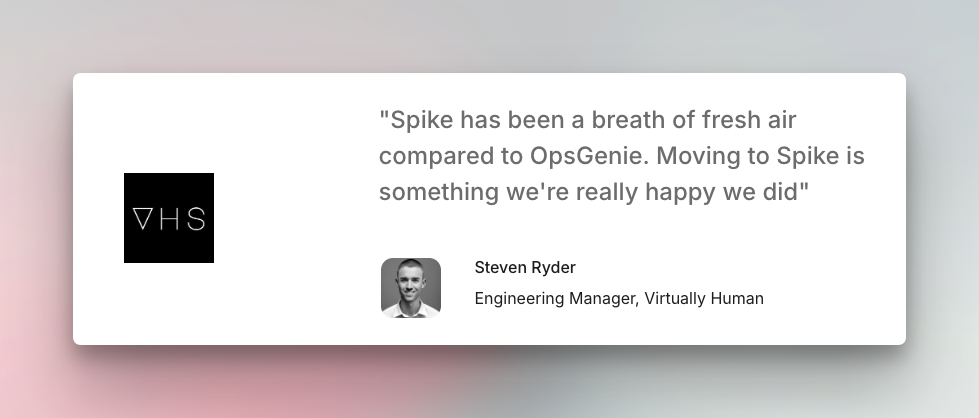
User review
Best For
Teams migrating from OpsGenie who want a familiar setup, built-in status pages, and straightforward pricing.
Want to ahead with Spike? Follow our step-by-step guide on how to migrate from OpsGenie to Spike, including what you can export, what you’ll need to rebuild, and the full cutover process.
Key point: Spike is the best OpsGenie alternative for teams that want familiar on-call and alerting workflows without the complexity of JSM. It starts at $7/user/month, includes built-in status pages, and gives OpsGenie teams 50% off their first six months.
2. PagerDuty
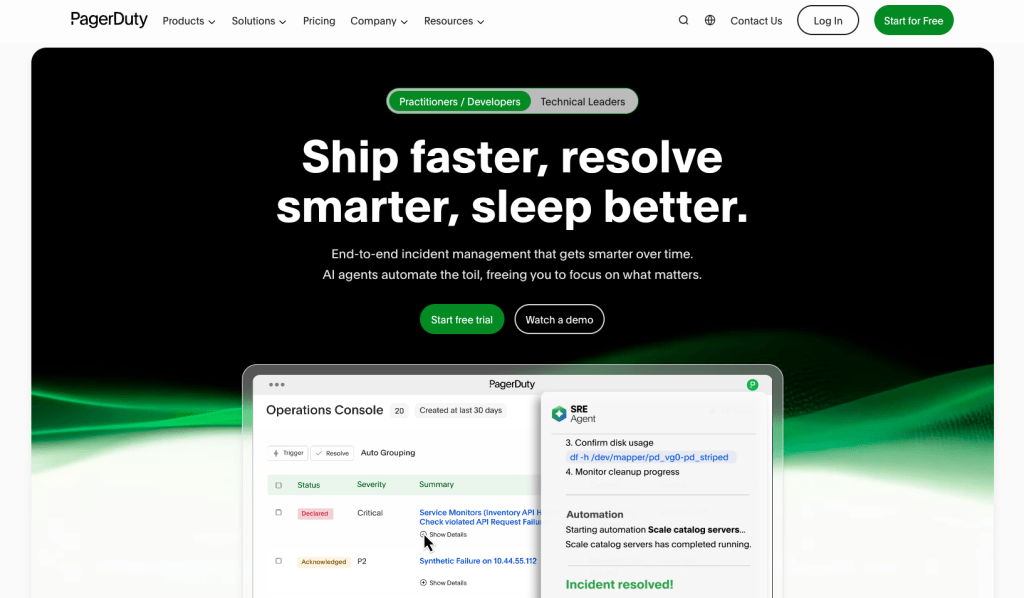
PagerDuty is one of the most established incident management platforms, built for large engineering teams with complex workflows.
For teams migrating from OpsGenie, it covers all the basics and goes deeper on enterprise integrations. The pricing and complexity are worth evaluating carefully before you commit.
Key features
- 750+ out-of-the-box integrations, including ServiceNow, Datadog, and Salesforce.
- Alerts via phone call, SMS, email, Slack, Microsoft Teams, and push notifications.
- Response Plays automate a predefined set of actions, from notifying stakeholders to spinning up a war room
- Bi-directional Jira sync keeps tickets and incidents updated without any manual work.
| Pros | Cons |
|---|---|
| Allows separate phone numbers for phone calls and SMS | No team-level alert control; managers cannot specify how individual members get alerted |
| Complete individual control over alerts; responders can choose exactly how and when they get notified | AIOps, status pages, and live call routing are paid add-ons even on the Business plan |
| Native Zoom integration allows you to spin up a war-room during an incident |
Pricing
PagerDuty has four plans:
- Free ($0/month, up to 5 users): 100 phone/SMS alerts/month, 1 on-call schedule, 1 escalation policy
- Professional ($25/user/month): Adds Slack and Teams, more schedules, status pages up to 250 subscribers, and post-incident reviews
- Business ($49/user/month): Adds custom fields, advanced ITSM integrations, and status pages up to 500 subscribers
- Enterprise: Custom pricing for end-to-end incident management
Note: AIOps, live call routing, and stakeholder license are paid add-ons on all plans.
User review
PagerDuty has a 4.5/5 stars rating on G2. Users praise its reliable alerts, strong integrations, and enterprise-grade support.
Best For
Enterprise teams that need deep ITSM integrations and have the budget to support premium add-ons.
Key point: PagerDuty is a strong OpsGenie alternative for enterprise teams, but its add-on pricing model and lack of team-level alert control make it harder to justify for small to mid-sized teams.
3. Incident.io
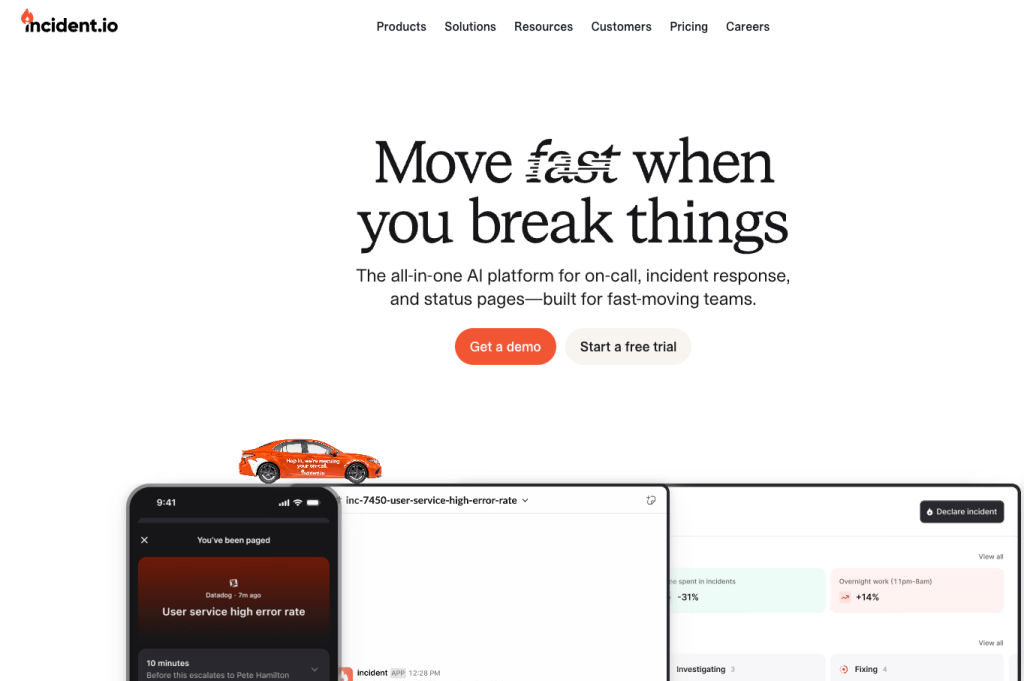
Incident.io is a Slack-first incident management platform built for teams that want incident response, on-call, and follow-up in one place. It fits teams that already work in Slack and want a chat-led workflow for incidents.
For OpsGenie users, it stands out if your team wants a more chat-driven process with built-in post-incident workflows.
Key features
- Native Slack and Microsoft Teams integration helps responders manage incidents and on-call inside chat.
- Natural-language on-call overrides allow typing an override in plain English, like “Kaushik today from 11 pm to tomorrow 7 am,” instead of filling out a more rigid form.
- Built-in status pages cover both external and internal updates, so you do not need a separate status page tool.
- Post-incident workflows are built into the product, with debriefs, postmortems, and follow-up actions in one place.
| Pros | Cons |
|---|---|
| It can auto-close incidents after inactivity and auto-archive Slack channels | Not the best fit if your team wants a classic OpsGenie-style interface |
| The schedule editor gives a before-and-after preview, so changes are easy to review | On-call is billed as a separate add-on on Team and Pro plans |
| It supports workflows and templates for follow-ups, debriefs, and postmortems |
Pricing
Incident.io has four plans:
- Basic: Free forever, includes Slack or Microsoft Teams native incident response, single-team on-call, a status page, and essential incident automation
- Team ($19/user/month): Adds multi-team on-call and alerting, stronger AI and automation, and the same status page support
- Pro ($25/user/month): Adds advanced insights, customizable post-incident processes, and private incidents and policies
- Enterprise: Custom pricing, with advanced access control, multiple environments, live phone support, and support SLAs
Note: On-call costs extra on Team and Pro. It adds $12/user/month on Team and $20/user/month on Pro.
User review
Incident.io has a 4.8/5 rating on G2 from 179 verified reviews. Reviewers often call out the Slack-native workflow, the clean interface, and how incident response stays organized without switching between tools.
Best For
Slack-heavy teams that want incident response to stay in chat, with strong workflow handling for response and follow-up.
Key point: Incident.io is a strong OpsGenie alternative for teams that want chat-led incident response with built-in follow-up workflows and a more collaborative way to manage incidents.
4. Squadcast
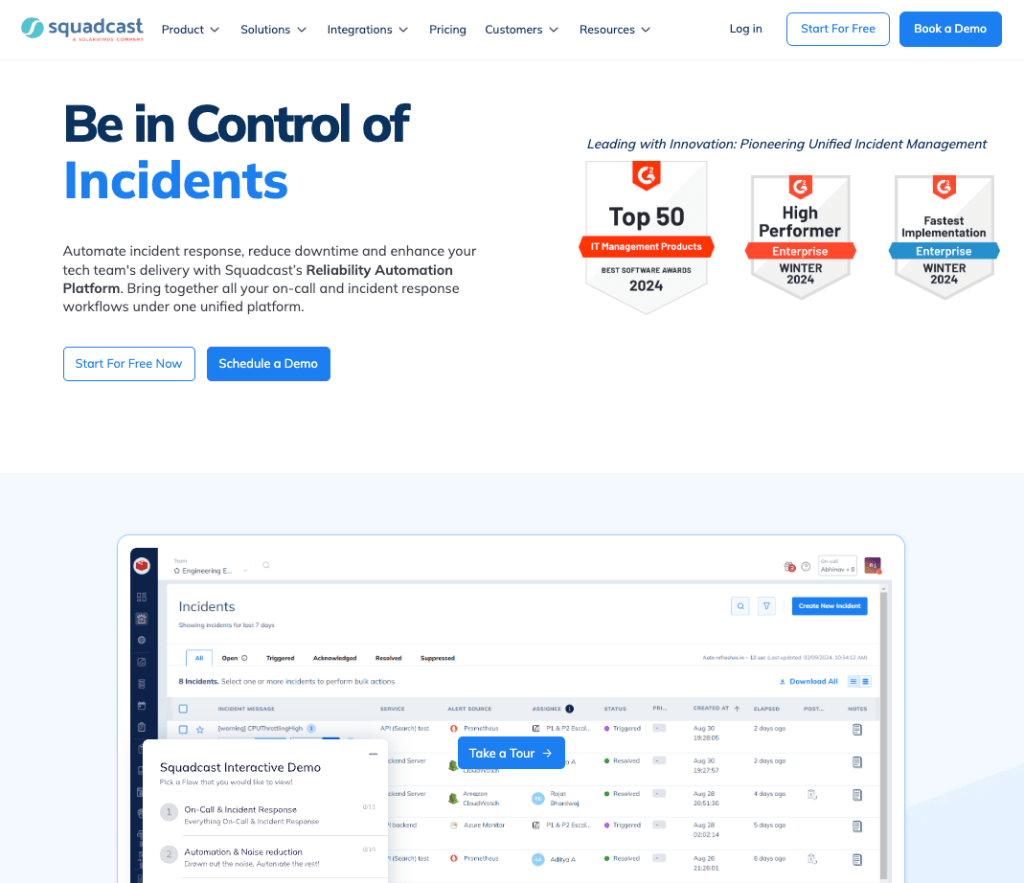
Squadcast is an incident management platform built for reliability engineering teams. It bundles alerting, on-call, and postmortems into one flow. SolarWinds acquired it in March 2025, which is worth watching because acquisitions can bring tighter ecosystem ties, roadmap shifts, and pricing changes.
Like OpsGenie, Squadcast follows the same model for alerting. Managers can set a specific delivery method for each responder in an escalation step, and responders can still set their own preferences on top of that.
Key features
- Round-robin escalation distributes the on-call load evenly instead of always paging the same person first.
- Acknowledgment reminders re-ping responders via push, email, SMS, or phone when an incident stays unresolved past a set delay.
- Pre-set rotation templates like Daily 24/7, Business Hours, and Non-Business Hours get schedules running fast.
- Built-in public and private status pages with custom domain support and message templates for incident and maintenance updates.
| Pros | Cons |
|---|---|
| Global event ruleset routes alerts from many services without a separate webhook for each one | Status pages are locked behind the Premium plan |
| Coverage-gap visibility in schedules is useful during setup and later edits | Jira ticket creation works through workflows, but there is no simple one-click button |
| Postmortems are built in and easy to start right after an incident closes |
Pricing
- Pro ($20/user/month): Includes alerting, on-call schedules, escalation policies, postmortems, and automation rules.
- Premium ($29/user/month): Adds advanced escalations, runbooks, incident workflows, SLO tracking, and status pages.
- Enterprise: Custom pricing, adds unlimited data retention, intelligent alert grouping, AI-generated incident summaries, audit logs, and ServiceNow sync.
User review
Squadcast is well-liked on G2 for ease of use and reliable alerting. Public G2-related signals also show strong satisfaction with support quality.
Best For
Teams that want OpsGenie-style dual alert control and round-robin escalation, and are comfortable with SolarWinds as the parent company.
Key point: Squadcast is a capable OpsGenie alternative with a familiar alert model and solid on-call tooling. However, the status pages are locked behind the Premium plan, and the SolarWinds acquisition adds some uncertainty around long-term product direction.
5. Zenduty
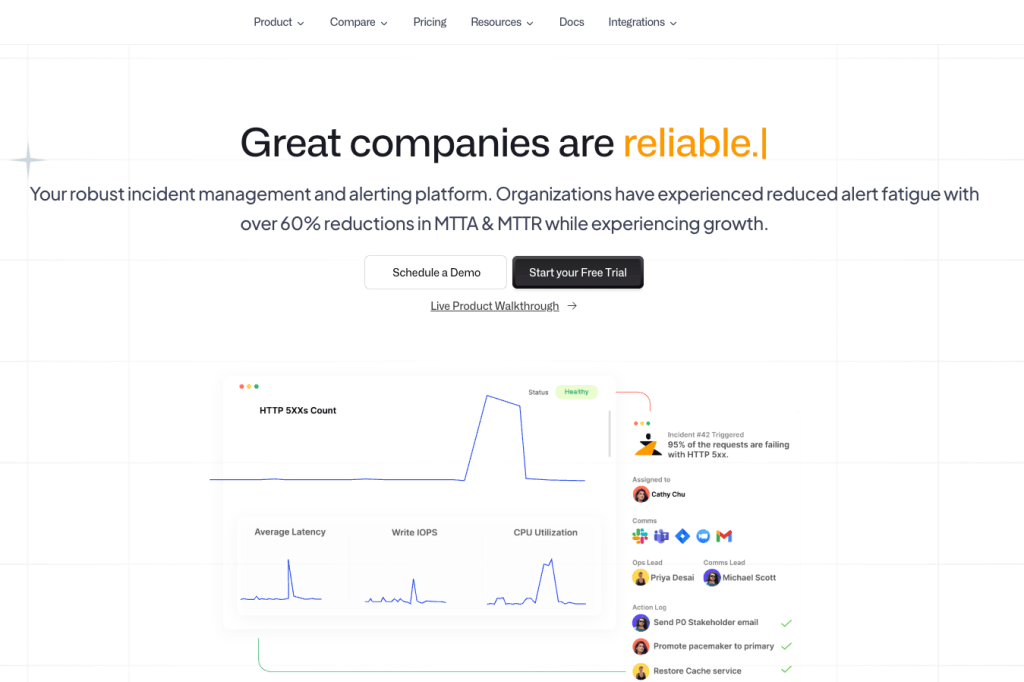
Zenduty is an incident management and on-call platform that now operates as Xurrent IMR after its acquisition by Xurrent in February 2025. It goes beyond paging with task management, SLA tracking, and postmortem workflows built into the incident lifecycle.
For OpsGenie users, the alerting model feels familiar, but there is one clear difference. Zenduty gives responders their own notification preferences, while managers do not get the same team-level control over how each person is alerted.
Key features
- Zenduty has a Stakeholders tab inside each incident, so you can send updates to users, teams, or external email addresses without leaving the incident view.
- The “Move to next rule if no user found” setting stops escalation from getting stuck when a step has no active responder.
- ZenAI can generate on-call schedule layers from prompts, which speeds up setup.
- You can create postmortems with custom fields and templates, then use AI to turn them into reports faster.
| Pros | Cons |
|---|---|
| SLA policy can be set per service, so each service has its own response time expectations defined upfront | Status page is a $10,000/year add-on on Growth and only included on Enterprise |
| Override history is visible on each schedule, so you can see a record of past coverage changes | Xurrent’s acquisition might affect Zenduty’s product roadmap and pricing |
| Service dependency mapping helps teams assess the blast radius of an incident quickly |
Pricing
- Starter ($6/user/month): Up to 5 users, 1 team, 5 integrations per team, and 100 call/SMS credits per user monthly.
- Growth ($16/user/month): Up to 50 users, 5 teams, unlimited call/SMS, and 9×5 support. Status page is an optional add-on at $10,000/year.
- Enterprise (custom pricing, minimum 80 users): Unlimited seats, teams, and integrations, 24×7 priority support, and status page included.
User review
Xurrent IMR holds a 4.6/5 rating on G2 from 158 reviews. Users consistently highlight the clean UI and easy integration setup.
Best For
Small to mid-sized teams that need affordable alerting, and can work without team-level alert control or a built-in status page.
Key point: Zenduty gives teams a practical OpsGenie-style setup at a lower price, but the status page add-on and Xurrent acquisition are the two things to think about before switching.
6. xMatters
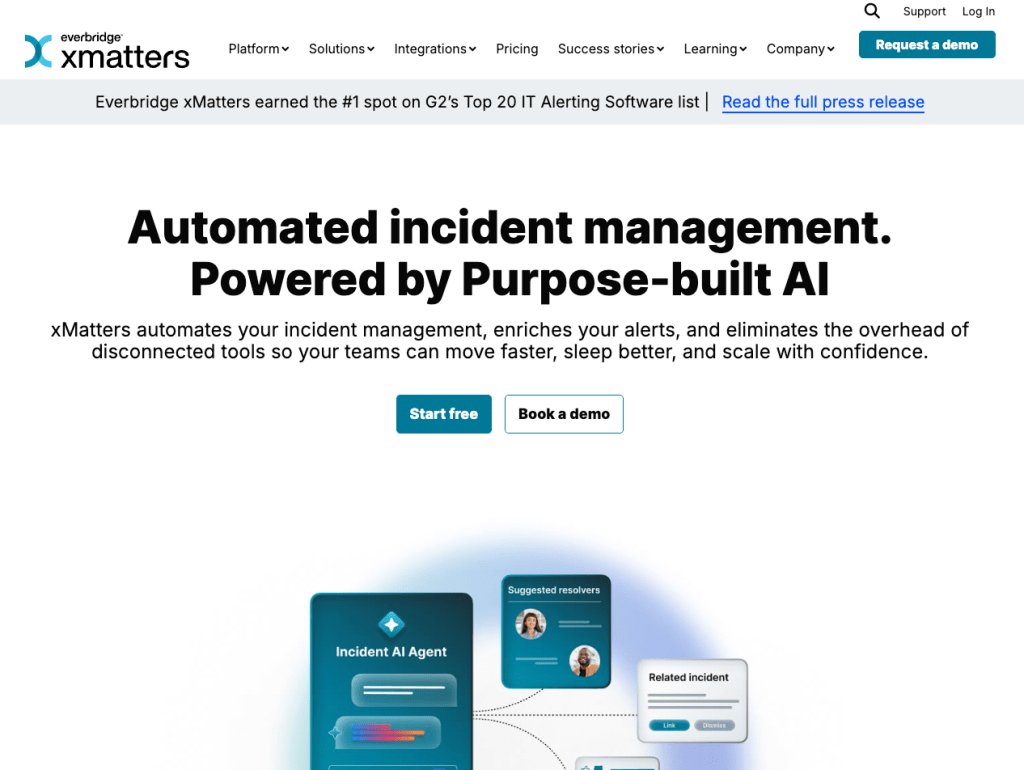
xMatters is an enterprise-grade incident management and on-call platform, now part of Everbridge. It is built for large teams that need alerting, on-call, and deep ServiceNow integration in one place.
For OpsGenie users, xMatters covers everything OpsGenie offers and goes further on automation and integrations. It suits larger teams with established toolchains better than teams looking for a lightweight, straightforward replacement.
Key features
- xMatters supports time zone-aware on-call schedules with rotation management, which helps distributed teams stay covered.
- ServiceNow integration is one of its strongest points, with workflows that connect incident detection, routing, and resolution across tools.
- Multilingual messaging delivers alerts in 42 languages across voice, SMS, mobile push, and email.
- A live service map shows which services are affected by an active incident at a glance, so teams can scope the impact quickly.
| Pros | Cons |
|---|---|
| Round-robin scheduling rotates alert load after every alert, after a set timeframe, or after a specific number of shifts | Status pages are only available on the Advanced plan, which requires custom pricing |
| Dynamic groups let you target alerts based on skills or custom attributes, not just who is on call | It is less of a clean OpsGenie-style replacement for teams that just want simple paging and schedules |
| Unlike PagerDuty, AIOps is included across all paid plans |
Pricing
- Free ($0/month, up to 10 users): On-call scheduling, escalation policies, and alerting via email and push. No SMS or voice included.
- Starter ($9/user/month, up to 100 users): Adds SMS (50/user/month) and voice (10/user/month), 8×5 support, and one year of historical data.
- Base ($39/user/month): Adds multilingual messaging, playbooks, live call routing, stakeholder management, and 24×7 support.
- Advanced (custom pricing): Adds status pages, unlimited SMS and voice, shared dashboards, and post-incident reporting.
User review
xMatters holds a 4.5/5 rating on G2 from 725 verified reviews. Users consistently praise its reliable notifications and automated workflows.
Best For
Enterprise teams with complex ITSM workflows and multi-tool environments that need advanced automation capabilities.
Key point: xMatters is a strong OpsGenie alternative for enterprise teams that need deep ITSM integrations and advanced automation. If your team just wants simple alerting and on-call schedules, it is more than you need.
7. Splunk OnCall
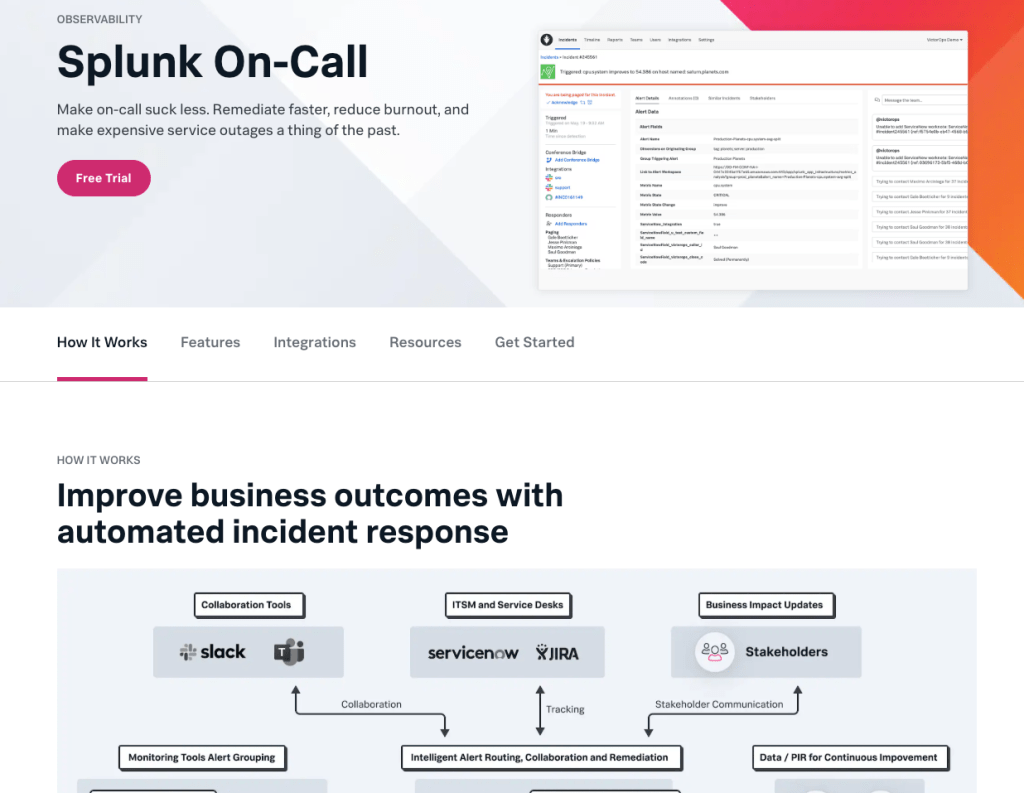
Splunk OnCall (formerly VictorOps) is an incident management and on-call platform now under Cisco through the Splunk acquisition. It was one of the first tools to combine alert context, timeline views, and on-call scheduling in a single interface.
For OpsGenie users, the core alerting and on-call functionality works well. The main thing to factor in is that the product has received very little investment since the acquisition, and recent G2 reviews note the product has existed largely unchanged and has since been surpassed by other tools in the market.
Key features
- Native integration with Splunk logs and observability data means teams already in the Splunk ecosystem get alert context pulled directly from their existing setup.
- When an alert fires, responders automatically see similar historical incidents alongside it, which gives them a starting point for investigation rather than starting from scratch.
- Machine learning routes alerts to the right expert based on past incident handling patterns, not just whoever is next in the rotation.
- Maintenance mode suppresses alerts during planned downtime windows so on-call responders don’t get paged for expected outages.
| Pros | Cons |
|---|---|
| Waiting Room holds alerts before escalating, giving auto-resolving issues time to clear | It is less appealing if your team is not already invested in the Splunk ecosystem. |
| Alerts can carry useful operational context like runbooks and graphs. | No public pricing; all plans require a custom quote through Cisco/Splunk sales |
| Built-in chat inside the incident timeline keeps response conversations alongside alert data |
Pricing
Splunk OnCall does not publish pricing. All plans are custom quotes through Cisco/Splunk sales.
User review
Splunk OnCall holds a 4.5/5 rating on G2 from 52 verified reviews. Users value its reliable alerting and Splunk integration but consistently note the product has not kept pace with competitors since the acquisition.
Best For
Teams already running Splunk for observability who want on-call and alerting connected natively to their existing Splunk data.
Key point: Splunk OnCall works for teams deep in the Splunk ecosystem, but the product has seen little meaningful development since the acquisition. If you are migrating from OpsGenie and not already using Splunk, there are better alternatives.
3 Open source OpsGenie alternatives
Open source tools make sense in two situations: your budget is tight and you have the engineering time to self-host, or you have a specific compliance or data residency requirement that rules out SaaS. These three are the most actively maintained options in the space.
| Tool | What It Replaces | GitHub Stars | License |
|---|---|---|---|
| GoAlert | On-call scheduling + alerting | 2.7k | Apache 2.0 |
| Keep | Alert noise + correlation layer | Actively maintained | Apache 2.0 |
| OneUptime | Full OpsGenie stack + monitoring + status pages | 5.9k+ | Apache 2.0 |
1. GoAlert
GoAlert is an open source on-call scheduling and alerting tool built and battle-tested by Target’s engineering team. It ships as a single binary, runs on Docker, and keeps setup relatively straightforward compared to more complex self-hosted platforms.
What it covers
- On-call rotations and escalation policies
- Alert delivery via SMS, voice, and Slack
- A clean admin UI for managing schedules and on-call assignments
What it doesn’t cover
- No incident management workflow
- No built-in status page
- No SaaS option; you own the hosting, updates, and uptime
Best for
Teams that need a focused, lightweight replacement for OpsGenie’s on-call scheduling and alerting, and have the ops bandwidth to run it themselves.
GitHub
target/goalert — 2.7k stars, Apache 2.0, actively maintained
2. Keep
Keep is worth understanding clearly before you evaluate it: it is not a direct OpsGenie replacement. It is an open source alert management and correlation platform that sits between your monitoring tools and your on-call tool. It pulls alerts from sources like Grafana, Datadog, Prometheus, and CloudWatch, deduplicates and correlates them, and routes the filtered signal to wherever your on-call team responds.
What it covers
- Alert ingestion from multiple monitoring sources in one place
- Noise reduction through deduplication and correlation
- Routing rules that filter alerts before they reach your on-call engineer
What it doesn’t cover
- No on-call scheduling or escalation policies; you still need a separate tool for that
- No incident management or status pages
Best for
Teams drowning in alert noise across multiple monitoring sources who want a self-hosted correlation layer before alerts reach on-call responders.
GitHub
keephq/keep — Apache 2.0, actively maintained
3. OneUptime
OneUptime is the most complete open source option on this list. In a single self-hosted platform, it covers uptime monitoring, incident management, on-call scheduling, escalation policies, and status pages. It deploys via Docker Compose or Helm, and there is also a managed cloud option if you want to skip the infrastructure work.
What it covers
- Uptime monitoring across URLs, APIs, and infrastructure
- On-call scheduling, escalation policies, and alert routing
- Incident management with timelines and updates
- Built-in status pages, public or private
What it doesn’t cover
- Setup complexity is real; getting all components running takes meaningful time
- Ongoing maintenance, upgrades, and incident response for the tool itself fall on your team
Best for
Teams that want one self-hosted platform to cover monitoring, on-call, and status pages without paying for multiple SaaS tools.
GitHub
OneUptime/oneuptime — 5.9k+ stars, Apache 2.0, actively maintained
Key point: Open source tools are free to license, but not free to run. Factor in engineer hours for setup, maintenance, and on-call support for the tool itself. For most teams, a paid tool works out more affordable once you account for those costs.
How to Choose the Right OpsGenie Alternative
Every team’s situation is different. Here is a simple way to match your situation to the right tool.
If you want the closest thing to OpsGenie’s workflow: Choose Spike. It has the same on-call schedules, escalation policies, and alert routing that OpsGenie users already know. It starts at $7/user/month, includes built-in status pages, and gives OpsGenie teams 50% off their first six months.
If your team lives in Slack and wants incidents managed there: Choose Incident.io. It handles alerting, incident response, and post-incident workflows without asking your team to leave Slack. The on-call add-on costs extra, but the overall experience is tightly chat-native.
If you are a large enterprise already running ServiceNow or Salesforce: Choose PagerDuty. The 750+ integrations and enterprise-grade SLAs justify the higher price at that scale. For smaller teams, the add-on pricing model adds up quickly.
If you want dual alert control and can accept the SolarWinds acquisition risk: Choose Squadcast. Managers can set alert delivery methods per responder, and responders can override their own preferences, exactly how OpsGenie worked. Status pages require the Premium plan at $29/user/month.
If you are already in the Xurrent ecosystem: Choose Zenduty. At $6/user/month it is the most affordable paid option. Just note that team-level alert control is limited and status pages are a $10,000/year add-on on the Growth plan.
If you are already deep in the Splunk ecosystem: Choose Splunk OnCall. It pulls alert context directly from your existing Splunk data. If you are not already a Splunk shop, there are better options. The product has seen little development since Cisco acquired it.
If budget is extremely tight and you have engineering time to self-host: Look at GoAlert, Keep, or OneUptime. GoAlert covers on-call scheduling and alerting. Keep sits between your monitoring tools and on-call tool as an alert correlation layer. It is not a full OpsGenie replacement on its own. OneUptime covers the full stack including monitoring and status pages. None of them are free to run once you factor in engineering time.
Migrate from OpsGenie today
OpsGenie is shutting down completely on April 5, 2027. Atlassian deletes all the unmigrated data after the shutdown.
Spike is the best OpsGenie-style replacement with similar on-call schedules, escalation policies, and alert workflows. Plus, it offers OpsGenie users 50% off their first six months.
FAQs
Can existing OpsGenie customers still use the platform until April 2027?
Yes, existing customers can continue using OpsGenie until April 5, 2027. However, the platform is in maintenance-only mode. No new features, integrations, or bug fixes are coming. If something breaks, support options are limited. Planning your migration well before the deadline is safer than waiting until the final months.
What happens to my OpsGenie data after the shutdown?
Atlassian will delete all non-migrated data after the April 5, 2027 shutdown. This includes on-call schedules, escalation policies, alert history, and integrations. There is no grace period after the shutdown date. Export your data and reconfigure your integrations in a new platform before that date.
How do I export my data from OpsGenie before the shutdown?
OpsGenie lets you export escalation policies, on-call schedules, user lists, and alert history through its REST API and export settings. Integrations cannot be exported directly. They use API keys and webhook URLs specific to your OpsGenie account, so each one needs to be manually reconfigured in your new platform. Start the export early to avoid doing it under deadline pressure.
Is OpsGenie still adding new features?
No, OpsGenie is not adding new features. It is in maintenance-only mode following the end of new sales on June 4, 2025. Atlassian is no longer developing new features or integrations for the platform. The focus is on keeping existing functionality running until the April 5, 2027 shutdown.
Which OpsGenie alternative is best?
Spike is the best OpsGenie alternative for DevOps and SRE teams. It has the same on-call schedules, escalation policies, and alert workflows that OpsGenie users are already familiar with. It starts at $7/user/month, includes built-in status pages on every plan, and gives OpsGenie teams 50% off their first six months.
Is Spike more affordable than OpsGenie?
Yes, Spike is more affordable than OpsGenie. Spike’s Starter plan is $7/user/month, while OpsGenie Essentials was $9/user/month. OpsGenie users also get 50% off their first six months on Spike, which brings the effective cost down to $3.50/user/month for that period. OpsGenie also required a separate Statuspage.io subscription ($29-109/month) for status pages. Spike includes them on every plan at no extra cost.
What should I look for in an OpsGenie replacement?
The key things to evaluate are alert delivery channels (phone, SMS, Slack, email), on-call scheduling flexibility, escalation policy customization, and whether status pages are included or cost extra. Also check whether the tool gives managers team-level control over how each responder gets alerted. OpsGenie did, and not every alternative does.
Can I migrate my OpsGenie schedules and escalation policies to Spike?
You can export your OpsGenie schedules and escalation policies and rebuild them in Spike. The structure maps closely. Spike uses the same concept of escalation steps, rotation types, and on-call layers that OpsGenie users are familiar with. You can also bulk-create them using the Spike API.
Does OpsGenie work with Prometheus and Grafana after the shutdown?
No, OpsGenie will not work with Prometheus and Grafana after the shutdown. After April 5, 2027, OpsGenie will be fully shut down and all integrations will stop working. If you use OpsGenie as an alert routing layer for Prometheus or Grafana today, you need to replace it before that date. Spike, PagerDuty, Squadcast, and Zenduty all support native Grafana and Prometheus integrations and can serve as a direct replacement in your existing alerting stack.