Get phone and SMS alerts fromGitLab CI/CD
GitLab CI/CD raises the alarm — Spike makes sure a human hears it. Every GitLab CI/CD alert becomes an incident with on-call schedules, escalations, and alerts on phone, SMS, Slack, email, WhatsApp, and Teams.
Set up with AI
I use GitLab CI/CD for monitoring and Spike for on-call and incident management. Walk me through connecting them: create a GitLab CI/CD integration in Spike, copy its webhook URL, and add that webhook to GitLab CI/CD alert settings. Then help me send a test alert to confirm incidents show up in Spike.
What is GitLab CI/CD?
GitLab CI/CD keeps watch over your systems and raises an alert the moment something goes wrong — a failed check, an error spike, a service that stops responding.
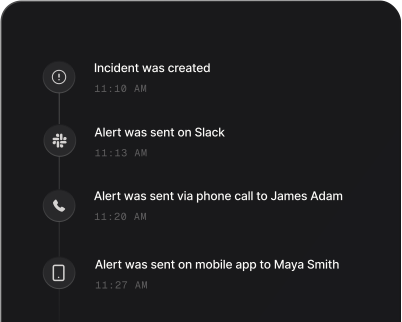
Connected to Spike, those alerts become incidents: the right on-call person gets a phone call and SMS within seconds, similar incidents are grouped to cut the noise, and everything is tracked until it is resolved.
How to set up GitLab CI/CD alerts
Every Spike integration is a unique webhook URL. Paste it into GitLab CI/CD and alerts start flowing — no agents, no code.
Step 1: Create a GitLab CI/CD integration in Spike
In your Spike dashboard, open Integrations and choose GitLab CI/CD. Spike generates a unique webhook URL for this integration — copy it.
Step 2: Add the webhook in GitLab CI/CD
Open the alert or notification settings in GitLab CI/CD, add a webhook endpoint, and paste your Spike webhook URL.
Step 3: Send a test alert
Trigger a test from GitLab CI/CD. The alert lands in Spike as an incident and your on-call team is alerted immediately.
That's it — GitLab CI/CD alerts now page whoever is on call.