Get phone and SMS alerts fromOracle Visual Builder Studio
Oracle Visual Builder Studio runs the build jobs behind your Oracle applications. When a job fails, nobody is looking at the build page at 3 a.m. Spike turns that failed build into an incident and pages whoever is on call, escalating until someone picks it up.
Set up with AI
I use Oracle Visual Builder Studio for monitoring and Spike for on-call and incident management. Walk me through connecting them: create a Oracle Visual Builder Studio integration in Spike, copy its webhook URL, and add that webhook to Oracle Visual Builder Studio alert settings. Then help me send a test alert to confirm incidents show up in Spike.
What is Oracle Visual Builder Studio?
Oracle Visual Builder Studio (VB Studio) is Oracle’s hosted development platform for building and shipping applications on Oracle Cloud. Alongside the low-code designer it provides Git repositories, issue tracking, merge requests and build jobs.
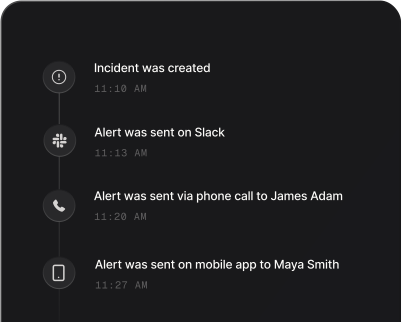
A build that fails is easy to miss. The result sits on a project page, and the people who would fix it find out when a release is blocked. Pointed at Spike through a VB Studio webhook, a failed build becomes a page: the on-call engineer is called and texted within seconds, and a failure nobody acknowledges climbs the escalation policy until someone answers. The incident title carries the job name and the project, so the person paged knows what broke and where before opening anything.
Spike keys an incident on the job within its project. A repeat failure of the same job is added to the open incident rather than paging the team again, and two different jobs stay two incidents. Unstable builds open an incident too. Aborted and not-built builds are attached to an open incident for the same job but never open or close one. Alert routing rules can read the project and job so that a sandbox project doesn’t wake the same people as production.
When the next build of the job succeeds, Spike matches it to the open incident by job and project and resolves it, so there are no stale pages left to close by hand.
How to set up Oracle Visual Builder Studio alerts
Every Spike integration is a unique webhook URL. Paste it into Oracle Visual Builder Studio and alerts start flowing — no agents, no code.
Step 1: Create an Oracle Visual Builder Studio integration in Spike
In your Spike dashboard, open Integrations and choose Oracle Visual Builder Studio. Spike generates a unique webhook URL for this integration — copy it, and attach the integration to the service and escalation policy that should answer failed builds.
Step 2: Add a generic webhook to your VB Studio project
In VB Studio, open Project Administration, go to Webhooks and create a webhook of the Generic type. Paste the Spike URL into the URL field, and under Event Groups choose Select specific events and tick the build event. Spike only reads build events; other event types are ignored.
Step 3: Watch a failed build become an incident
When a build finishes as failed or unstable, Spike opens an incident titled with the job name and the project, such as "build-and-test build failed in order-portal". Further failures of the same job join that incident instead of paging again, and a later successful build of the job resolves it.
That's it — Oracle Visual Builder Studio alerts now page whoever is on call.