Get phone and SMS alerts fromScienceLogic Skylar One (SL1)
ScienceLogic Skylar One (SL1) watches your devices, networks, cloud and applications and raises an event when something crosses a line. Send those events to Spike and each active one becomes an incident: a phone call, SMS, Slack message or email to whoever is on call, escalating until someone answers.
Set up with AI
I use ScienceLogic Skylar One (SL1) for monitoring and Spike for on-call and incident management. Walk me through connecting them: create a ScienceLogic Skylar One (SL1) integration in Spike, copy its webhook URL, and add that webhook to ScienceLogic Skylar One (SL1) alert settings. Then help me send a test alert to confirm incidents show up in Spike.
What is ScienceLogic Skylar One (SL1)?
ScienceLogic Skylar One, long known as SL1, is an AIOps and IT infrastructure monitoring platform. It discovers devices, network gear, cloud services and applications, collects their performance and availability data, and runs event policies over it. When a threshold is crossed or a component stops answering, SL1 raises an event with a severity, a message and the entity it is about, and keeps it active until the condition goes away.
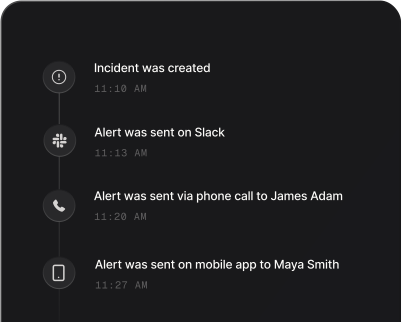
SL1’s console is where those events wait for someone to notice them. Sent to Spike, an active event becomes a page instead: the engineer who is on call is phoned and texted within seconds, and if nobody acknowledges it, the escalation policy hands it to the next responder.
The incident title is SL1’s own event message followed by the device, such as “Physical memory usage has exceeded threshold: (90%) currently (95.3%) on db-prod-03”. Because Spike matches on SL1’s event id rather than the title, a repeat whose reading has moved still joins the incident already open, and two different events on the same device stay two incidents. If a payload arrives without an event id, Spike falls back to a plain title built from the event policy and the device, and matches on that. Alert routing rules can read the severity, organization and device, so a critical event on a production database reaches a different team from a minor one in a lab.
When SL1 clears the event, the Cleared Events policy sends the same event id with a status of “cleared”, and Spike resolves the incident it opened. A cleared event with nothing open is dropped rather than paging anyone.
How to set up ScienceLogic Skylar One (SL1) alerts
Every Spike integration is a unique webhook URL. Paste it into ScienceLogic Skylar One (SL1) and alerts start flowing — no agents, no code.
Step 1: Create a ScienceLogic Skylar One integration in Spike
In your Spike dashboard, open Integrations and choose ScienceLogic Skylar One (SL1). Spike generates a unique webhook URL for this integration. Copy it, and attach the integration to the service and escalation policy that should answer SL1's events.
Step 2: Create two Make an HTTP Request actions in SL1
With the HTTP Action Type PowerPack (v102 or later) installed, open Registry > Run Book > Actions and save two copies of the HTTP Action Template. Set url_override to your Spike URL and payload_type to json, and give each a JSON payload built from SL1's Run Book Variables (%e, %M, %X, %_event_policy_name) with a status of "active" in one and "cleared" in the other.
Step 3: Create an Active Events and a Cleared Events automation policy
In Registry > Run Book > Automation, create a policy of type Active Events with the "active" action aligned, and a policy of type Cleared Events with the "cleared" action aligned, both scoped to the same devices and events. SL1 runs the Cleared Events policy once, when the event clears.
Step 4: Let SL1 close the incident
Spike keys the incident on SL1's event id, so a repeat of the same event joins the open incident instead of paging again. When SL1 clears the event, the cleared payload carries the same id and resolves the incident.
That's it — ScienceLogic Skylar One (SL1) alerts now page whoever is on call.