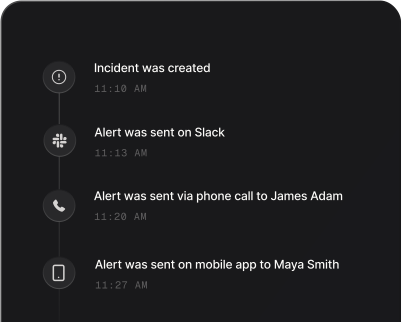
Get phone and SMS alerts fromSnyk
Snyk tests the Open Source dependencies and container images of the projects imported into it. Spike turns each test that finds new vulnerabilities into an incident for that project, paging the on-call engineer by phone, SMS, Slack, and email, with escalation.
Set up with AI
I use Snyk for monitoring and Spike for on-call and incident management. Walk me through connecting them: create a Snyk integration in Spike, copy its webhook URL, and add that webhook to Snyk alert settings. Then help me send a test alert to confirm incidents show up in Spike.
What is Snyk?
Snyk is a developer security platform. It tests the projects imported into it, and its webhooks send a snapshot of an Open Source or container project on every test: the new issues that test found, and the issues that were removed.
Left in Snyk, a newly disclosed critical vulnerability in a production dependency waits for whoever next opens the dashboard or reads the digest email. Connected to Spike, every test that finds new vulnerabilities in a project becomes an incident named after the worst of them, the package and version it is in, and the project it was found in, and it pages the on-call engineer by phone and SMS, escalating to the next responder if it goes unacknowledged. Spike tracks the incident by the Snyk project, so later tests of the same project land on the incident already open instead of paging again, and the incident resolves itself only when a test reports no known vulnerabilities left in the project, at any severity. Fixing one issue while others remain keeps it open. Routine tests that find nothing new open nothing at all.
Snyk’s severity carries through: critical and high findings open at SEV1, medium at SEV2 and low at SEV3, and an alert rule in Spike can suppress or reroute the levels a team does not want to be woken for.
How to set up Snyk alerts
Every Spike integration is a unique webhook URL. Paste it into Snyk and alerts start flowing — no agents, no code.
Step 1: Create a Snyk integration in Spike
In your Spike dashboard, open Integrations and choose Snyk. Spike generates a unique webhook URL for this integration — copy it.
Step 2: Find your Snyk organization ID and API token
In Snyk, the organization ID is under Settings, then General. Use a service account token, as Snyk recommends for automation, or the key in your account settings. It needs the View Organization, View Outbound Webhooks and Create Outbound Webhooks permissions.
Step 3: Subscribe the webhook through the Snyk API
Snyk sets up webhooks through its API, which is available on Snyk's Enterprise plan, so the subscription is one API call: POST the Spike URL and a random secret to the organization's webhooks endpoint. One subscription covers every project in the organization.
Step 4: Wait for the next test
Snyk pings the webhook when it is created, and Spike records the ping without paging anyone. The next test that finds a new vulnerability opens an incident, and it resolves once a test reports no known vulnerabilities left in the project.
That's it — Snyk alerts now page whoever is on call.