Get phone and SMS alerts fromStarTree ThirdEye
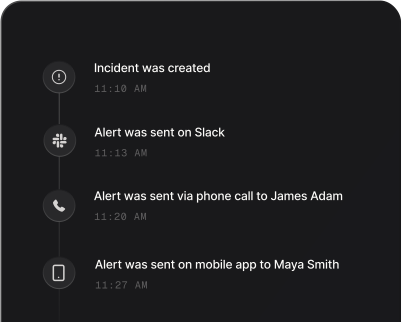
StarTree ThirdEye watches your Apache Pinot metrics and flags anomalies — a latency spike, a drop in orders, an error rate off its baseline. Spike pages whoever is on call by phone, SMS, Slack or email, escalates until someone answers, and resolves the incident when ThirdEye reports the anomaly over.
Set up with AI
I use StarTree ThirdEye for monitoring and Spike for on-call and incident management. Walk me through connecting them: create a StarTree ThirdEye integration in Spike, copy its webhook URL, and add that webhook to StarTree ThirdEye alert settings. Then help me send a test alert to confirm incidents show up in Spike.
What is StarTree ThirdEye?
StarTree ThirdEye is the anomaly detection and root-cause analysis tool in StarTree, built on Apache Pinot. You write an alert — a detection function over one metric — and ThirdEye records an anomaly whenever the metric leaves the range it expected. Alerts are grouped into subscription groups, and each group notifies on its own cron schedule through email, Slack, or a webhook.
Pointed at Spike through a webhook spec, those anomalies become pages. Every anomaly in a run carries ThirdEye’s own anomaly id, and Spike uses it to keep one anomaly as one incident: the incident opens when ThirdEye reports the anomaly and resolves when ThirdEye reports it finished. The title says what moved and by how much, so the on-call engineer knows whether checkout latency tripled or orders collapsed before opening anything. Who gets paged, and how hard, is decided in Spike with alert routing rules, and an incident nobody acknowledges climbs the escalation policy.
A group posts one envelope per cron run, so several anomalies found in the same run arrive together and open one incident for the batch. Split busy alerts into their own subscription groups if you want them to page separately.
How to set up StarTree ThirdEye alerts
Every Spike integration is a unique webhook URL. Paste it into StarTree ThirdEye and alerts start flowing — no agents, no code.
Step 1: Create a StarTree ThirdEye integration in Spike
In your Spike dashboard, open Integrations and choose StarTree ThirdEye. Spike generates a unique webhook URL for this integration — copy it, and attach the integration to the service and escalation policy that should answer these anomalies.
Step 2: Create a subscription group in ThirdEye
In ThirdEye, click Create, then Subscription Group. Name it, give it a cron schedule, and add the alerts it should notify for, then click Next and Finish.
Step 3: Add a webhook spec that points at Spike
Through the ThirdEye API, add a spec of type webhook to the group, with the Spike URL as its url and notifyResolvedAnomalies set to true so finished anomalies are reported too. Spike's StarTree ThirdEye guide on docs.spike.sh has the exact spec and the API calls.
Step 4: Watch an anomaly become an incident
On the group's next run after ThirdEye finds an anomaly, Spike opens an incident titled with the metric, which way it moved and by how much, for example "passenger_count down 62% (23,475,211 vs 61,570,801 expected)". The run that reports the anomaly finished resolves the incident.
That's it — StarTree ThirdEye alerts now page whoever is on call.