Get phone and SMS alerts fromStatusGator
StatusGator watches the status pages of the cloud and SaaS services you depend on. Spike turns its status changes and early warnings into incidents, routed to the on-call engineer by phone, SMS, Slack, and email.
Set up with AI
I use StatusGator for monitoring and Spike for on-call and incident management. Walk me through connecting them: create a StatusGator integration in Spike, copy its webhook URL, and add that webhook to StatusGator alert settings. Then help me send a test alert to confirm incidents show up in Spike.
What is StatusGator?
StatusGator aggregates the public status pages of thousands of cloud and SaaS services, so you hear about a provider’s outage from one place instead of checking each page yourself. On its own, that alert lands in an inbox or a chat channel, where it is easy to miss while your own customers are already affected.
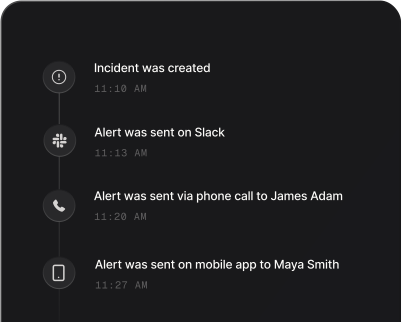
Connected to Spike, each StatusGator status change becomes an incident for that monitor. A change to down, degraded, or under maintenance opens it, or joins the incident that is already open for the same monitor, and the on-call engineer is paged with escalation if nobody responds. When StatusGator reports the monitor as up again, Spike resolves the incident for that monitor automatically.
StatusGator early warnings, which flag a possible outage before the provider confirms it, and user outage reports from your StatusGator status page open or join the monitor’s incident too. They never close it, so one that is never followed by a recovery may need to be resolved in Spike by hand.
How to set up StatusGator alerts
Every Spike integration is a unique webhook URL. Paste it into StatusGator and alerts start flowing — no agents, no code.
Step 1: Create a StatusGator integration in Spike
In your Spike dashboard, open Integrations and choose StatusGator. Spike generates a unique webhook URL for this integration — copy it.
Step 2: Add a webhook in StatusGator
In StatusGator, go to Integrations, then Webhooks, and choose Add. Paste the Spike URL as the webhook URL.
Step 3: Choose the events and save
Under Event type, keep Status changes on. Turn on Early Warning Signals and User outage reports if you want those to page too. Save, then send a test notification to check that it reaches Spike.
That's it — StatusGator alerts now page whoever is on call.