We rebuilt the Slack app from the ground up. The headline is Spike AI: mention @Spike in any thread and run your incident response in plain language. Plus a leaner alert layout and richer link previews.
If your workspace is already connected, you need to reconnect. The new app adds Slack scopes, and reconnecting is how you pick them up. Head to the Slack connect page → to do it in a few clicks.
Here is everything new in the new app for Slack.
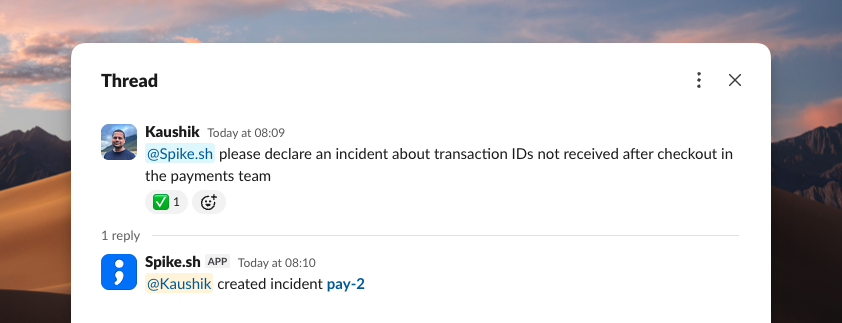
Spike AI, in any thread
This is the big one. Mention @Spike in any Slack thread and get things done in plain language. No slash commands, no syntax to memorize. It reads the thread and acts on it.
Declare an incident, or turn an existing thread into one.
Add or remove responders on the fly.
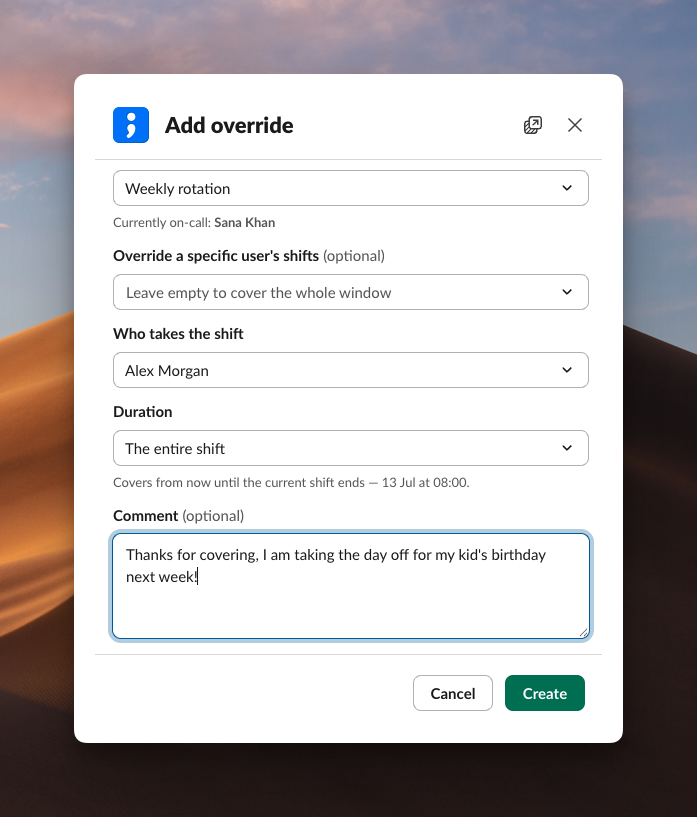
Add overrides when plans change.
Check who is on call and list open incidents.
Ask questions about your account and get an answer in the thread.
Spike AI turns any conversation into the place you run the incident from.
Incident alerts
Handle an incident without leaving the alert. Acknowledge, resolve, add a note, or spin up an incident channel right from the message. The layout is leaner, so the actions you reach for are front and center.
Fetch the activity log to see what happened and when.
Open the full incident payload inside Slack.
Create a Statuspage incident and link it back to the alert.
We also shipped a new template for incident alerts, so every alert reads clearly at a glance.
On-call alerts
Add an override straight from the on-call alert. If you cannot take a shift, hand it off in a click without opening the dashboard.
Link unfurling
Paste an incident link and Slack expands it into a rich preview. Everyone in the channel gets the context without clicking through.
You can change incident details from the preview too, so a link becomes a place to act, not just a reference.
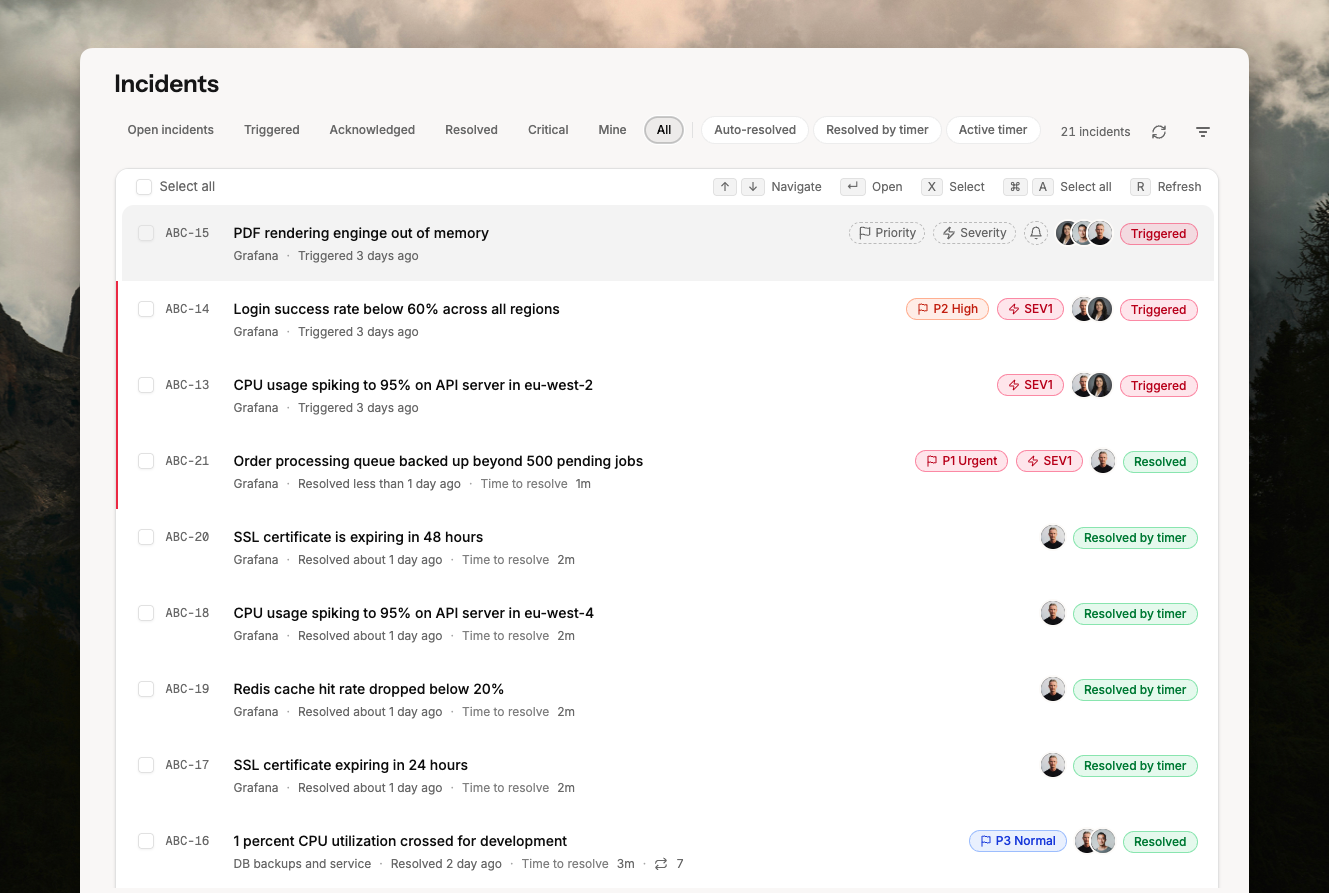
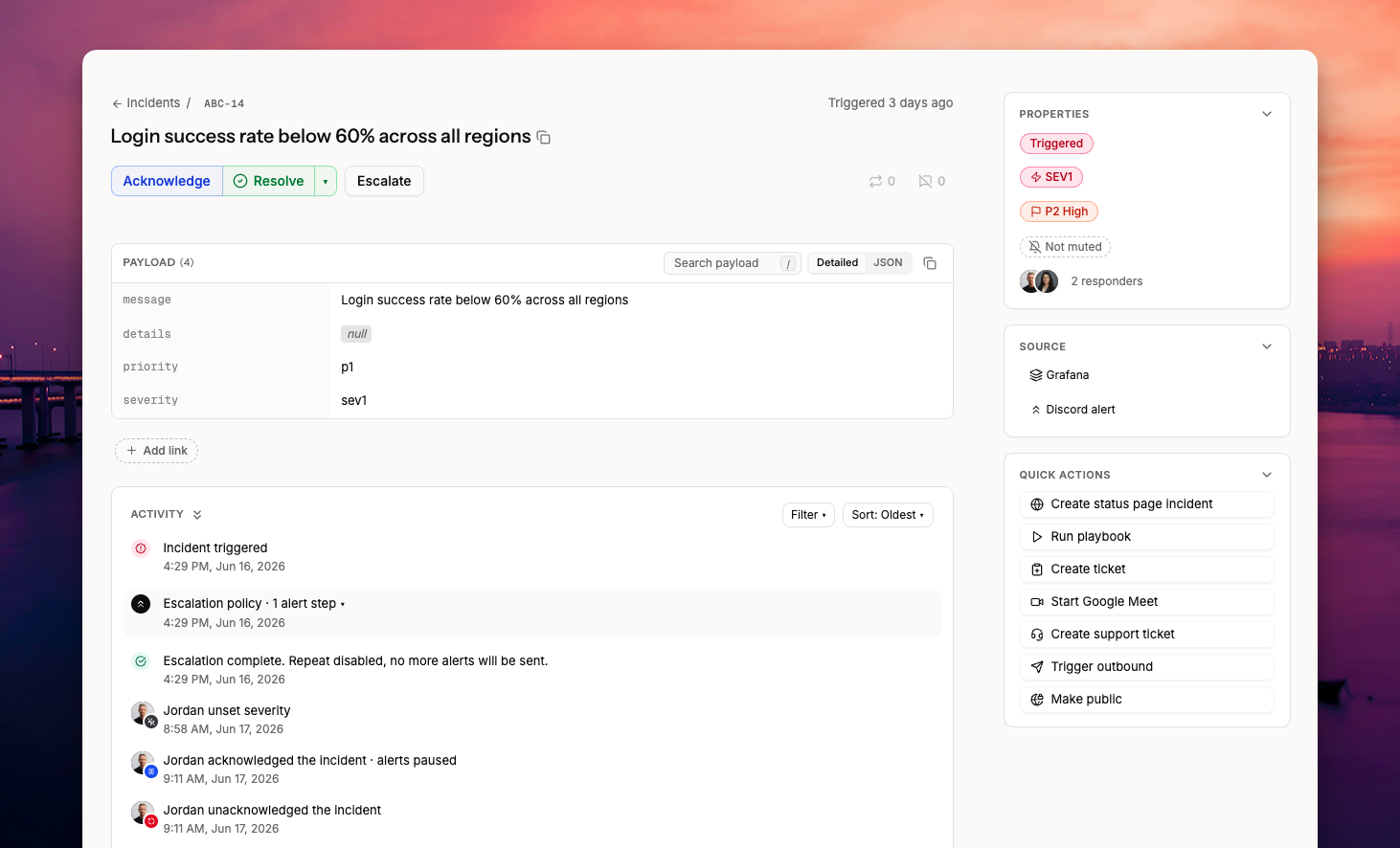
When you open an incident, you'll find a cleaner layout focused on the title and message. All the key actions: acknowledge, unacknowledge, resolve, and escalate are at the top.
Add a resolution note and resolve in one action. Or add a note to an open incident and resolve it later.
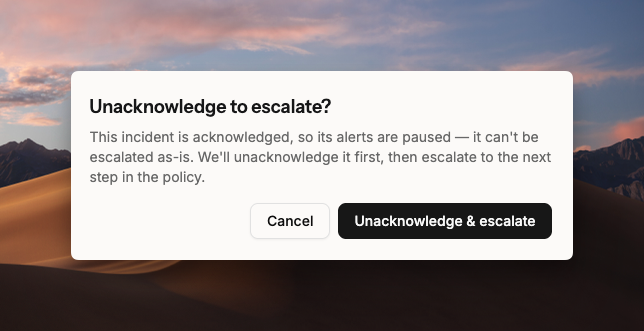
Escalating an acknowledged incident now prompts you to unacknowledge and escalate in one click. Acknowledged incidents pause escalation alerts.
Improved view of how repeated and suppressed incidents were resolved previously.
Quick actions panel: resolve, change severity and priority, jump to the integration or escalation.
Create a status page incident with a custom message, make the incident public, start a conference call, or create a Linear or Jira ticket.
The payload view is redesigned. Copy any key, search with /, view as JSON, and copy the full payload. You can also add links to the incident.
The activity log has filters and sorting. Escalation alerts are grouped by level so you can see how far an incident escalated.
Comments and notes are merged into a single Note. Tag teammates with @name and link incidents with @ID.
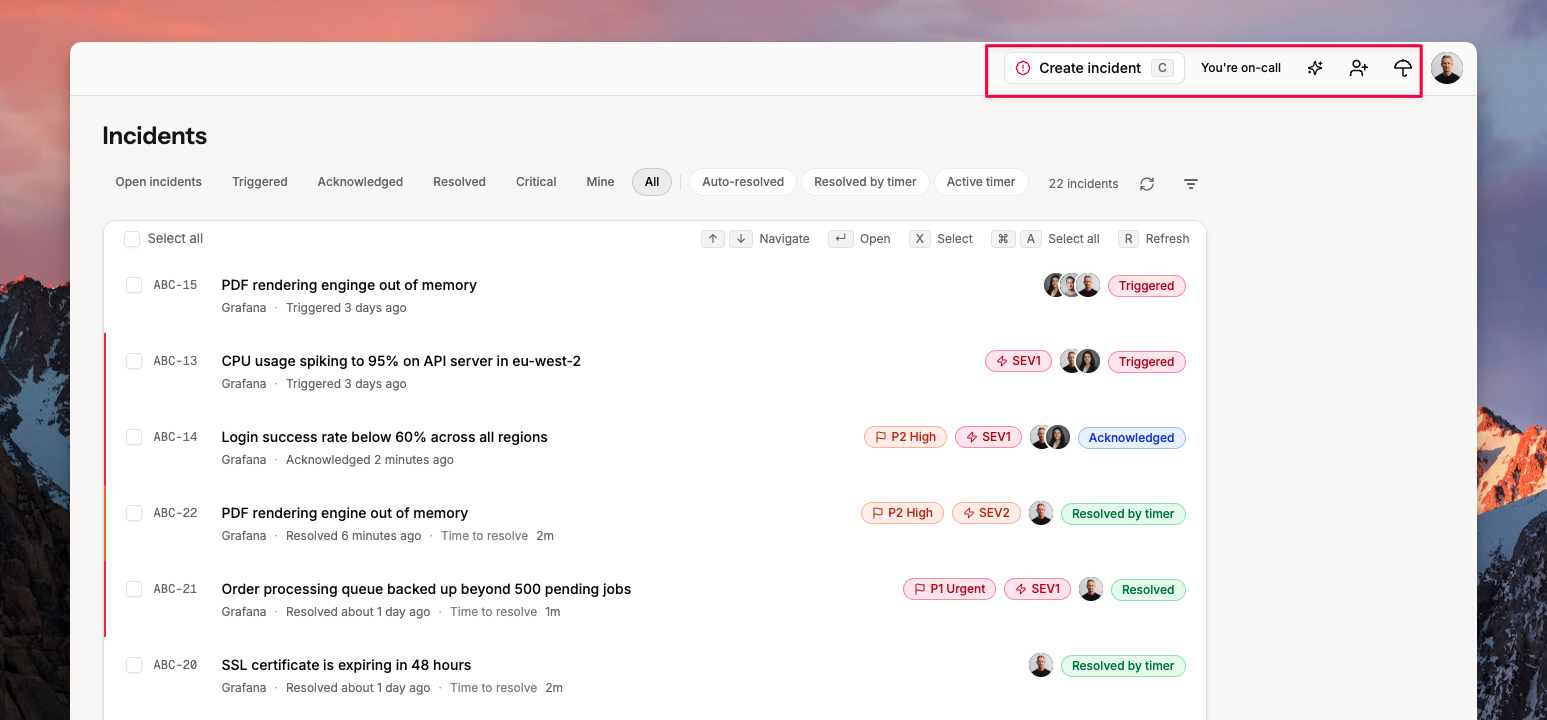
Press Command+K to run common actions from the incident page.
On-call
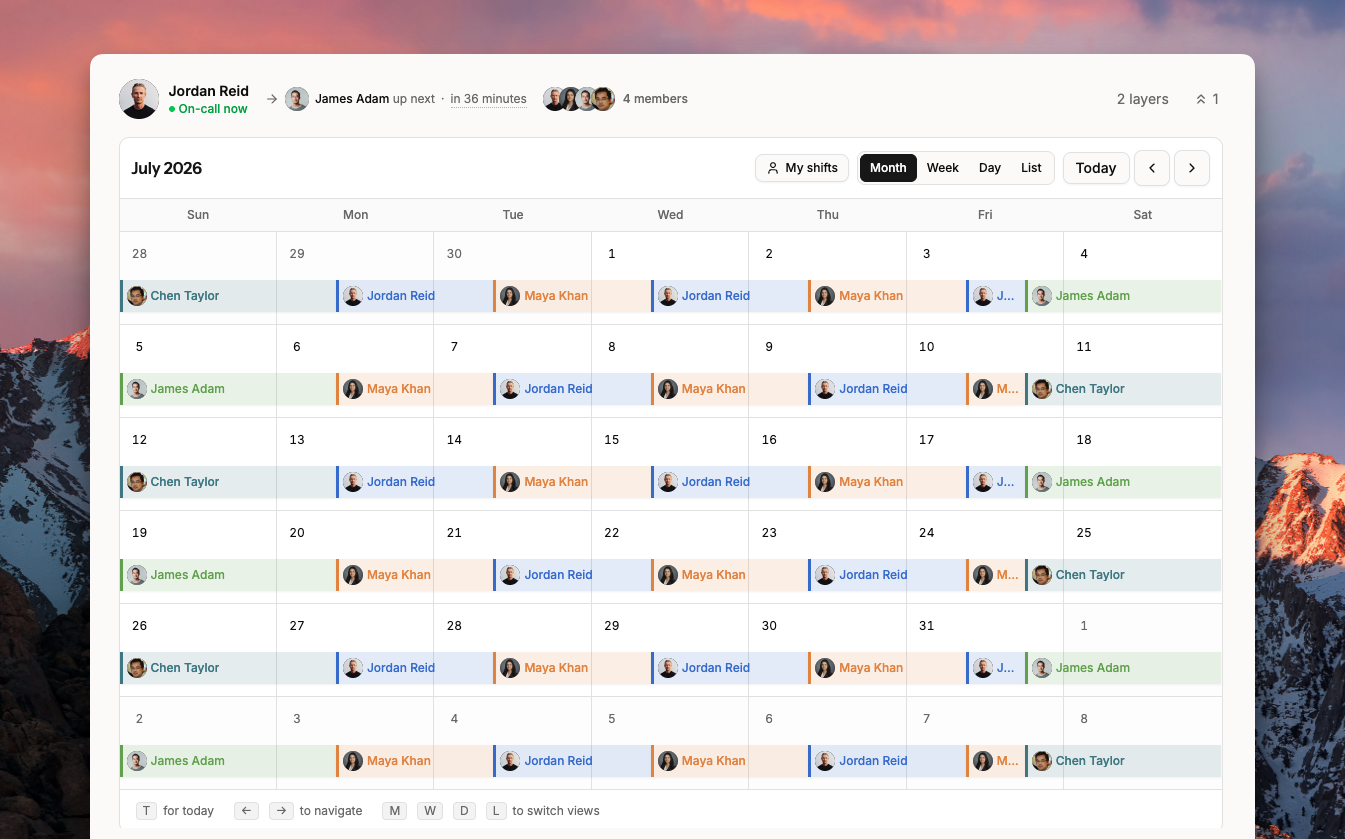
The on-call page puts the calendar front and center. No more scrolling to reach it.
Switch between month, week, and day views using keyboard shortcuts.
Filter the calendar to show only your shifts.
Add overrides by clicking a shift to overwrite it, or drag across empty dates to create one. Remove overrides directly from the calendar.
Switch between on-calls with Command+K or by clicking the schedule name.
Open All Schedules to see everyone's shifts. Filter by your own shifts or by a specific schedule.
Layer configuration is in a compact panel. Open it to view layers, swap members, and reorder.
Connected escalations are accessible from the same view.
Contact the current on-call member via email or call.
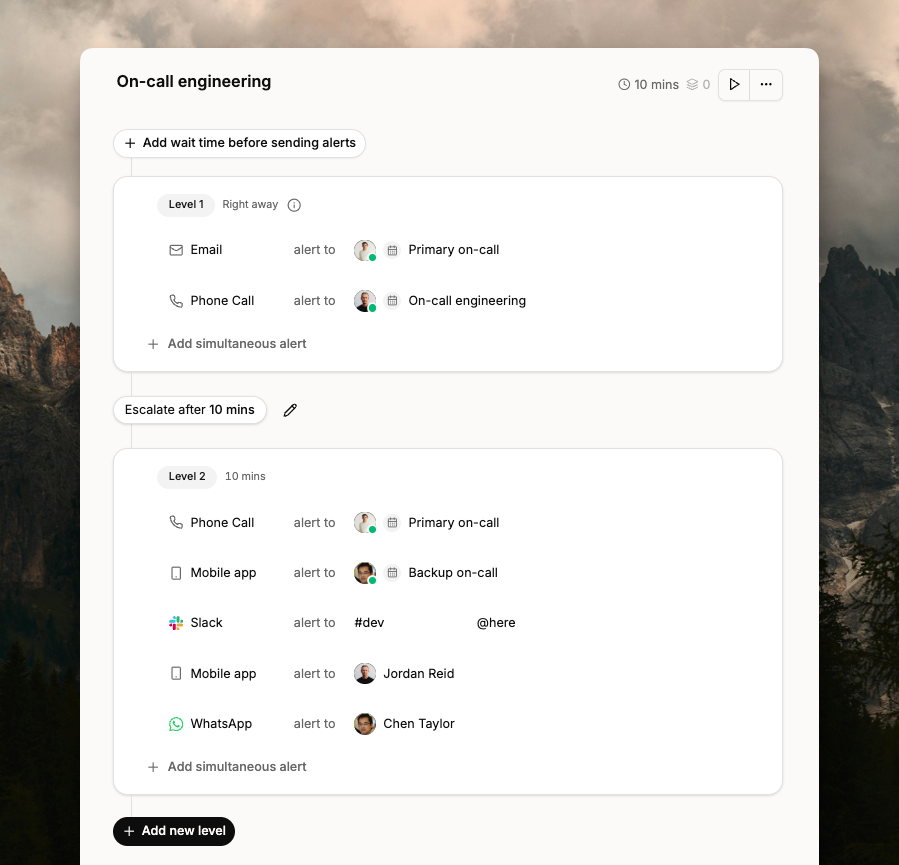
Navigating to the right escalation policy is faster now. Use the left panel to switch between policies. Filter by on-call schedule, user, integration, or number of levels.
Editing is faster too. You can make changes easily. Undo or redo changes at any point, and a full history of edits is available.
Each level now shows how many minutes after trigger it runs, and the total escalation duration.
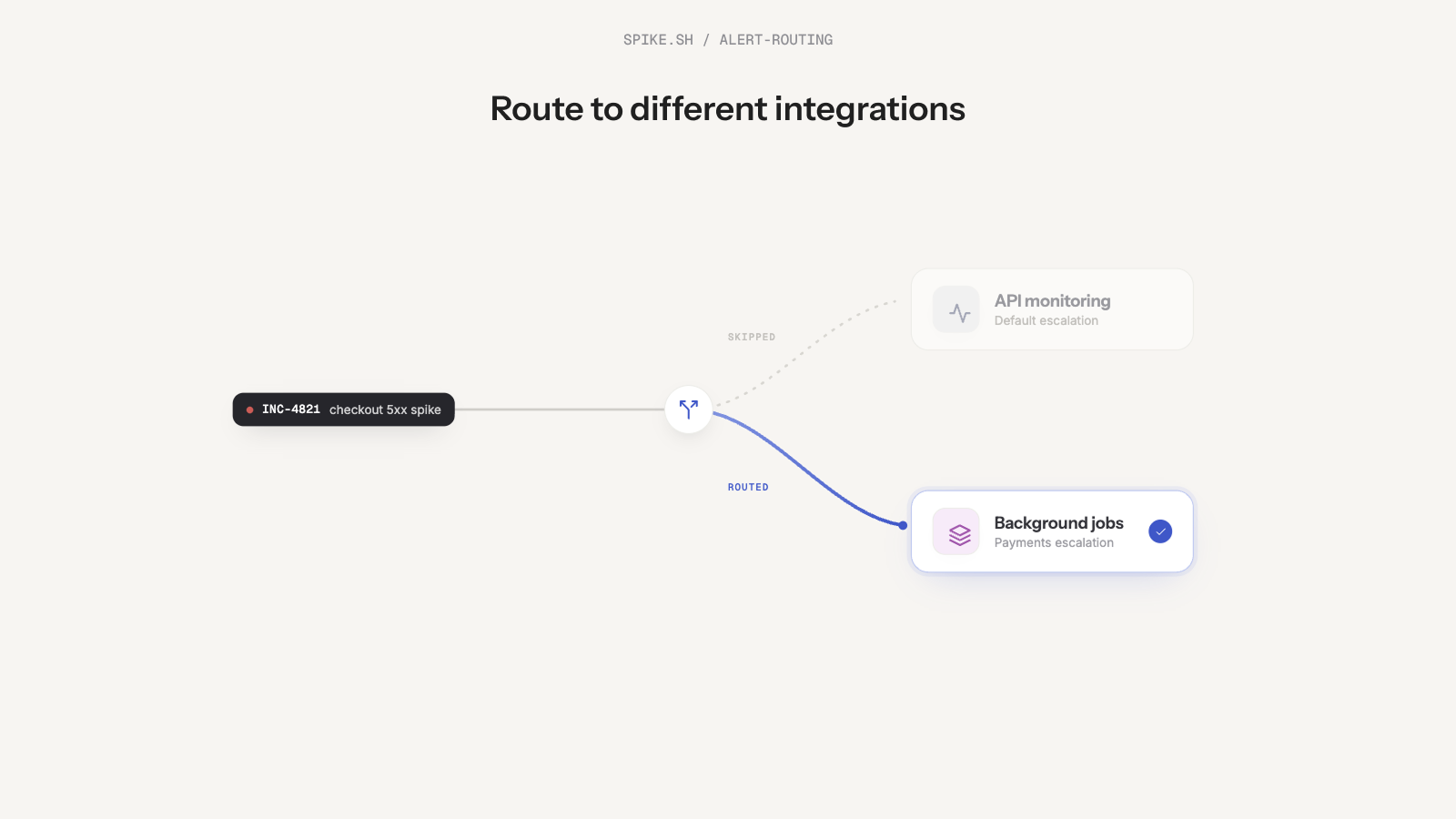
You can now use Change Integration in Alert Routing Rules to automatically route incidents to the right integration and team.
For example, an incident comes in under the API integration. But if its title contains "payments", Spike routes it to the Payments integration and alerts the payments team instead.
This way, the right team always gets paged with the right context. And over time, you can see which integrations receive the most incidents.
We also added two new routing conditions: Incident suppressed and Incident suppressed within a time window.
You can use these to switch integrations when an incident gets suppressed too many times.
For example, if an incident is suppressed 5 times, Spike can move it from the API integration to the Payments integration and start alerting the right team.
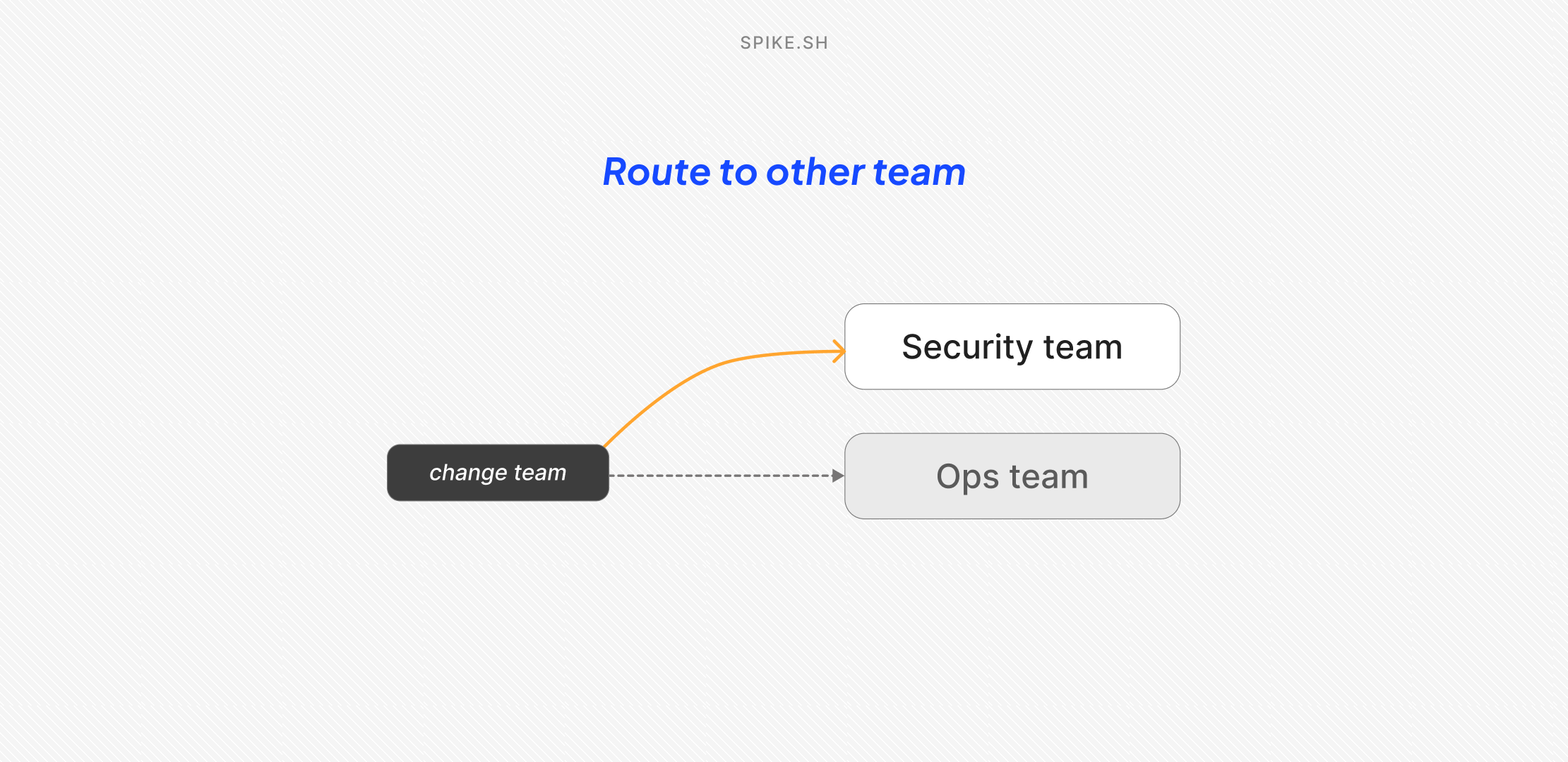
We added a new action in Alert Routing Rules called Route to other teams.
Now, when an incident comes in, you can automatically route it to the team that owns it.
For example, if Ops team picks up a security incident, you can route it to the Security team instead.
To set it up:
Toggle Route to other teams
Pick the destination team
Save the rule
You can also change the incident’s priority and severity while routing.
Once the incident is routed, the destination team’s escalation policies and alert rules take over, so the right people get alerted based on how that team works.
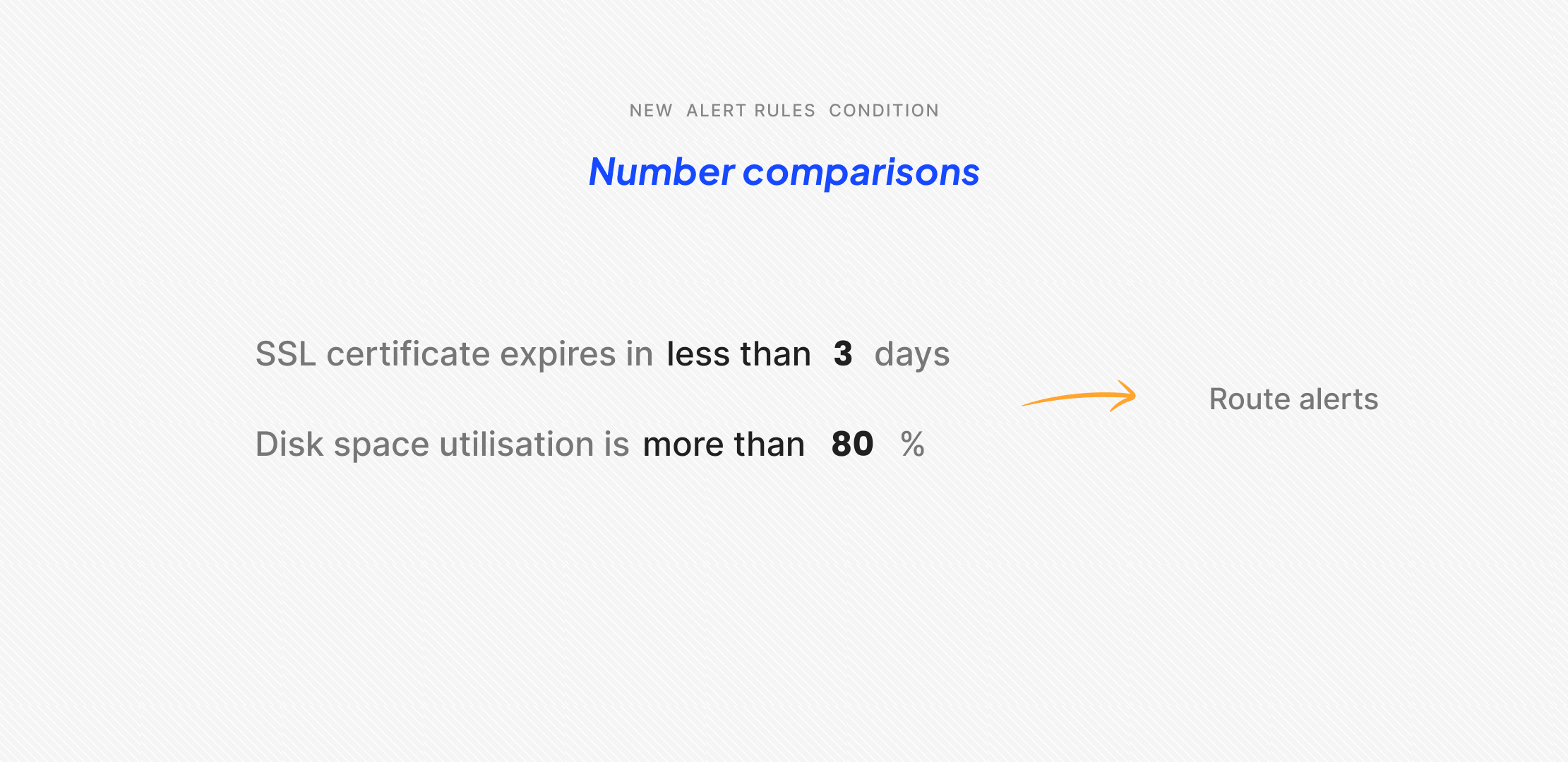
Alert Rules now support number comparisons under the Incident details condition.
You can choose from:
Greater than >
Less than <
Greater than or equal to >=
Less than or equal to <=
With these, you can create rules like setting priority to P1 if the CPU usage percentage is greater than 80. Or load a specific escalation policy if the number of days until SSL expiry is less than 3.
These operators give you more precise control over incident automations. You can triage, route, and run playbooks based on numerical values without manual intervention.
We updated the AWS integration to auto-resolve more incident types.
Simple Notification Service (SNS) incidents now resolve automatically when the underlying issue clears up. This reduces stale incidents on your dashboard.
You see only what actually needs attention, not incidents that are already fixed. This keeps your incident queue clean and helps your team focus on active issues.
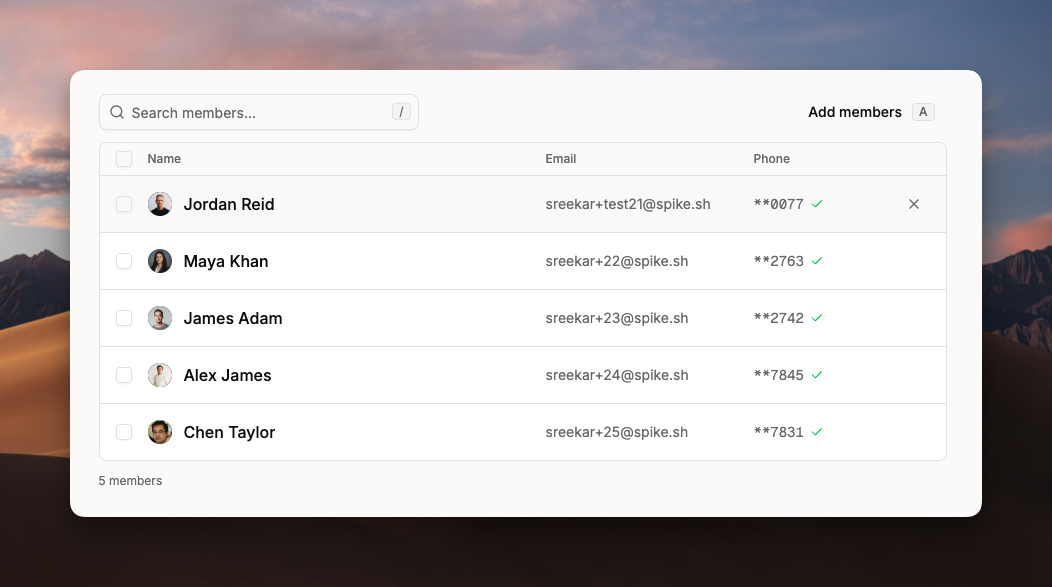
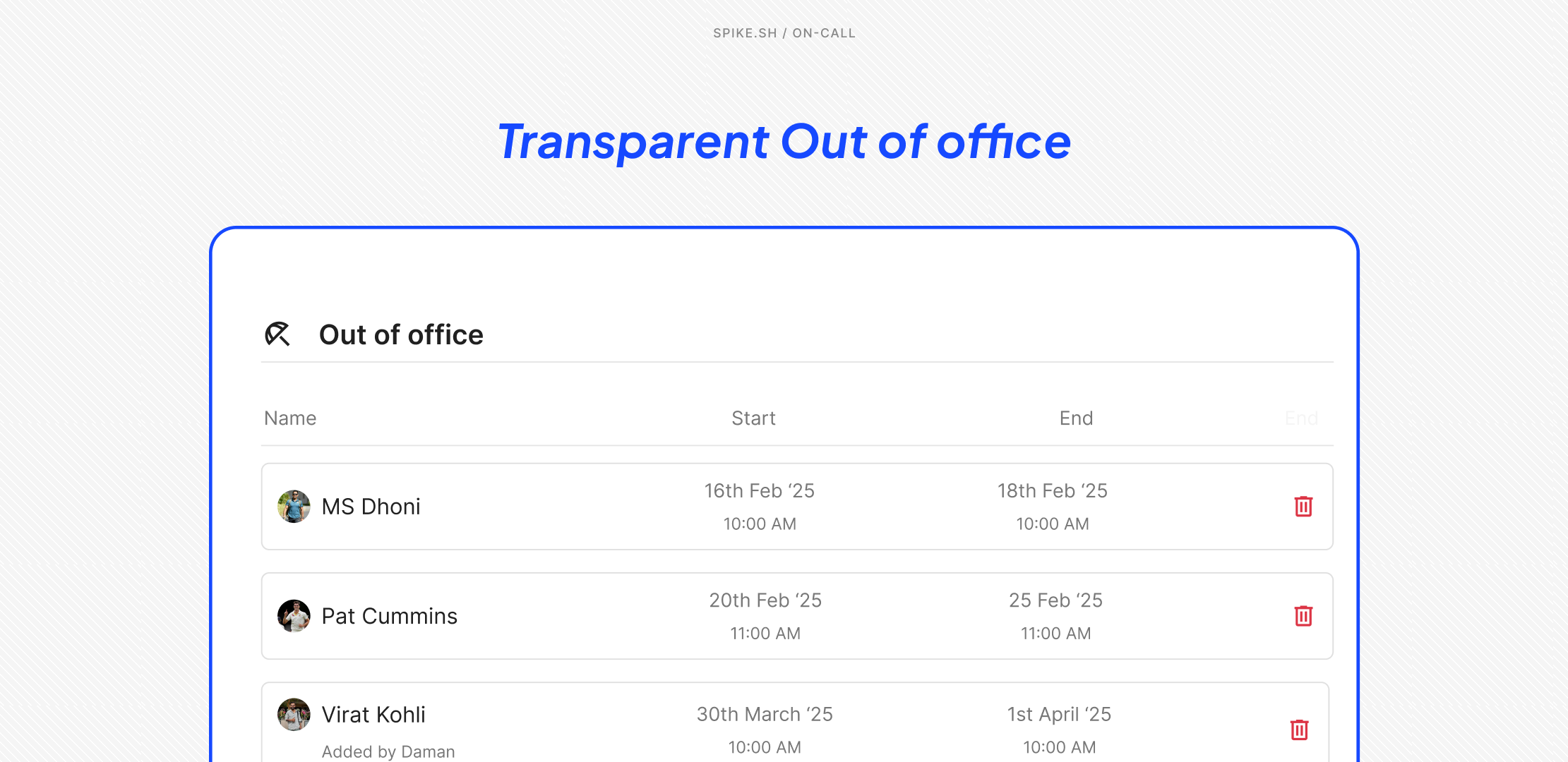
Previously, only individual users could enable their Out of Office mode. Now, admins can add OOO for anyone on the team. This makes it easier to plan coverage, especially during holidays.
Also, now the entire team gets visibility into everyone's scheduled time off. They can see exactly who's away and when. This helps to fill gaps and keep rotations running smoothly.
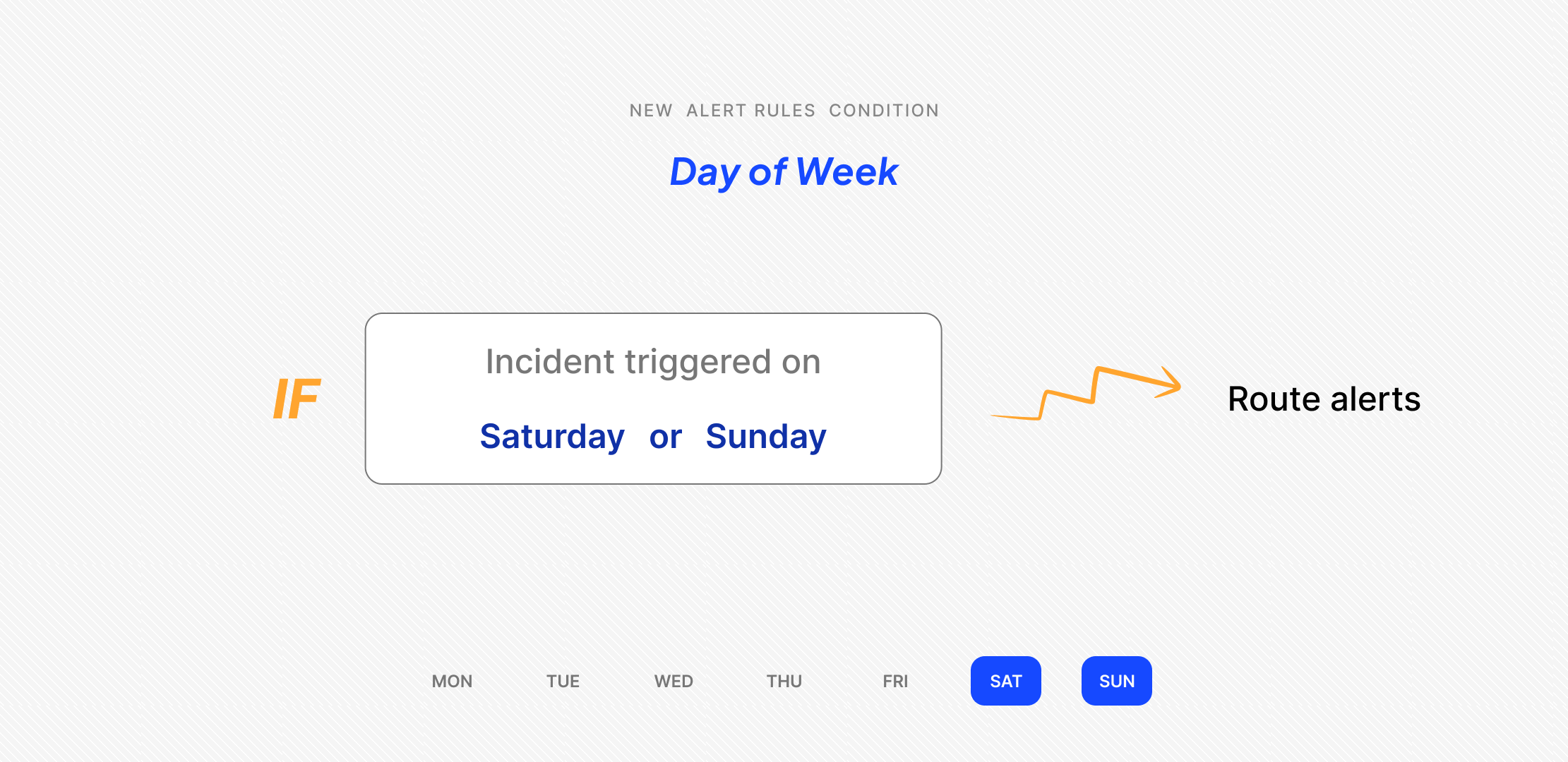
You can now route alerts by day of the week using the new condition "Day of week" in Alert Rules.
This is useful if your traffic spikes on specific days. For example, you might want phone calls on high-traffic weekends but only Slack messages on slow Mondays.
It gives you more control over when and how your team gets alerted.