
On December 17th, 2025, we found that Datadog incidents were not auto-resolving as expected. A user reported this incident, and upon investigation, we identified an issue in our Incident Grouping logic that prevented Datadog incidents from auto-resolving. We resolved the issue and going forward, Datadog incidents will auto-resolve as expected. However, we did not update our status page as the incident escalated quickly. But at Spike, we believe in transparency, so we’re sharing all the details of this incident with you in this blog.
Table of Contents
Summary
On 18 December 2025 at 11:38 AM UTC, we were notified by a user that incidents triggered from Datadog were not auto-resolving in Spike when the Datadog monitor state returned to OK.
The same customer had earlier raised a concern on 14 December 2025 at 9:45 AM UTC via a private Slack channel. At the time, the issue was concluded as a possible configuration issue on the user’s end. On 18 December, the user confirmed that the behavior was recurring, which prompted a deeper investigation.
What happened
After the issue was confirmed, members of the Spike team joined multiple users from our customer on a live video call to debug the problem together.
During the session, we observed that:
- Incidents were being correctly triggered in Spike when Datadog monitors moved to an alerting state.
- Incidents were not auto-resolving in Spike when the monitor state returned to OK.
Our initial observation suggested that Datadog might not be sending the OK state payload to Spike, which would explain the missing auto-resolve behavior.
To gather more data, we ran a controlled test:
- Datadog was configured to send both triggered and OK events.
- One path delivered events to Spike.
- Another path delivered events to Datadog’s native Slack integration.
From this test, we confirmed that Datadog was successfully sending OK state notifications to Slack. This helped narrow down the problem space.
On 17th December 2025, 11:38 AM UTC, one of our users reported an issue with Datadog integration not auto-resolving the incidents when the state was OK on Datadog. The user had earlier brought this to our attention on a private Slack channel between Spike team and their team at 9:45 AM on 14th December.
We created a ticket with P2 urgency to begin our investigation.
Impact
Our analysis indicates that 2,236 Datadog-triggered incidents this year were likely affected by the auto-resolve issue before the fix was deployed.
Timelines
Here’s the detailed timeline of events in UTC on 17th December.
11:38 AM
The customer reports that Datadog-triggered incidents are not auto-resolving in Spike.
11:42 AM
The Spike team (Damanpreet and Kaushik) discusses the report internally to assess severity and next steps.
11:45 AM
Multiple members from the customer’s team and the Spike team join a video call. During the call, we review the Datadog configuration, which appears correct. We begin live debugging and inspect logs to identify potential issues.
12:25 PM
An investigation ticket is created to formally track the issue.
1:50 PM
The Spike team begins focused investigation into the Datadog integration and auto-resolve behavior.
2:35 PM
We identify a bug in the Datadog integration where Spike was unable to correctly associate resolve (OK) events with the corresponding open incident. As a result, the incident was neither auto-resolved nor re-triggered correctly.
2:43 PM
A fix is implemented and deployed via a pull request. The issue is resolved.
Response
Once the issue was confirmed to be reproducible, we acknowledged it as an incident and assigned it a P2 priority.
We created a ticket in Linear and linked it to the corresponding Spike incident to track investigation and follow-ups. A dedicated Slack thread was opened for real-time coordination, and a war room was set up to focus on reproducing the issue, collecting evidence, and narrowing down the possible causes.
During the investigation, members of the Spike team worked closely with the affected customer, including live debugging sessions, to validate assumptions and gather additional data.
Recovery
Step 1: Replication
To reproduce the issue, we set up a controlled test environment. We created a fresh Datadog datasource, configured a new monitor, and triggered an alert that successfully created an incident on Spike. We then moved the alert to OK state, but the incident did not auto-resolve as expected. With the issue successfully replicated, we could move forward with confidence.
Step 2: Root Cause Analysis
With replication confirmed, we moved to isolate the problem by examining Spike’s architecture. Incident events first arrive at the hooks microservice, where we identify the integration type and convert the payload to human-readable format. These events are then sent to the escalations engine, which checks for existing open incidents. One of 5 below actions are taken by the engine:
- If a triggered event arrives and the same incident is already open, it gets suppressed.
- If a resolved event arrives and the incident is open, we resolve it.
- If a resolved event arrives with no matching open incident, it gets discarded.
- If a triggered event arrives and the same incident is already resolved, then the incident is re-triggered and alerts are sent
- If a triggered event arrives and no matching incident is found, then a new incident is triggered and alerts are sent
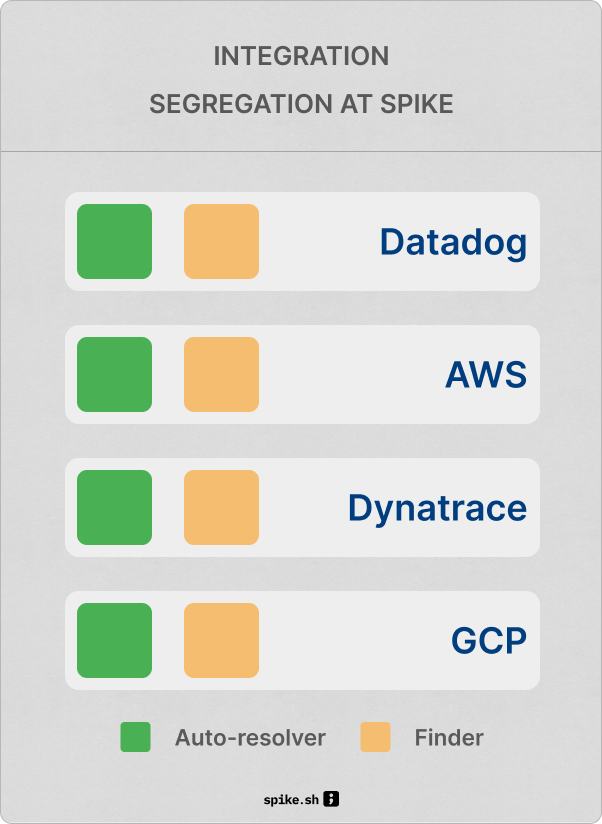
We started by checking the Hooks microservice logs – requests were arriving as expected. Next, we examined the escalation and grouping logic. That’s where we found the issue: the logic to find same open incidents for Datadog integration was incorrect. Along with the keys found in the payloads, Spike was also considering the pre-formatted message from Hooks to identify. Since Datadog incident messages have the status in their title, the identification became nearly impossible. Just removing the messages fixed the issue.
Step 3: Fix & Deployment
Once we identified the root cause, the fix was straightforward. We corrected the grouping query for Datadog events and deployed the changes to production. We then verified the fix by triggering a complete Datadog alert and resolution cycle, confirming that incidents now auto-resolve as expected.
Lessons learnt
We need stronger, routine data analysis around incident resolution. Tracking how many incidents Spike auto-resolves versus those that do not would have helped surface this issue earlier and with more confidence.
When the issue was first raised on Sunday, 14 December, we initially treated it as a configuration problem. That assessment turned out to be incorrect. A deeper investigation at that point could have led to an earlier diagnosis and resolution.
Getting on a live call with the customer significantly accelerated our understanding of the problem. Seeing the product in real use and debugging together reduced guesswork. Maintaining a dedicated Slack channel for ongoing discussions proved valuable and continues to pay off over time.
Spike’s integration architecture also proved resilient. Datadog integrations are isolated from other integrations, which meant no other sources were affected. Even within Datadog, incident triggering continued to work as expected. The separation of incident identification and resolution into distinct services allowed us to isolate the failure quickly and fix it without broader impact. We plan to share a deeper architectural breakdown in the future.
Conclusion
Integrations keep sending new types of incidents as they evolve and update. We have plans to bring AI into the picture to help identify these new incident types more easily and catch potential problems before they impact you.
Thanks to Adil and Mark for flagging this issue. Going forward, Datadog incidents will auto-resolve as expected.