

Setting up on-call is simpler than it looks. It mostly comes down to a handful of clear decisions about your team.
This guide walks you through those decisions. You’ll learn who to add in your rotation, how long shifts should last, when to hand off, and whether you need 24/7 coverage.
By the end, you’d set up your first on-call schedule and move from ad-hoc firefighting to an organized incident response.
Common questions before setting up on-call
These three questions come up for almost everyone starting out. Let’s settle them now so you can move forward with confidence.
When should you start on-call?
You can start when you have at least one other person willing to share the on-call responsibility with you. You don’t need a bigger team, higher incident volume, or more infrastructure. Two people rotating is usually enough to get going.
What needs to be in place before you set up on-call?
Just two things: people willing to rotate, and systems that send alerts when something breaks. You don’t need perfect documentation or formal policies yet. Those come later as you learn what works.
Do you need an on-call tool, or is a spreadsheet fine?
Spreadsheets work fine when you’re starting out. You can set up a simple schedule, assign shifts, and run it for a few weeks. You’ll probably know it’s time to upgrade when managing the spreadsheet becomes a hassle. For example, people go on vacation and you’re manually shuffling shifts, someone asks “wait, who’s on-call today?” for the third time this week, or you need critical alerts to reach people through phone calls instead of just Slack messages. Once you hit such pain points, adopting a dedicated on-call tool makes life easier for everyone.
Setting up your first on-call schedule
Now let’s walk through the decisions you’ll make when setting up your first on-call schedule.
Who should be in the on-call rotation?
Include people who are willing and have enough knowledge about the service. They don’t need to be experts. Even if they can just triage and handle common issues, that’s usually enough to get things running.
Also, don’t wait for the perfect team composition. You can always add more people to the rotation as your team grows.
Which on-call rotation should you pick?
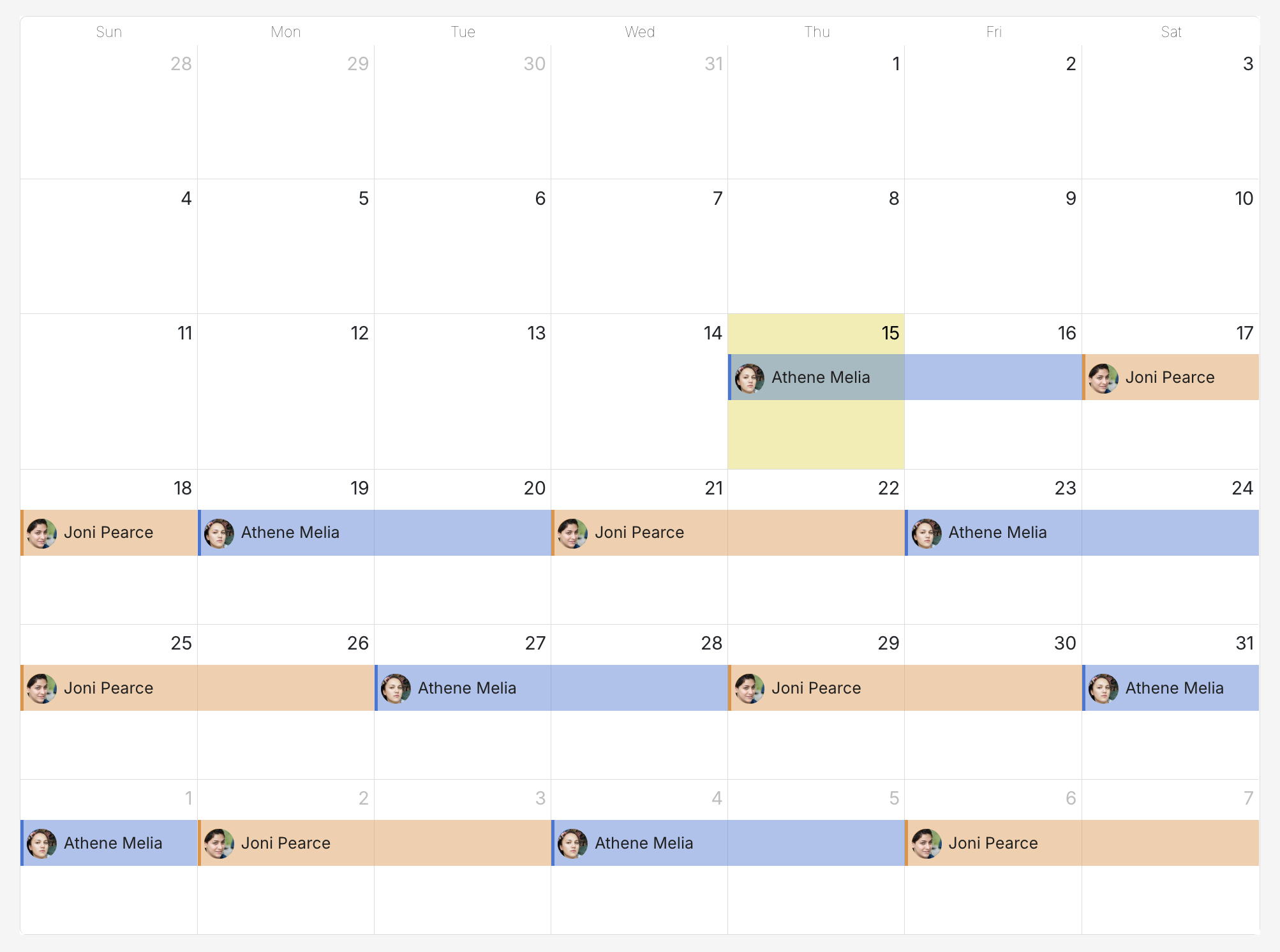
A 2-day rotation is a good place to start. This gives people enough time to settle into the responsibility without feeling like they’re constantly switching shifts. If an incident happens on day one of your shift, you’re still around on day two to follow up or handle related issues. You’re not immediately passing it to someone who has to catch up.
For example, with two people rotating:
- Alex is on-call Monday and Tuesday
- Bilal takes Wednesday and Thursday
- Alex takes Friday and Saturday
And the pattern repeats.
Both get clear accountability without being stuck on-call for so long that it starts to feel like a burden.
You can always adjust the rotation length later as you see what works for your team, but 2-day shifts are a good starting point.
If you’re interested in exploring more on-call rotations, check out this guide →
When should you schedule on-call handoffs?
A handoff is when one person’s on-call shift ends and the next person’s begins. It usually works best to schedule handoffs during your team’s normal business hours, somewhere between 9 am and 11 am is a good sweet spot.
Scheduling handoffs during the day gives the outgoing person a chance to brief the incoming person when there’s an ongoing incident or something that needs context. They can have a quick chat to pass along important details. When everything’s been quiet, the handoff just happens silently and automatically.
Also, it’s probably best to avoid scheduling handoffs in the middle of the night for anyone on your team. That’s a recipe for resentment and burnout.
To learn how to make handoffs smoother, check out this guide →
Do you need 24/7 on-call coverage?
It usually depends on how critical your alerts are. If you’re dealing with issues that can’t wait (things like payment failures, service outages, or security incidents), 24/7 coverage is probably your best bet. Having someone on-call around the clock helps make sure you don’t miss alerts that could impact customers or revenue.
That said, if most of your alerts can wait until morning without causing real problems, business hours coverage might work just fine for now. You can always expand to 24/7 coverage later as your needs change.
A few other scenarios to consider
While setting up your on-call, you might come across the following scenarios that need a bit of extra thought. Here’s how to handle them.
Should you add new team members to the on-call rotation?
Yes, it often helps to bring them into the rotation within their first month. Consider pairing them with a Subject Matter Expert (SME), where the new person takes the primary responder role and the SME acts as backup.
So, when an incident comes in, the new person gets alerted first. They triage it and try a quick fix. When they’re stuck after 10-15 minutes (and it’s completely okay to be stuck), they escalate to the SME. This way, new folks get hands-on learning with the safety net of backup ready when they need it.
How do you handle an on-call team spread across different time zones?
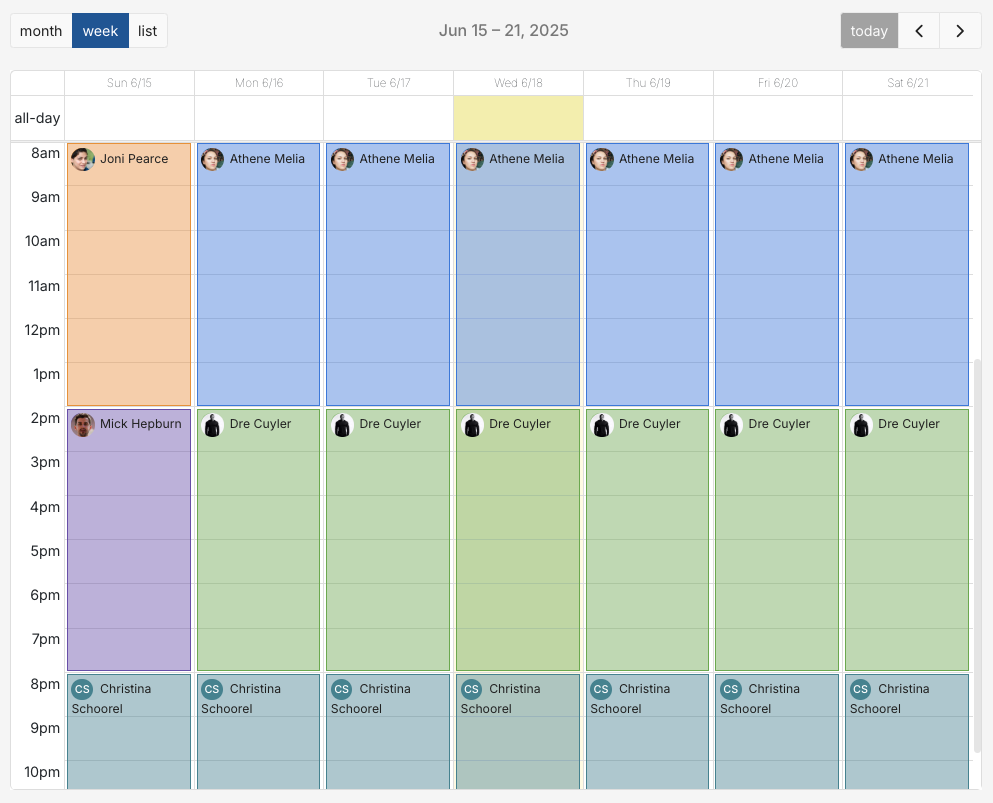
Consider using the follow-the-sun model, where on-call responsibility follows daylight hours across the globe. For example, your Asia team handles incidents during their workday, then hands off to Europe, and then to the US.
This protects everyone’s sleep and personal time. No one gets paged at 3 am, and incidents always land during someone’s business hours. The follow-the-sun model works well if you have enough people distributed across time zones to make the handoffs smooth.
How do you avoid scheduling conflicts with on-call?
There are a few practical steps you can take to avoid scheduling conflicts with on-call. These include:
- Syncing your on-call schedule directly to your personal calendar. This makes it easier to see shifts alongside your personal commitments.
- Deciding how your team handles shift swaps. This could be posting in Slack, sending an email, or using your on-call tool’s override feature.
- Checking the upcoming month’s schedule during your regular team meetings. A quick two-minute review often catches those holidays or events that everyone forgot to block out.
You’re all set!
Hooray! You’ve got everything you need to set up your first on-call schedule.
You can keep things simple to begin with: just two people rotating for 2 days at a time with 24/7 coverage. And consider adding complexity only when you really need to.
The most important thing is just getting started. Having an on-call system gives your team clear accountability and removes the panic of “who handles this?” when something breaks.
Go ahead and run your first rotation, see what works, and adjust as you learn. Good luck!
FAQs
How long does it take to set up an on-call schedule?
About 30 minutes if you’re using a spreadsheet, but it usually takes only about 5 minutes with Spike.
What are the different types of on-call rotations?
- Weekly rotation: One person is on-call for a full week. It’s quite simple and works well when your alert volume is low.
- Daily rotation: A different person is on-call each day. This often works better for teams dealing with frequent alerts, as it prevents anyone from having a week full of 3 AM calls.
- Custom rotation: You can get a bit creative here. For example, two people split weekdays while a third covers the weekend.
How to handle public holidays?
Most teams typically decide in advance whether they will have on-call at all on those days, and if yes, they rotate holiday duty so it’s shared fairly.