


This guide covers some best practices that can make on-call handoffs a bit smoother. You’ll find suggestions on when to schedule handoffs, what to discuss during handoffs, and how to keep everyone updated on who’s currently on-call.
1. Choosing the right on-call handoff time
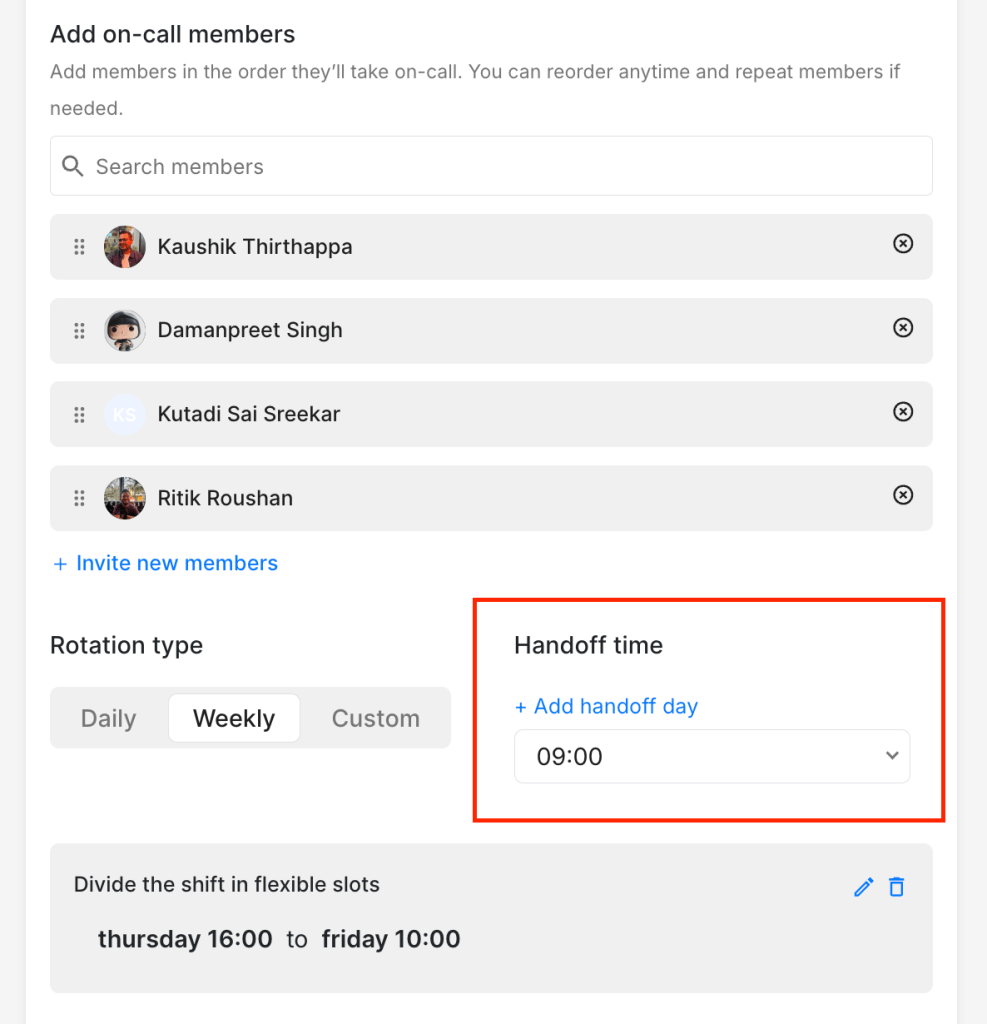
It’s usually better to pick one uniform handoff time for the entire team rather than different times for different people. Somewhere between 9 am and 11 am often works well, as it gives people time to settle in rather than jumping on alerts the moment they wake up.
For weekly rotations, many teams prefer a Monday-to-Monday handoff so they can start their work week and on-call shift together. Friday-to-Friday handoffs also work, but consider doing them in the morning instead of the evening. That way, the incoming person still has a day to get any context from the outgoing person before the weekend begins.
2. Having a quick on-call handoff discussion
A 15-minute handoff discussion with the incoming person might save them hours of piecing things together on their own. Whether it’s a quick chat in the office or a call for remote teams, it can be helpful to take the time to pass along context.
You can kickstart these handoff discussions with this simple three-question template:
1. What should you keep an eye on?
[Specific alerts, ongoing issues, or services acting up]
2. What kind of shift should you expect?
[Smooth / A bit busy / Heavy on alerts]
3. If you get stuck, who can you reach out to?
[Name of backup person or SME]
There’s also an image version you can download: Handoff template. Perhaps try it for a few handoffs and see how it works for your team.
3. Keeping your team in the loop
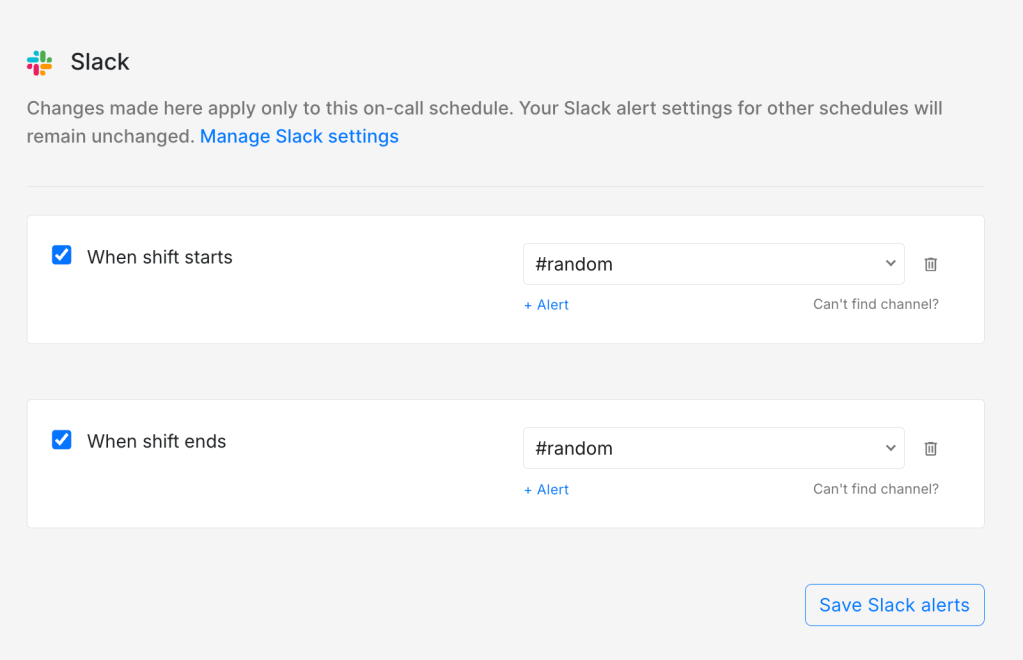
Sending on-call notifications to your shared channels like Slack or Microsoft Teams is a good way to keep everyone updated. This helps the entire team know who’s on-call without needing to ask or dig through a schedule. It’s particularly useful during busy periods or when you have multiple on-call schedules running at once.
Now go ahead and try these out. Some practices will work perfectly, some you’ll want to tweak. You’ll know within a few handoffs what feels right for your team.
FAQs
What if our team spans multiple time zones?
A uniform handoff time probably won’t work perfectly for everyone. Most teams in this situation pick a time that’s reasonable for the majority and adjust from there. Some also split into regional on-call groups with separate handoff times.
When should we schedule the handoff call?
Right around the handoff time works best, maybe 5 to 10 minutes before the shift changes. That way, the incoming person can start their shift with a clear picture.