

TL;DR
PagerDuty is a solid incident management tool, but it comes with a steep price and complexity. Teams looking for something simpler and more affordable have better options. Spike is the best affordable PagerDuty alternative for teams that want on-call scheduling, alerting, and incident management without the complexity. It starts at $7/user/month and includes status pages on every plan.
| Tool | Best For | Key Strength |
|---|---|---|
| Spike | Teams of all sizes looking for a simpler, more affordable PagerDuty alternative | Dual alert control, built-in status pages, detailed activity log with escalation tracking |
| Incident.io | Slack-first teams wanting structured incident triage | Triage state, auto-Slack channels, post-incident flows |
| Squadcast | SRE teams needing dual alert control and ML noise reduction | Team and individual alert control, round-robin escalation |
| Zenduty | Teams needing SLA tracking and task templates | Email acknowledgment, escalation safety net |
| Jira Service Management (JSM) | Teams already deep in the Atlassian ecosystem | Official OpsGenie migration path |
PagerDuty is one of the most established incident management tools available. It has a large integration library, solid on-call scheduling, and reliable alerting across multiple channels. For teams that need depth, it delivers.
However, the pricing adds up fast once you factor in add-ons. Also, its feature set takes a lot of effort to configure and maintain. Many teams find themselves paying for capabilities they rarely use while missing simpler things that would actually help their day-to-day workflow.
To help you find the right replacement, I signed up for and tested five PagerDuty alternatives: Spike, Incident.io, Squadcast, Zenduty, and Jira Service Management (JSM). I evaluated each tool across alerting, incident response, on-call scheduling, and status pages. Every recommendation in this post comes from hands-on use.
Why teams switch from PagerDuty
Cost adds up fast
PagerDuty’s base price looks straightforward until you start to factor in some essential features that are sold as add-ons. For example, Status pages are offered at $89/month. AIOps, the noise reduction feature, is another $799/month on top of that. Stakeholder licenses add more. Before long, a 25-person team on the Business plan is looking at over $15,000 a year, and that is before any training or onboarding costs. For teams watching their budget, that math stops making sense fast.
Complex and feature-bloated
PagerDuty has 750+ integrations and a deep set of automation tools. That is genuinely impressive, but the depth comes at a cost. Setting up a basic alert workflow takes more steps than you would expect. There is no schedule cloning, so if you need the same on-call setup, you build it again from scratch. You end up spending more time configuring the tool than using it.
No dual alert control
When you set up an escalation policy in PagerDuty, you can decide that Jordan gets alerted at step 2. But you cannot decide how Jordan gets alerted (phone call, SMS, etc). That part is entirely up to Jordan’s personal notification preferences. If Jordan never updated them, or set them up in a way that does not fit what your team needs during a critical incident, there is nothing you can do about it as a manager. For teams that want predictable, consistent alert delivery, that is a problem.
PagerDuty alternatives for incident management
1. Spike
Spike is the best affordable PagerDuty alternative. It is used by engineering teams across 40+ countries. You get all the incident management features: alerting, on-call scheduling, incident response, automation workflows, and status pages without any complexity. And it starts at $7/user/month.
Key features
- Dual alert control gives managers the ability to set how each person gets alerted at each escalation step. Users can still set personal overrides on top of that. PagerDuty does not give managers this level of control.
- Slack
@hereand@channelmentions work natively in escalation steps. When an alert fires, Spike can ping your entire Slack channel directly. PagerDuty does not support this. - You can acknowledge an incident by replying
#ackto an email alert, or resolve it by replying#res. PagerDuty does not support acknowledgment or resolution by email reply. - Status pages are included on every plan with custom domain support at no extra cost. PagerDuty charges $89/month for status pages on Professional and Business plans.
- Ready-to-use templates for escalation policies, on-call schedules, and alert rules help you get started quickly.
| Pros | Cons |
|---|---|
| Detailed activity log with filters and sorting. Escalation alerts are grouped by level so you can see exactly how far an incident escalated. | Phone call and SMS share one number. You cannot set separate numbers for each channel. |
| Full override history per schedule so you always know who covered what and when. | No bi-directional Jira sync. |
| Simultaneous alerts per escalation step: fire phone, SMS, and Slack at the same time rather than sequentially. | |
| Add a resolution note and resolve an incident in one action, without two separate steps. | |
| Out-of-office routing automatically redirects your alerts when you are unavailable. |
Pricing
Spike offers three plans:
- Starter ($7/user/month): Includes alerting, on-call schedules, and a status page.
- Business ($14/user/month): Unlocks unlimited alerts, advanced alert routing, war rooms, and Jira integration.
- Enterprise: Custom pricing, with SSO, dedicated support, Live Call Routing managed by Spike, and more.
User review
Best For
Teams of all sizes looking for a simpler, more affordable PagerDuty alternative.
Key point: Spike is the best affordable PagerDuty alternative for teams that want the full incident management stack. It includes status pages and dual alert control, without the complexity or the expensive price tag.
2. Incident.io

Incident.io is built for teams that live in Slack. It brings incident response, on-call scheduling, and post-incident workflows into one place. That said, the setup takes more effort, and there is a learning curve up front.
Key features
- When an alert fires, it sits in triage rather than immediately triggering your escalation policy. A responder reviews it and decides whether to declare it a real incident. This cuts noise before escalation even starts.
- Escalation policies use flowchart-style if/else conditions with working hours routing. You can route alerts differently based on time of day.
- A dedicated Slack channel is created automatically for every incident and auto-archived after the incident closes and activity goes quiet.
- Debriefs, follow-ups, and postmortem templates are built into the product. The full post-incident process lives in one place.
Pros
| Pros | Cons |
|---|---|
| Natural-language on-call overrides. For example, you can write “Alice today from 6 pm to 10 pm” instead of filling out a form. | Complex initial setup. More decisions than most tools require, and the configuration options can be overwhelming. |
| Before-and-after schedule preview when editing rotations, so you can see exactly what changes before saving. | On-call is priced as a separate add-on on Team and Pro plans. |
| Concurrent shifts support pairing two responders for the same shift, useful for training or shared on-call responsibility. |
Pricing
Incident.io has four plans:
- Basic: Free forever, includes Slack or Microsoft Teams native incident response, single-team on-call, a status page, and essential incident automation
- Team ($19/user/month): Adds multi-team on-call and alerting, stronger AI and automation, and the same status page support
- Pro ($25/user/month): Adds advanced insights, customizable post-incident processes, and private incidents and policies
- Enterprise: Custom pricing, with advanced access control, multiple environments, live phone support, and support SLAs
Note: On-call costs extra on Team and Pro. It adds $12/user/month on Team and $20/user/month on Pro.
User review
Incident.io holds a 4.8/5 rating on G2 from 179 verified reviews. Reviewers consistently highlight the Slack-native workflow, clean interface, and how incident response stays organized without switching between tools.
Best For
Slack-first teams that prioritize structured incident triage and post-incident workflows.
Key point: Incident.io is the right choice for Slack-heavy teams that want structured triage and mature post-incident tooling. On-call is a separate cost, and individual-only alert control means managers cannot specify how team members get alerted.
3. Squadcast
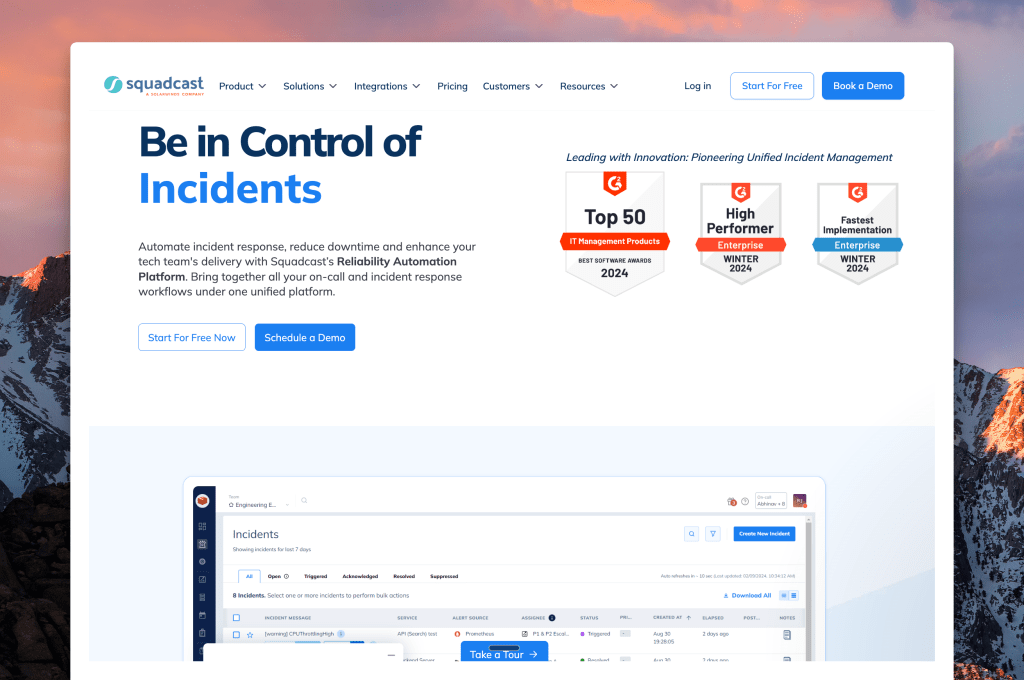
Squadcast is an SRE-focused incident management platform. It was acquired by SolarWinds in 2023, which is worth factoring into any long-term vendor decision.
Key features
- Dual alert control lets managers set the delivery method at each escalation step: personal (follows the user’s own preferences) or custom (sets a specific channel regardless of preferences).
- Real-time ML alert grouping reduces noise by intelligently clustering related alerts without a paid add-on.
- Round-robin escalation is available with repeat policy, acknowledgment reminders, and re-trigger options for incidents that are acknowledged but not yet resolved.
- Coverage gap visibility during schedule creation shows gaps in red on the calendar preview as you build, so you catch them before the schedule goes live.
| Pros | Cons |
|---|---|
| Pre-set rotation templates (Daily 24/7, Business Hours, Non-Business Hours) so you do not have to build common schedules from scratch. | Status pages are locked to the Premium plan ($29/user/month). |
| Global Event Ruleset: one central webhook routes alerts from all your monitoring tools to the right services via if/else logic, removing the need for dozens of separate webhooks. | No native Google Meet or Zoom integration. You paste a video link manually into the incident. |
| Acknowledgment reminders and re-trigger options for incidents that are acknowledged but not resolved. |
Pricing
- Pro ($20/user/month): Includes alerting, on-call schedules, escalation policies, postmortems, and automation rules.
- Premium ($29/user/month): Adds advanced escalations, runbooks, incident workflows, SLO tracking, and status pages.
- Enterprise: Custom pricing, adds unlimited data retention, intelligent alert grouping, AI-generated incident summaries, audit logs, and ServiceNow sync.
User review
Squadcast holds a 4.5/5 rating on G2. Reviewers consistently praise ease of use, reliable alerting, and reduced operational costs when switching from PagerDuty.
Best For
SRE teams that need intelligent alert routing, dual alert control, and are comfortable with SolarWinds as the parent company.
Key point: Squadcast covers the core incident management workflow. The SolarWinds acquisition is the key variable to evaluate before committing, especially for teams making a multi-year decision.
4. Zenduty
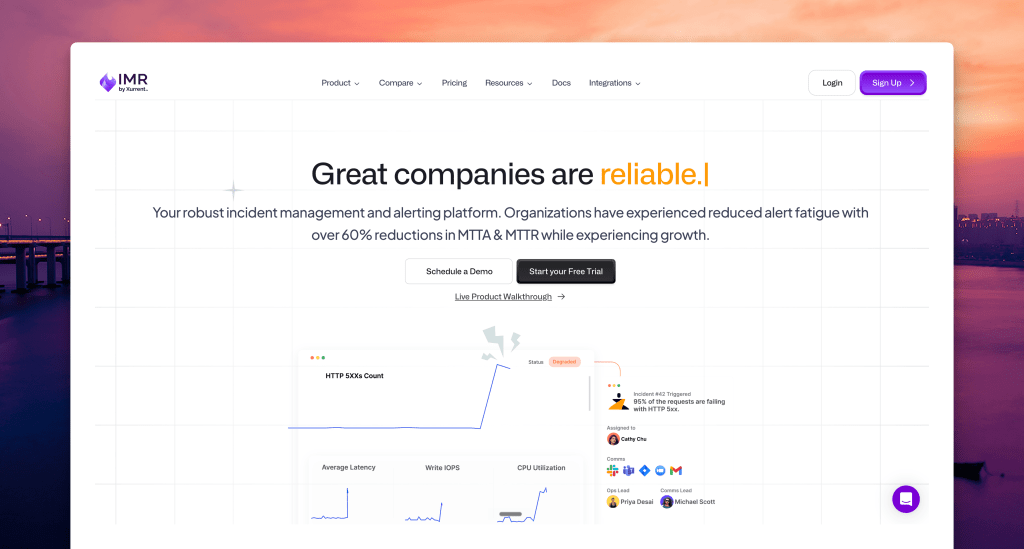
Zenduty is an incident management platform built around structured workflows. It covers SLA tracking, task templates, and stakeholder communication. It was acquired by Xurrent in February 2025 and now operates as Xurrent IMR. If you are evaluating tools for the long term, that ownership change is worth factoring in.
Key features
- The “Move to next rule if no user found” option prevents escalation policies from getting stuck when a step has no active responder.
- SLA policy per service lets each service have its own response time target defined upfront. When an incident breaches that target, the team knows immediately.
- Task templates per service give responders a checklist when an incident comes in. This is useful for structured response.
- You can acknowledge an incident by replying to an email alert, or resolve it the same way.
| Pros | Cons |
|---|---|
| Stakeholders tab inside each incident: add stakeholders and send updates directly from the incident view without switching tools. | No built-in status page. You need to integrate with statuspage.io at extra cost. |
| Bi-directional Jira integration. | Repeat escalation delay is fixed at 1 minute, which is too short for most teams and cannot be changed. |
| Override history and scheduled overrides are visible on the schedule dashboard. |
Pricing
- Starter ($6/user/month): Up to 5 users, 1 team, 5 integrations per team, and 100 call/SMS credits per user monthly.
- Growth ($16/user/month): Up to 50 users, 5 teams, unlimited call/SMS, and 9×5 support. Status page is an optional add-on at $10,000/year.
- Enterprise (custom pricing, minimum 80 users): Unlimited seats, teams, and integrations, 24×7 priority support, and status page included.
User review
Xurrent IMR (formerly Zenduty) holds a 4.6/5 rating on G2 from 158 reviews. Users consistently highlight the clean UI and easy integration setup.
Best For
Teams that need structured incident workflows with SLA tracking, task templates, and are comfortable with Xurrent as the parent company.
Key point: Zenduty’s SLA tracking, task templates, and escalation safety net make it a solid choice for teams that want structured incident workflows. The Xurrent acquisition is recent though, and worth keeping an eye on as the product evolves under new ownership.
5. Jira Service Management (JSM)
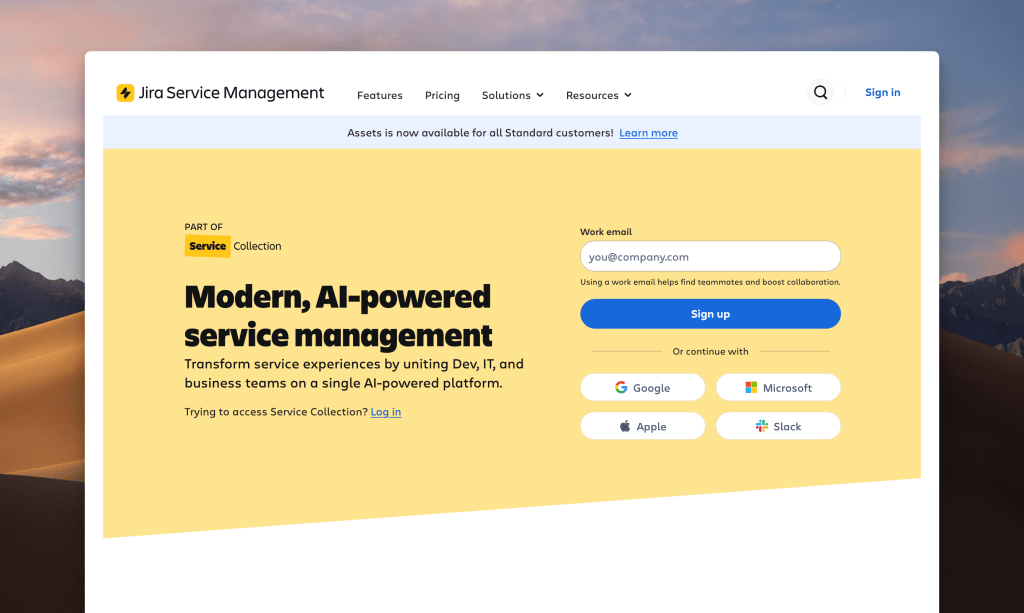
Jira Service Management is Atlassian’s ITSM platform that includes incident management as part of a broader service delivery suite. It is a strong fit for teams already running Jira and Confluence, because everything lives under one vendor. That said, it is not a purpose-built incident management tool, and that shows up in how the product is structured and priced.
Key features
- Repeat escalation comes with full customization. You can set a time delay, maximum repetitions, auto-reopen acknowledged alerts on each repeat, and auto-close when repeats end.
- A dedicated Slack channel is created automatically when an alert becomes an incident, keeping the response conversation in one place.
- Automation rules trigger workflows on alert creation, status changes, and other events.
- JSM’s Rovo AI surfaces similar past alerts and suggests responders based on historical incident patterns, which can speed up triage on recurring issues.
| Pros | Cons |
|---|---|
| Deep Atlassian ecosystem integration: Jira tickets, Confluence runbooks, and incidents all in one vendor. | No on-call activity log. JSM is the only tested tool without one. |
| Escalation policies support notifying the next or previous member in a rotation, or a random team member, giving you more routing flexibility. | No built-in status page. Statuspage.io is required as a separate subscription. |
| Strong automation capabilities through rules and workflows that connect across the Atlassian ecosystem. |
Pricing
- Free: Up to 3 agents, includes basic alerting and on-call schedules.
- Standard ($20/agent/month): Adds escalation policies, audit logs, and multi-region data residency.
- Premium ($51.42/agent/month): Adds advanced incident management, AIOps capabilities, and real-time monitoring.
- Enterprise: Custom pricing, adds unlimited Atlassian sites, advanced security, and analytics.
User review
JSM holds a 4.3/5 rating on G2 from 900+ reviews. Users consistently praise its ticket management, structured workflows, and automation rules. The most common complaints are about the steep learning curve, complex setup, and the cost increasing significantly as you move up tiers.
Best For
Teams already committed to the Atlassian ecosystem who want to consolidate incident management, service requests, and ticketing under one vendor.
Key point: JSM is the right choice for teams already deep in the Atlassian ecosystem. For teams that need a purpose-built incident management tool, the nested interface and the lack of a built-in status page and on-call activity log are real gaps to consider.
What about OpsGenie?
OpsGenie has been one of PagerDuty’s strongest competitors for years. Teams that found PagerDuty too complex or too expensive often landed on OpsGenie as a simpler, more affordable alternative. However, Atlassian stopped new OpsGenie sales on June 4, 2025, and the platform shuts down completely on April 5, 2027. All non-migrated data will be deleted after that date.
Atlassian’s official recommendation is to migrate to Jira Service Management. That makes sense if your team is already running Jira and Confluence. For teams that just need on-call scheduling and alerting, JSM is a significant step up in complexity and cost.
If JSM feels like more than you need, Spike is the closest structural replacement for OpsGenie. The on-call schedules, escalation policies, and alert routing work the same way OpsGenie did. Spike starts at $7/user/month, and OpsGenie users get 50% off their first six months.
Incident management feature comparison
| Feature | Spike | PagerDuty | Incident.io | Squadcast | Zenduty | JSM |
|---|---|---|---|---|---|---|
| Ready-to-use escalation, on-call, and alert rules templates | Yes | No | No | No | No | No |
| Time-based escalations (business hours, off-hours) | Yes | Yes | Yes | Yes | Yes | Yes |
| DND/silence bypass for critical alerts | Yes | Yes | Yes | No | Yes | Yes |
| Dual alert control (team-level and individual) | Yes | No | No | Yes | No | No |
| Acknowledge/resolve from chat apps (Slack, Teams) | Yes | Yes | Yes | Yes | Yes | Yes |
Slack @here / @channel mentions in alerts | Yes | No | No | No | No | No |
Email acknowledgment by reply (#ack / #res) | Yes | No | No | No | Yes | No |
| Trigger incidents from incoming emails | Yes | Yes | No | Yes | Yes | Yes |
| Auto-update status page incidents | Yes | Yes | Yes | Yes | No | No |
| On-call shift change notifications | Yes | Yes | Yes | Yes | Yes | Yes |
| On-call activity log | Yes | No | No | No | Yes | No |
| No separate pricing for on-call | Yes | Yes | No | Yes | Yes | Yes |
Pricing comparison
| Tool | Starting price | Free plan | Status pages included |
|---|---|---|---|
| Spike | $7/user/month | No (14-day trial) | Yes, every plan |
| Incident.io | $19/user/month + $12/user/month for on-call | Yes (Basic) | 1 external page |
| Squadcast | $20/user/month | No | Premium only ($29/user/month) |
| Zenduty | $6/user/month | No | No (statuspage.io add-on) |
| JSM | $20/agent/month | Yes (3 agents) | No (Enterprise only) |
| PagerDuty | $25/user/month | Yes (5 users) | No ($89/month add-on) |
Which PagerDuty alternative is right for your team?
If you want the full incident management stack without the complexity
Spike is the right choice. It covers alerting, on-call scheduling, incident response, and status pages at $7/user/month. Managers get control over how their team gets alerted, and status pages are included on every plan.
If your team coordinates incidents in Slack
Incident.io is built around Slack and handles incident triage, on-call, and post-incident workflows in one place. However, on-call is priced as a separate add-on on Team and Pro plans.
If you need dual alert control and ML-based noise reduction
Squadcast is a strong fit here. Managers can set the delivery method at each escalation step, and ML alert grouping is included at no extra cost. The SolarWinds acquisition in 2023 is worth factoring in if you are making a long-term vendor decision.
If you need SLA tracking and task templates per service
Zenduty handles this well. Each service gets its own SLA policy and task template, starting at $6/user/month. The Xurrent acquisition in February 2025 is recent, and the long-term product direction is still worth evaluating before committing.
If you are already on Jira and Confluence
Jira Service Management (JSM) is the natural fit. Everything stays under one Atlassian vendor, which keeps procurement simple. Getting the full incident management feature set requires the Premium plan at $51.42/agent/month.
The Bottom Line
Every tool in this list covers the basics: on-call scheduling, escalation policies, and alert routing. Where they differ is in the details that matter daily: whether managers can control how their team gets alerted, whether status pages are included or sold separately, and whether the pricing makes sense for a team.
Spike is the best affordable PagerDuty alternative for teams that need the full stack without complexity. It gives managers and individuals dual control over alert delivery, includes status pages on every plan, and starts at $7/user/month.
FAQs
What is the best PagerDuty alternative?
Spike is the best PagerDuty alternative for teams that want on-call scheduling, alerting, and incident management without an expensive price tag or complexity. It starts at $7/user/month and includes built-in status pages on every plan. It also offers dual alert control, rich activity log, keyboard-friendly interface, and more.
Does PagerDuty have a free plan?
Yes. PagerDuty’s free plan supports up to 5 users and includes 100 phone/SMS notifications per month, one on-call schedule, and one escalation policy. For most teams, 5 users is not a viable long-term limit. The realistic entry point for a working team is the Professional plan at $25/user/month.
Why is PagerDuty so expensive?
PagerDuty’s base pricing ($25/user/month for Professional, $49/user/month for Business) is only the starting point. Status pages cost $89/month on top of that. AIOps (the ML noise reduction feature) starts at $799/month as a separate add-on. Stakeholder licenses add another layer of cost. For a 25-person team on Business with status pages, the annual bill exceeds $15,000 before any advanced features.
What are the best open-source PagerDuty alternatives?
The most active open-source options are GoAlert, OneUptime, and Keep. GoAlert focuses on on-call scheduling and alert routing and supports SMS and voice. OneUptime covers monitoring, incident management, and status pages under one roof. Keep is newer and focused on alert correlation and noise reduction. All three require self-hosting and engineering time to maintain. They are a good fit for teams with data residency requirements or very tight budgets that have the capacity to manage the infrastructure. For teams that want a fully managed tool without the maintenance overhead, Spike starts at $7/user/month with a free trial.
Is PagerDuty good for small teams?
PagerDuty works for small teams, but it is priced and structured for larger ones. The free plan caps at 5 users, and the next tier starts at $25/user/month. Status pages are a separate subscription. Most small teams (under 20 engineers) will pay for features they do not need and miss features that would actually help them. However, Spike is the right fit for small teams. It starts at $7/user/month and covers all the incident management features.
What’s the difference between PagerDuty Professional and Business?
PagerDuty Professional costs $25/user/month and covers the core incident management workflow: escalation policies, on-call scheduling, Slack and Teams integration, status pages for up to 250 subscribers, and post-incident reviews. Business costs $49/user/month and adds custom fields, advanced ITSM integrations, multi-year historical data access, and status pages for up to 500 subscribers. Neither plan includes AIOps, stakeholder licenses, or live call routing. Those are all paid add-ons on both tiers.
I’m migrating from OpsGenie. Should I switch to PagerDuty or Spike?
Spike is the better choice for most OpsGenie users. It mirrors OpsGenie’s workflows closely, so the transition is faster. It starts at $7/user/month and includes built-in status pages. OpsGenie users also get 50% off their first six months. PagerDuty makes sense if your team needs a large number of integrations and complex runbook automation.