
If you’re not sure whether to pick PagerDuty for on-call management, this review will help you decide.
I signed up for PagerDuty, created and edited on-call schedules, studied on-call dashboard, and created on-call overrides.
Overall, I evaluated PagerDuty’s on-call management across 5 key criteria. You’ll discover what these criteria are as you read on.
For each criterion, I’ve shared what I liked and what I didn’t. This gives you a balanced look at PagerDuty’s on-call features.
As you finish reading this review, you’ll know if PagerDuty fits your team’s needs. If you decide PagerDuty isn’t right for you, I’ve also included an alternative that might suit you better.
Let’s dive in!
Table of Contents
My Criteria for Evaluating PagerDuty’s On-Call Management
Here’s what I focused on to review PagerDuty’s on-call capabilities:
- On-Call Schedule Creation – How easy it is to create a new on-call schedule, and if there are any templates that help you get started right away
- On-Call Flexibility – How easy it is to modify on-call schedules for weekday, weekend, and after-hours coverage; set up various on-call models; add new on-call members; update on-call shifts; and handle changes as your team grows
- On-Call Dashboard & Visibility – How clearly you can see who’s on-call, who’s up next, and check your on-call schedules at any time
- On-Call Override Functionality – How quickly can you create on-call overrides when you need last-minute coverage for a dentist appointment, your kid’s birthday, or an emergency
- On-call pricing – How affordable PagerDuty is for on-call management, and if there are any hidden fees
PagerDuty Review for On-Call Management
TL;DR
| Criteria | What I liked | What I didn’t like |
| On-Call Schedule Creation | Intuitive setup, layer duplication, multiple calendar views | Calendar preview at the bottom, no on-call templates |
| On-Call Flexibility | Calendar sync (iCal/WebCal), duplicate layers, search bar | No instant “add layer” button, can’t clone schedules, can’t favourite schedules |
| On-Call Dashboard & Visibility | Quick overview of shifts and schedules, multiple timeline views | No activity log or past override history |
| On-Call Override Functionality | Easy to create overrides, direct calendar interaction | No comments for overrides, no override history |
| On-Call Pricing | Free tier lets you test features | Paid plans are expensive for most teams |
On-Call Schedule Creation in PagerDuty
Creating an on-call schedule in PagerDuty is easy:
- Name your schedule
- Set time zone
- Add schedule layers
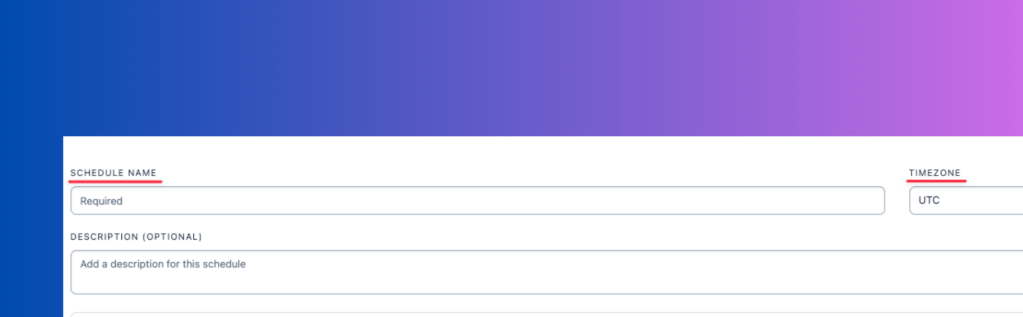
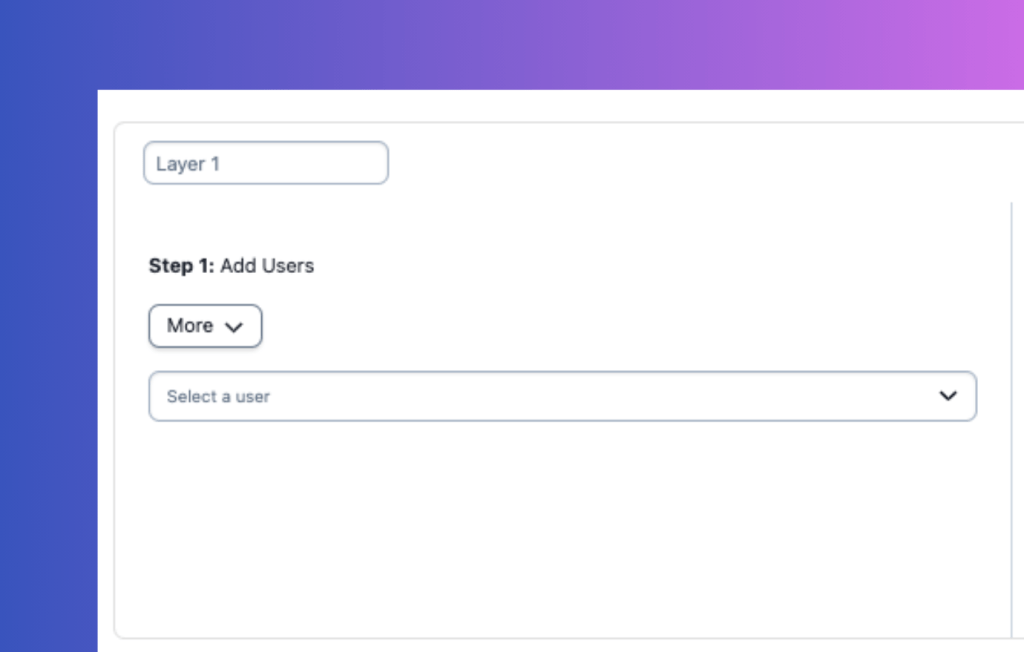
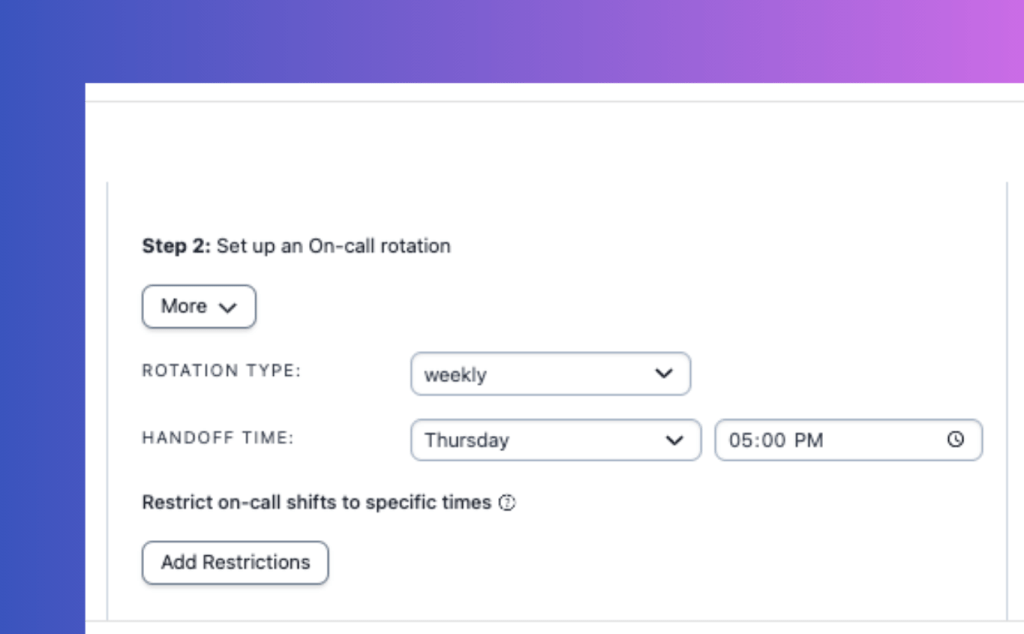
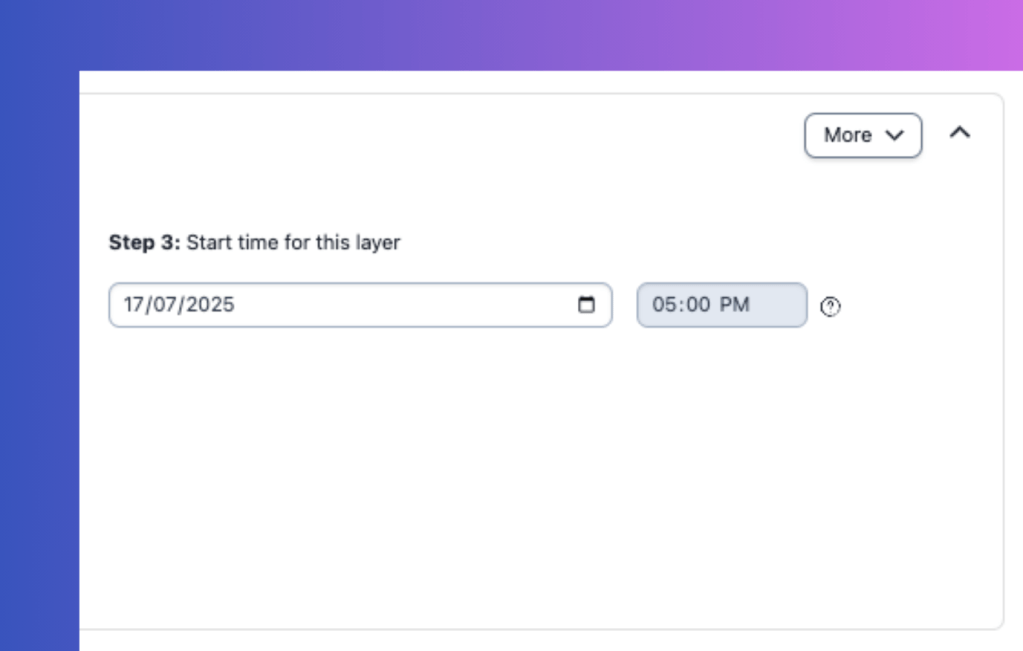
I found the entire setup process to be quite intuitive. Features like duplicating a layer or copying its configuration across schedules are helpful and save time. PagerDuty also provides multiple calendar views (1 day, 4 days, 1 week, 2 weeks, 30 days), making it easy to visualize schedules.
My main issue was with the user interface layout. The calendar preview is at the bottom of the page, far from the configuration settings at the top. This makes it inconvenient to see the changes as you make them without scrolling up and down. Also, PagerDuty doesn’t provide any ready-made on-call templates for getting started.
On-Call Flexibility in PagerDuty
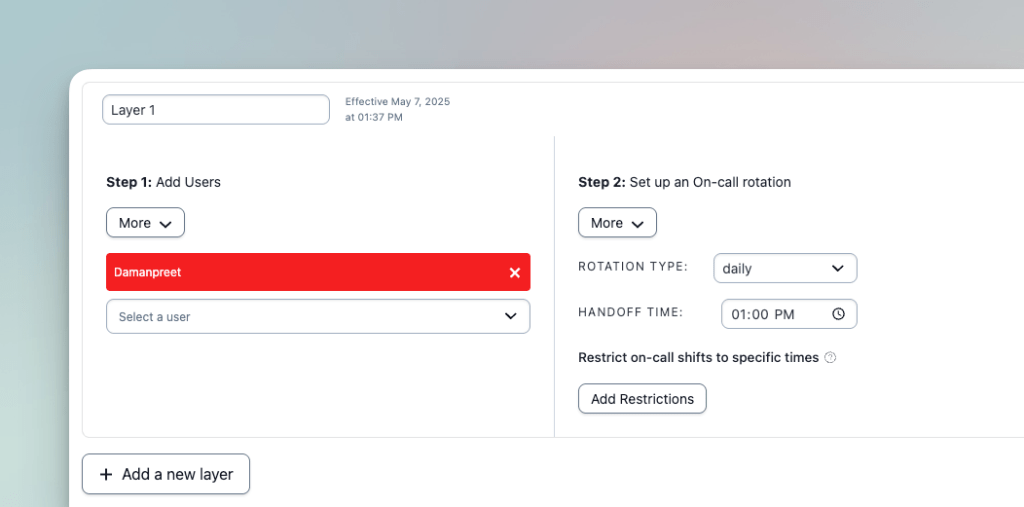
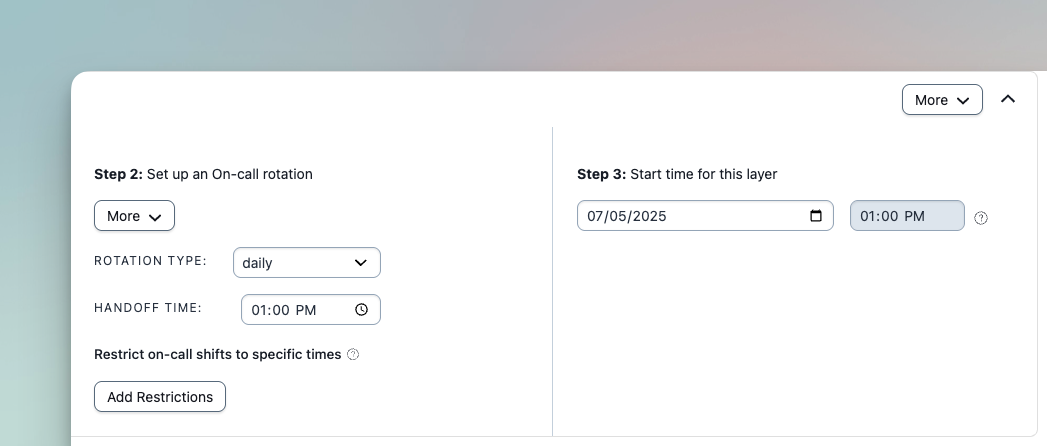
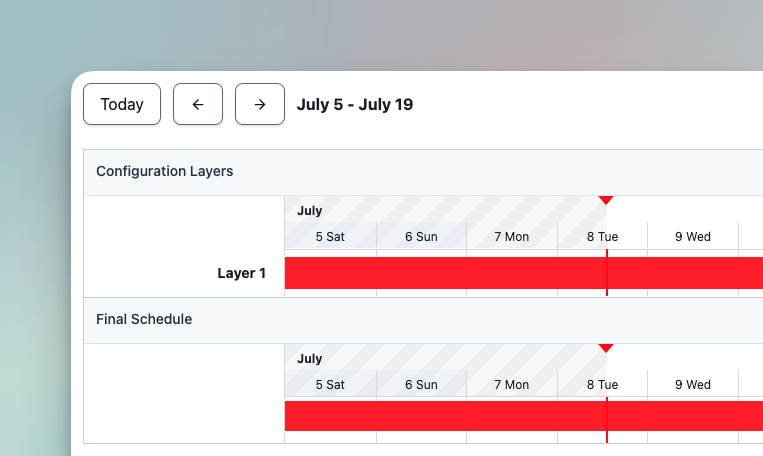
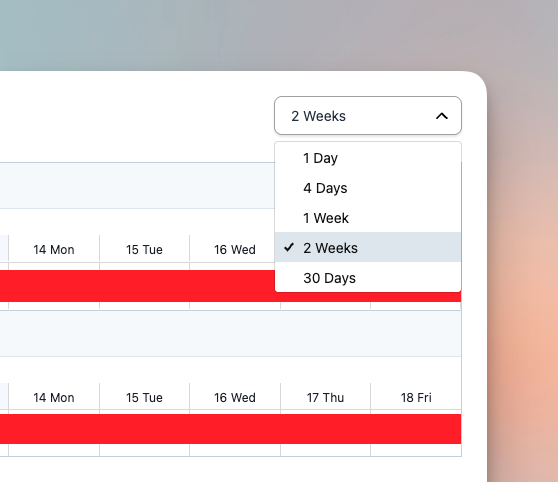
PagerDuty offers decent flexibility for modifying on-call schedules. You can add new layers to existing schedules and duplicate layer configurations across different schedules. The platform also supports calendar integration through iCal and WebCal feeds.
What I appreciated most was the calendar sync capability, which keeps everyone’s personal calendars updated. The ability to duplicate layers and copy configurations between schedules also saves time when setting up similar rotations.
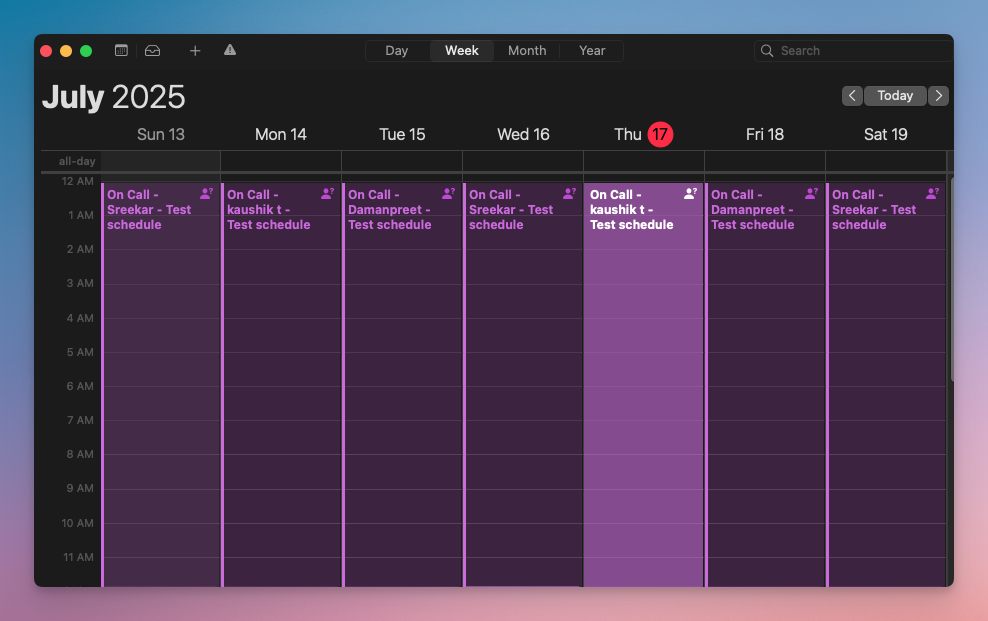
However, PagerDuty lacks some convenience features that would make schedule management faster. There’s no instant “add new layer” button—you must open and edit each schedule. You also can’t clone entire schedules or mark schedules as favourites for quick access.
PagerDuty’s On-Call Dashboard & Visibility
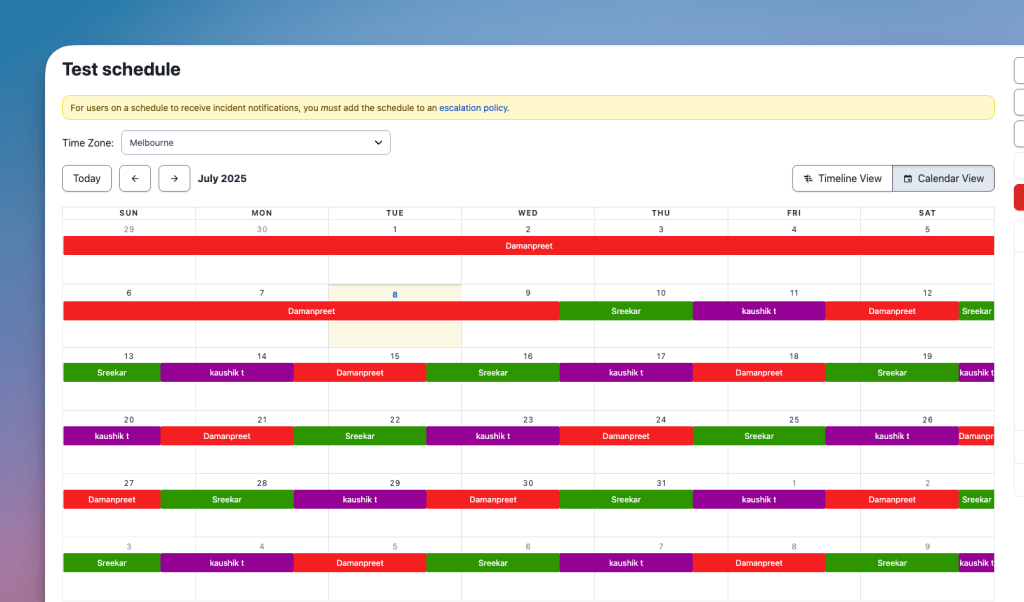
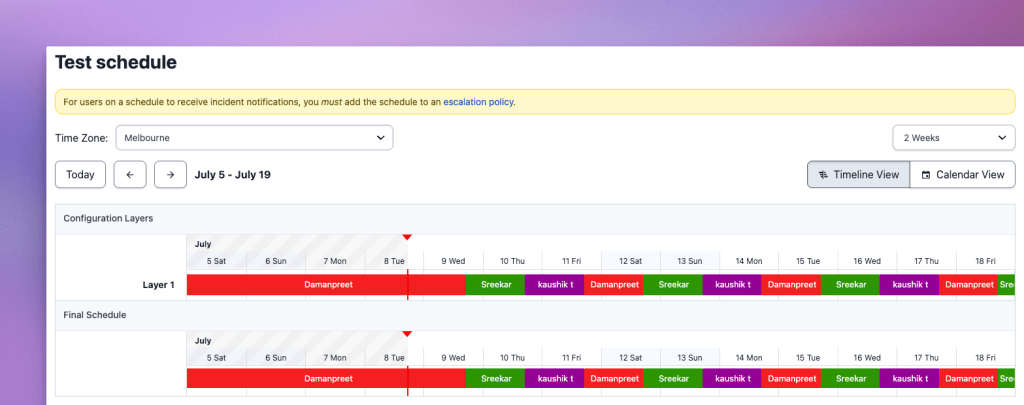
PagerDuty’s dashboard provides a comprehensive view of your on-call operations. You can see your current shifts, escalation policies, and all schedules from one place. Each schedule offers multiple timeline views and shows who’s on-call now and who’s up next.
The dashboard excels at giving you quick visibility into your on-call coverage. You can switch between calendar and list views to see shifts in your preferred format. The multiple timeline options (1 day, 4 days, 1 week, 2 weeks, 30 days) make it easy to plan ahead and spot coverage gaps.
The main limitation is the lack of activity logs or past override history. This makes it difficult to track changes to the schedule or review past coverage adjustments.
On-Call Override Functionality in PagerDuty
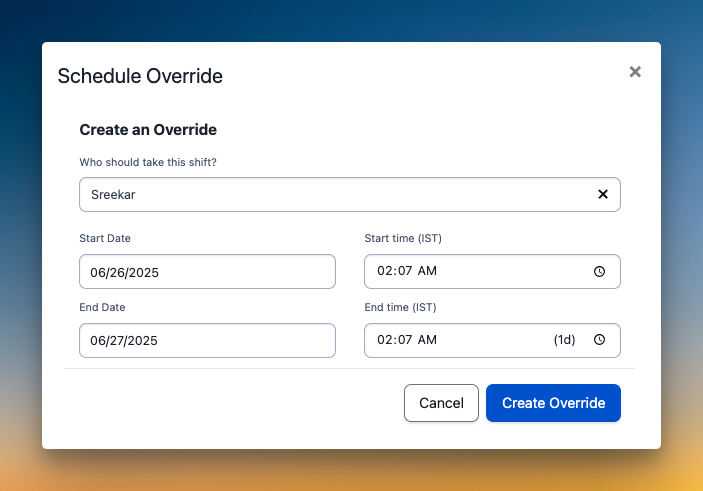
PagerDuty makes it easy to create an on-call override. You can click the override button or select a slot directly on the calendar, choose who will cover, and set the start and end times.
What I liked most was the direct calendar interaction. Being able to click right on the schedule to create an override feels natural and saves time.
But PagerDuty has two major gaps in override functionality:
- You can’t add comments to give context for the override, which can leave the covering person in the dark.
- There’s no history of past overrides, so it’s hard to track who filled in and when.
On-Call Pricing for PagerDuty
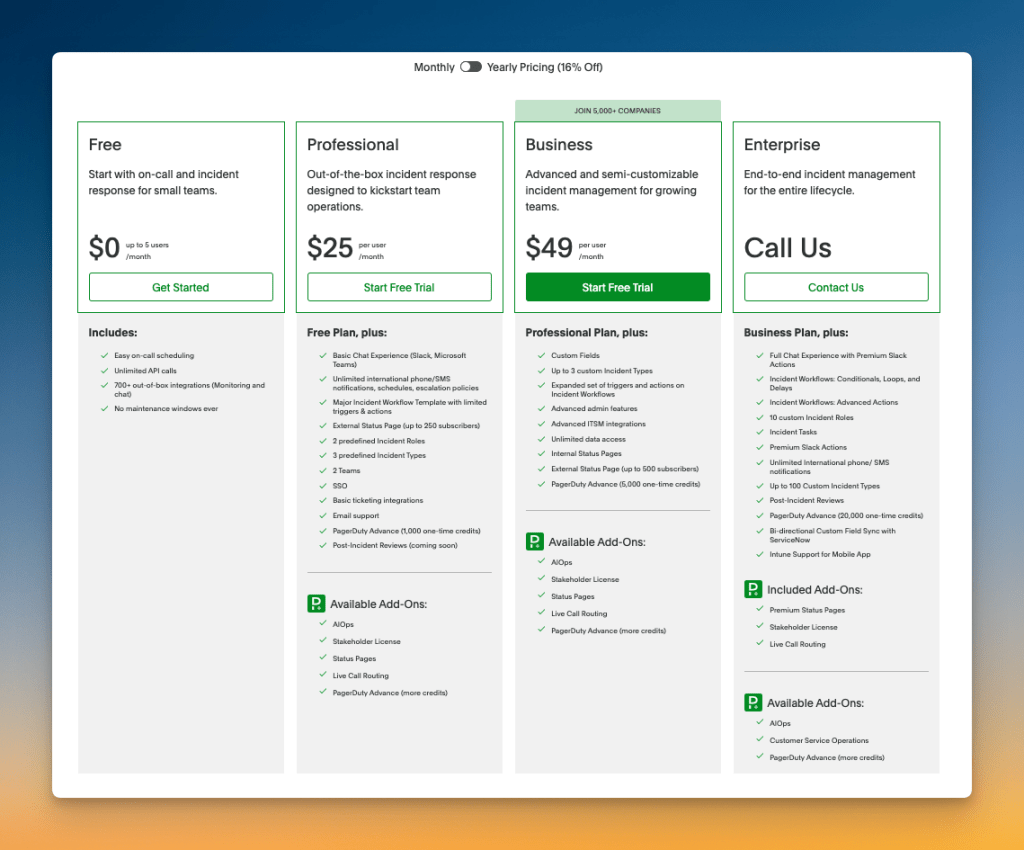
PagerDuty offers three pricing tiers for on-call management. The free tier allows one on-call schedule, while the Professional tier costs $25/user/month, and the Business tier costs $49/user/month. Both paid tiers include unlimited on-call schedules.
I appreciate that PagerDuty offers a free tier to test their on-call features. This lets teams try out the platform with one schedule before committing to a paid plan. It’s a good way to see if the tool fits your workflow.
But the pricing for paid plans feels quite steep. For teams with multiple members, this can quickly add up to hundreds of dollars monthly. There are alternatives in the market that offer similar or even better features at a fraction of this cost. (Keep reading to find the alternative)
So, Should You Choose PagerDuty for On-Call Management?
PagerDuty gets the basics right. The schedule creation is intuitive, the dashboard provides good visibility, and creating overrides is simple.
However, the platform lacks key quality-of-life features. You cannot clone schedules, add comments to overrides, or view activity logs. These missing pieces, combined with the steep pricing for paid plans, make it feel incomplete for its cost.
So, pick PagerDuty if you need a solid, no-frills scheduling system and don’t mind the workflow limitations or the higher price tag.
Otherwise, I’ve got a better alternative that fills the gaps PagerDuty leaves, adds more convenience, and comes at one-third of the cost.
Spike: A Better PagerDuty Alternative for On-Call Management
Spike is a modern incident management platform that includes powerful on-call scheduling features. It’s designed to make on-call management simple, flexible, and team-friendly.
Spike offers everything PagerDuty provides—intuitive schedule creation, clear dashboard visibility, and simple override functionality. But it goes further by adding the key quality-of-life features that PagerDuty misses—all at a fraction of the cost.
Here’s why Spike is a better alternative to PagerDuty for your on-call management:
- Unlike PagerDuty’s bottom-placed preview, Spike shows your schedule preview beside configuration settings, which makes it easy to see changes as you build it. Plus, it offers ready-to-use on-call templates to get started.
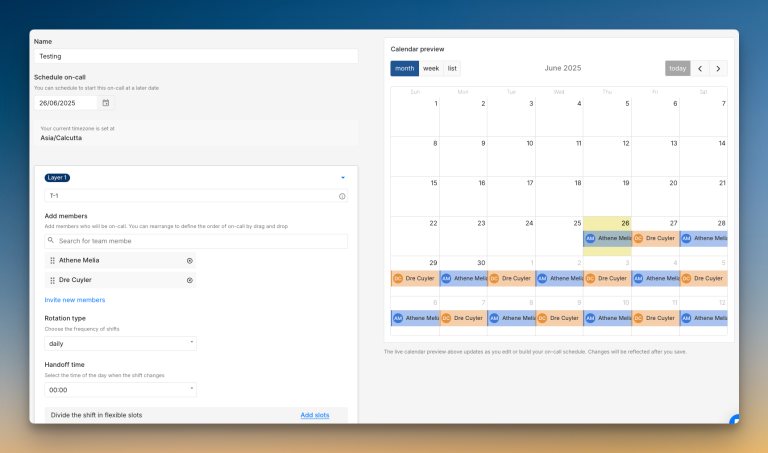
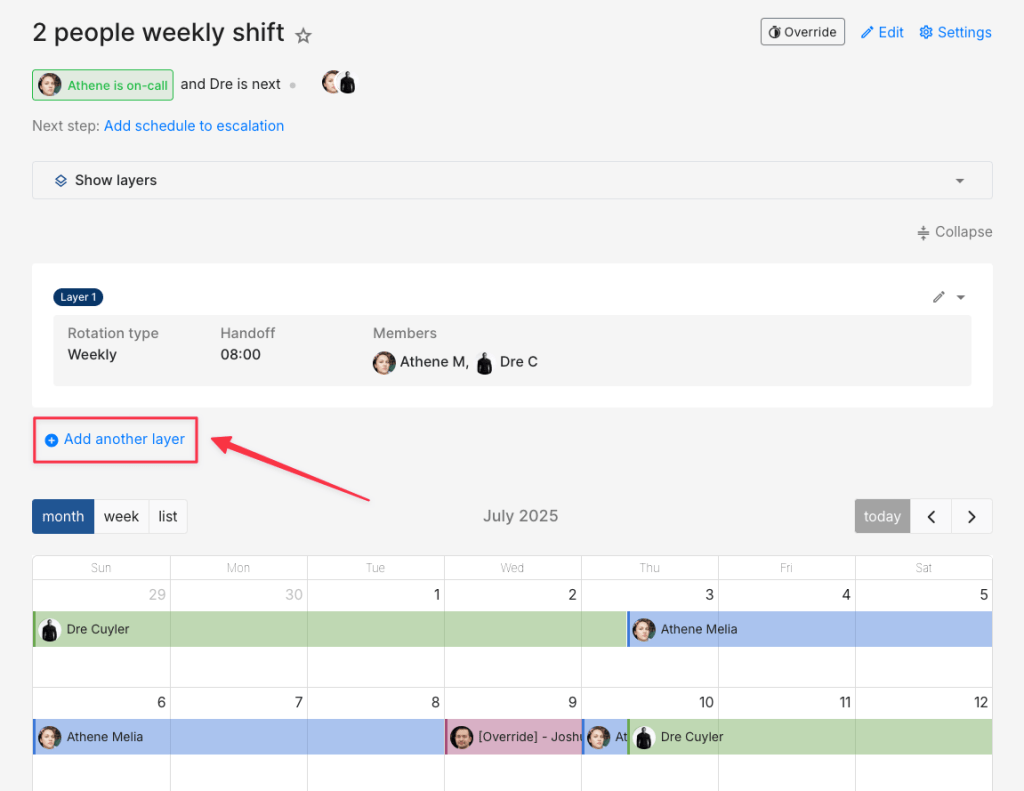
- You can clone an entire schedule and mark favourites for instant access. Plus, you can add new schedule layers with the “Add Layer” button—no need to open the schedule and edit.
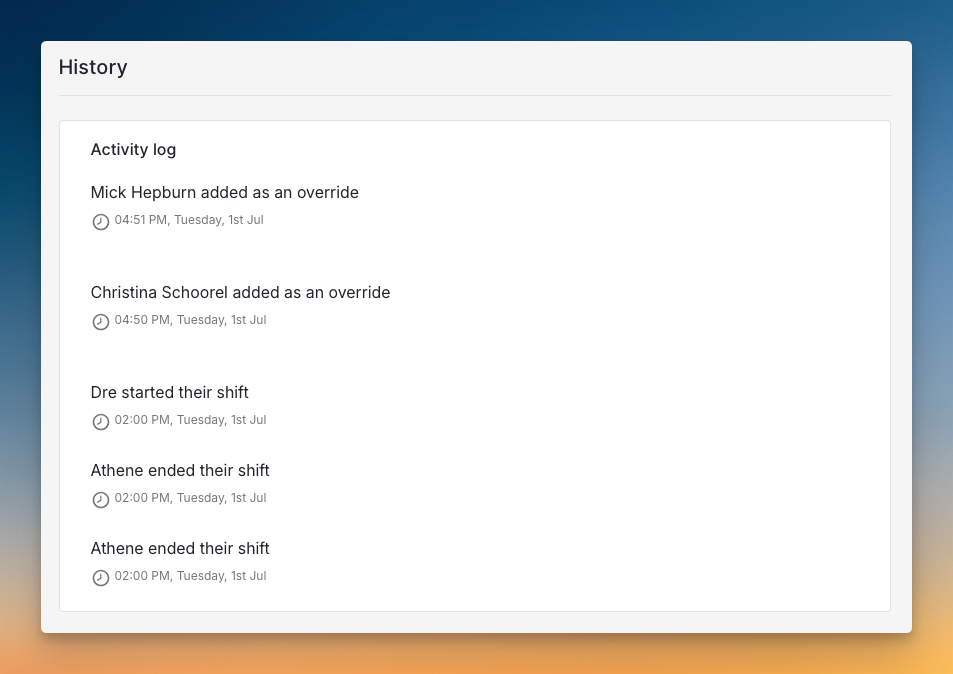
- Spike provides full activity logs and override history that PagerDuty lacks. Plus, the Raycast extension puts on-call management at your fingertips.
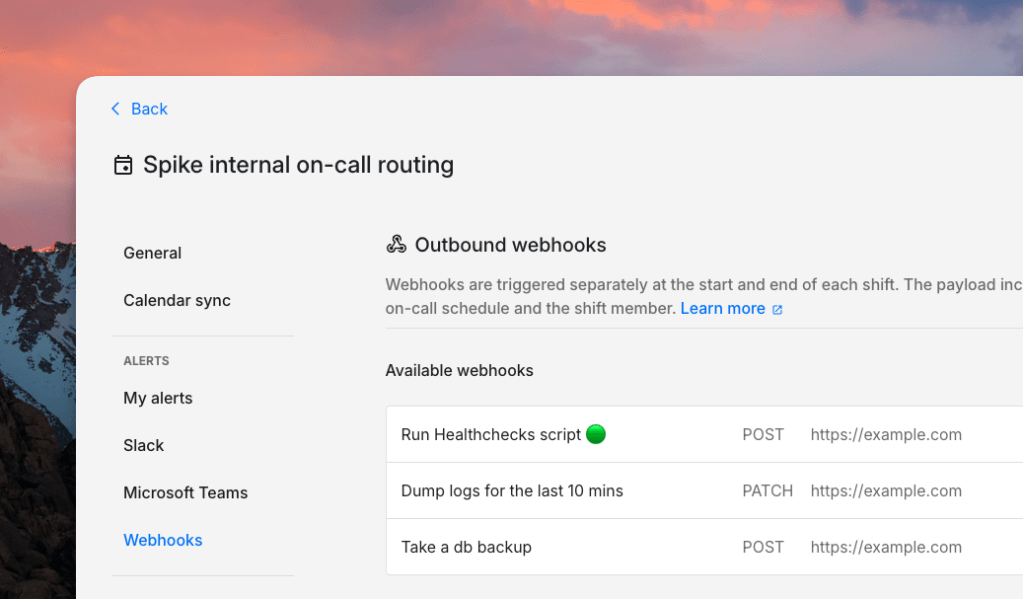
- When shifts start or end, you can trigger webhooks with shift details and plug in any automation.
For example, you can:
– Run health checks when shifts change
– Create tickets in project management tools
– Send notifications to external systems or mobile apps
– Email a summary of open incidents to the new on-call person
On of our customers use this feature to grant and revoke database access for on-call responders automatically.
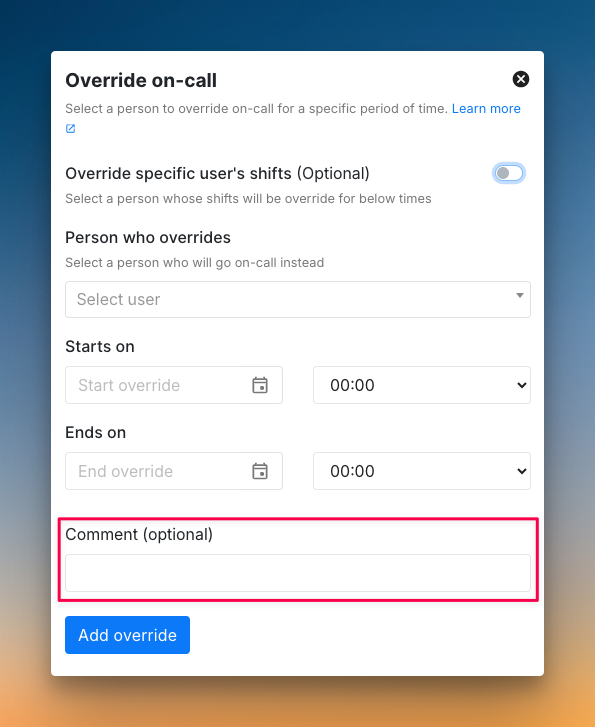
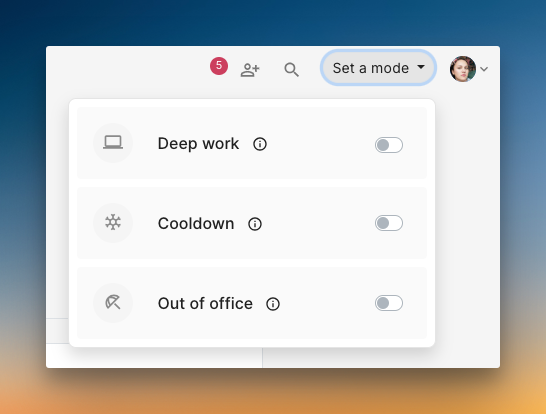
- You can add comments to overrides so the covering person gets the required context. Spike’s cooldown and out-of-office modes handle all your shifts automatically when you’re away—no manual overrides needed.
- The best part is you get all these features for one-third of PagerDuty’s cost. No hidden fees, no expensive add-ons, just straightforward pricing that scales with your team.
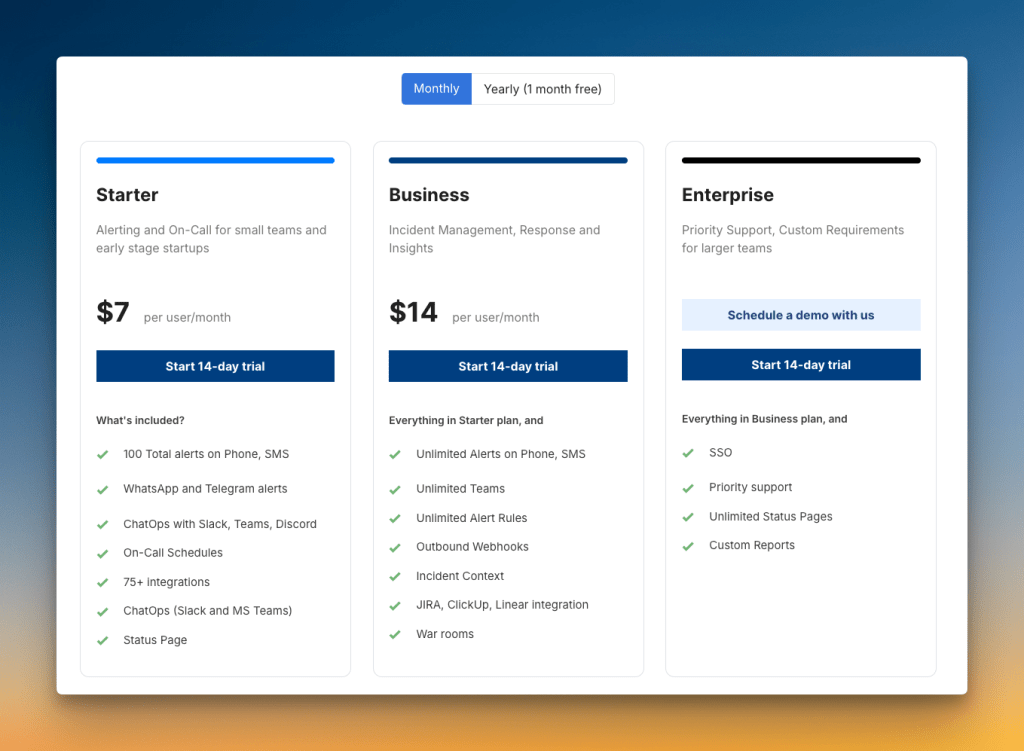
Read Spike vs. PagerDuty on-call for a detailed comparison.
If you want faster setup, better team convenience, and significant cost savings, Spike is the clear choice.
Final Thoughts
While PagerDuty ticks off all the core on-call features, it falls short on convenience features like schedule cloning, override comments, and activity logs.
The platform also comes with a steep price tag. This makes it a better fit for large enterprises that have bigger budgets and fewer workflow demands.
In contrast, Spike gives you all the core features plus the conveniences that PagerDuty lacks. It’s a complete solution for teams of any size, and it comes at one-third of the price.