.png)
.png)

Not every incident alert needs the same kind of response. One incident may need to wake someone up right away. Another may simply need to be picked up when the team starts work in the morning.
Without a clear way to tell them apart, every incident feels equally urgent. That usually adds noise and makes incident response decisions harder than they need to be.
This is where two questions help:
- Is this incident critical?
- Is this incident urgent?
In this guide, we’ll discuss what those questions mean and the four combinations that follow.
Critical vs. urgent: why the difference matters
Critical and urgent are often used interchangeably, but they mean different things.
Critical is about impact. When a payment service goes down in production, that is a critical incident. Customers cannot check out and revenue stops. The damage is real regardless of when it triggers or who picks it up. The severity of what broke is what makes it critical.
Urgent is about time. A customer whose account has been locked out needs help quickly. The situation needs attention fast but the underlying system may be perfectly healthy. What makes it urgent is not the severity of the failure but how fast someone needs to act.
The reason this distinction matters is that the two do not always arrive together. A critical incident is not automatically urgent, and an urgent one is not automatically critical. Once you start separating them, the right response becomes much easier to figure out.
The four combinations
When you look at incidents through the lens of criticality and urgency, they usually fall into one of four combinations.
1. Critical and urgent
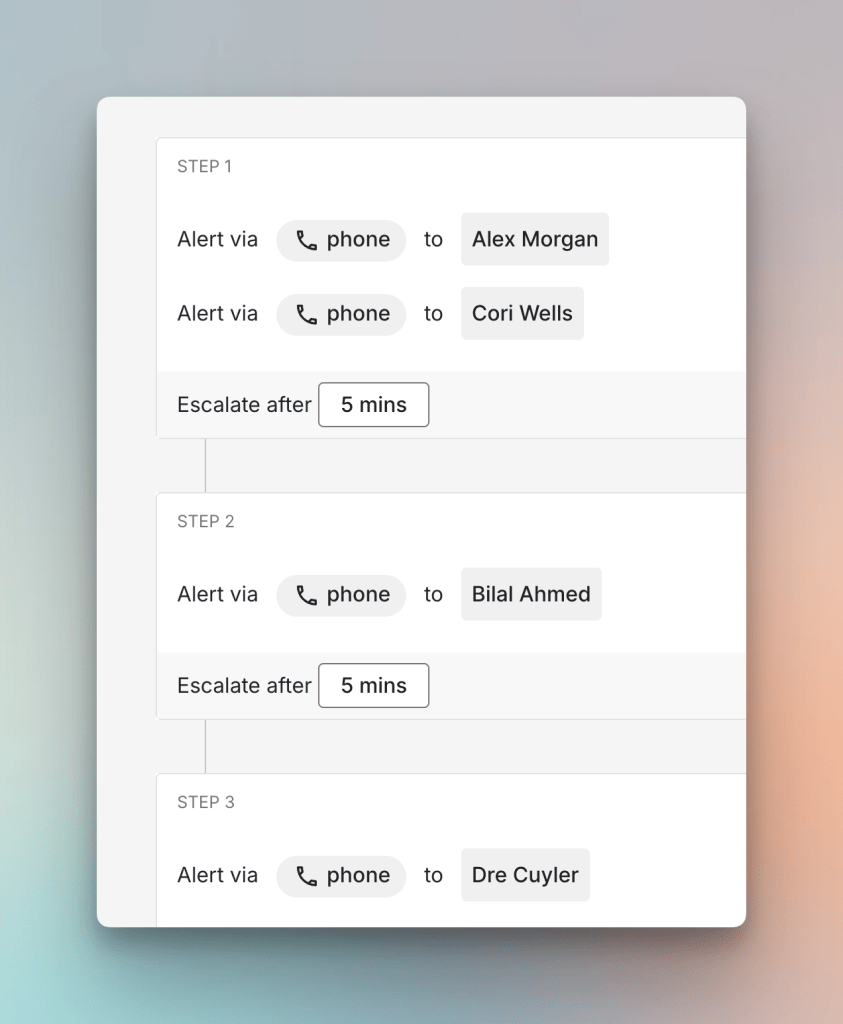
An authentication service going down during peak hours is a clear case of both critical and urgent. Every user trying to log in hits a failure and the engineering team needs someone on it right away. This is the combination that warrants waking someone up regardless of the time.
For such incidents, you can set up a critical escalation policy that includes phone calls with short escalation window. Read about it here →
2. Urgent but not critical
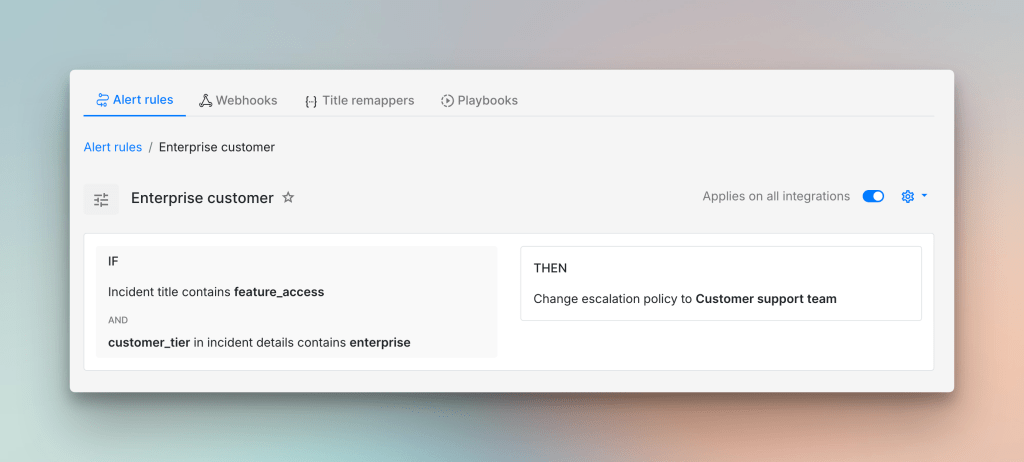
An enterprise customer reporting that they cannot access a key feature needs a fast response. The speed matters but the problem may not be a system failure. The service could be working perfectly well and this could simply be a configuration gap or a permissions issue that nobody has noticed. Routing it to a customer support team rather than paging your on-call engineer is probably the right call.
To learn more about alert routing, check out this guide →
3. Critical but not urgent
Say your team discovers in a post-incident review that a background data sync job has been silently failing for three days. The data integrity issue is serious, which makes it critical. But the discovery happened at 10 AM on a Tuesday with no customer reports yet and there is time to investigate properly. Clear ownership and a deadline are usually what this combination calls for, not a phone call in the middle of the night.
4. Neither critical nor urgent
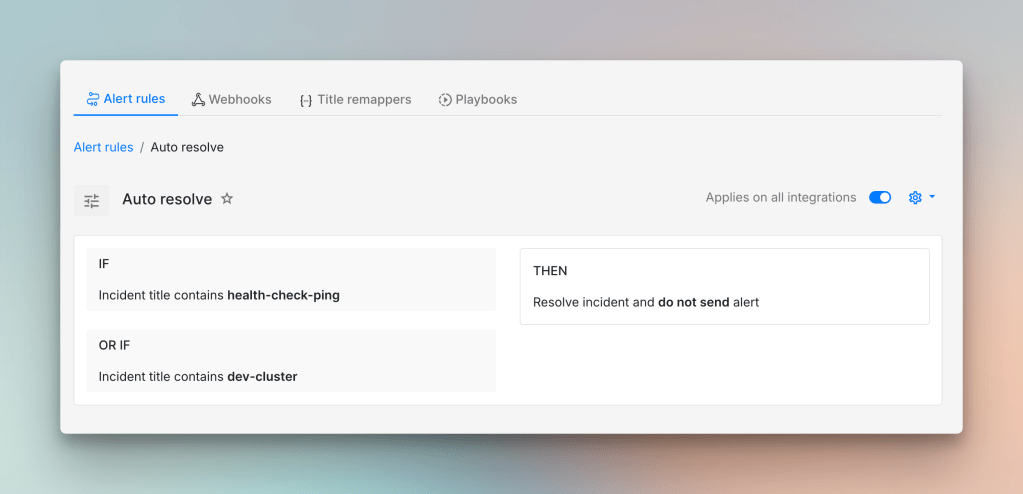
Not every incident that triggers represents a genuine problem worth acting on. A health check ping firing repeatedly or a dev cluster spiking over the weekend are the kinds of signals that can safely sit out of the on-call queue. The right response is usually to suppress them or set them to auto-resolve.
Knowing what kind of incident you are dealing with is the first step to responding well. The critical and urgent framework keeps that first step simple. Two questions, four combinations, and a much clearer sense of what actually needs your attention right now.
Once you know which incidents genuinely need to wake someone up, you need a reliable way to get phone calls. And Spike handles that part for you.
FAQs
What if an incident feels critical and urgent but turns out not to be?
That happens and it is fine. The classification is meant to help your team respond quickly. It does not have to be perfectly accurate before anyone looks at the incident. A responder can always change it once they have assessed the situation. What matters is that the initial classification gets the right person looking at it fast.
Should classification change based on the time of day?
Often, yes. The same incident can carry different urgency depending on when it triggers. A database running slow at 2 PM is a lot easier to manage than the same issue at 2 AM when fewer people are available. Time of day is a reasonable factor to build into your classification criteria.
Can an incident be neither critical nor urgent and still need attention?
Yes. Neither critical nor urgent does not mean irrelevant. It means the incident can wait. A background job failing silently with no customer impact is worth fixing eventually, just not right now.
How often should a team revisit classification criteria?
A good time to revisit is after a significant incident or after a post-incident review throws up a surprise. If your team keeps reclassifying incidents manually after they trigger, it’s is a signal that the criteria no longer reflect how the team actually thinks about urgency and impact.