


I use Slack daily. It works perfectly fine. Outages rarely happen. Even if they happen, they are resolved quickly. And this is the same for many other tools.
But how are they all doing it—keeping services running and resolving issues quickly?
Their secret lies in On-Call Schedules.
On-call schedules make sure someone is always available to handle emergencies, so your systems stay reliable.
Whether you run a small startup or a big company, understanding on-call schedules can save you from sleepless nights and angry customers.
This article covers everything you need to know about on-call schedules: What they are, why they’re important, and how to set up one.
Ready to dive in? Let’s get started!
What is an On-Call Schedule?
An on-call schedule tells you who will handle incidents when they happen. It’s a plan that rotates team members so everyone takes turns being the first responder.
The main purpose of on-call schedules is to make sure someone is always available to tackle issues fast.
When you’re on-call, your responsibility is to respond to the alerts immediately, look into the issue, fix it if you can, or call in others for help.
Example of an On-Call Schedule
Let’s say you have a team of four engineers: Alex, Ben, Chris, and Dana. Your weekly on-call calendar might look like this:
Week 1: Alex is on-call
Week 2: Ben is on-call
Week 3: Chris is on-call
Week 4: Dana is on-call
After Dana’s week, the cycle starts over with Alex again. This simple weekly rotation makes sure everyone shares the on-call load fairly.
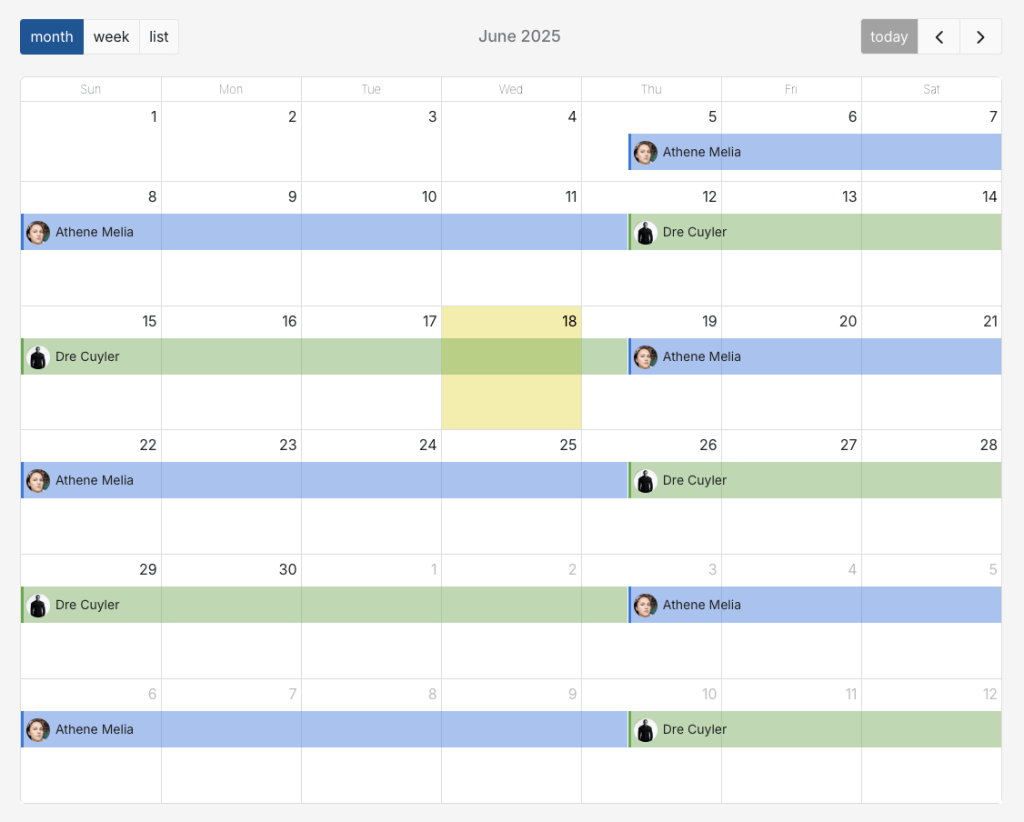
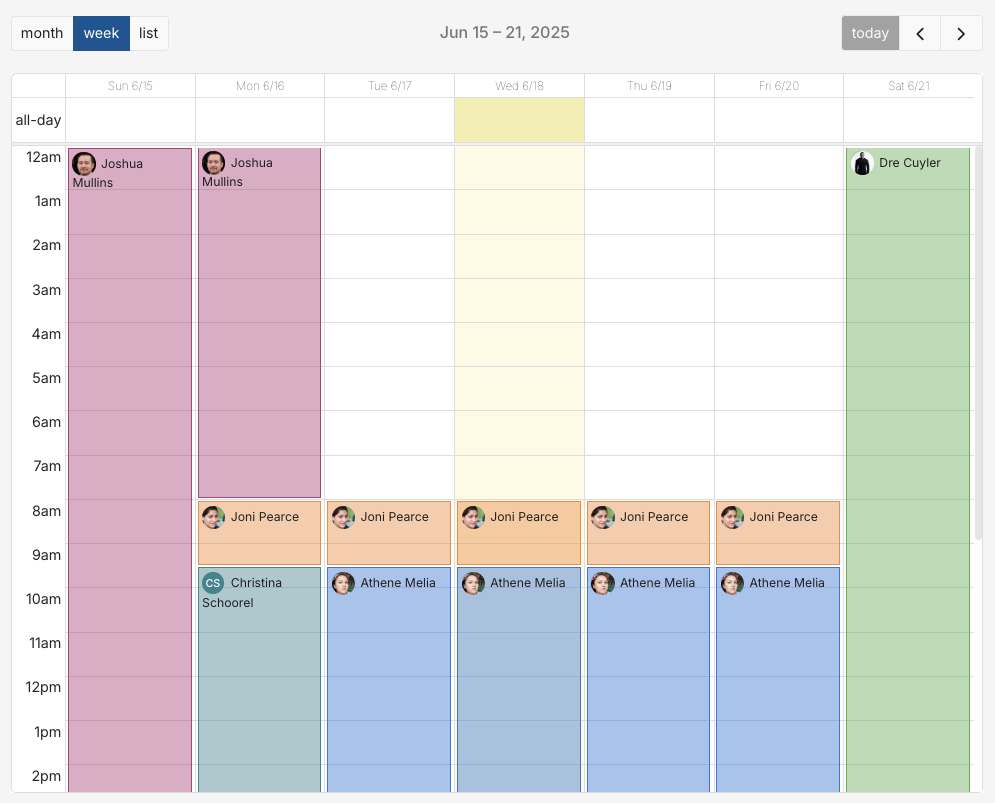
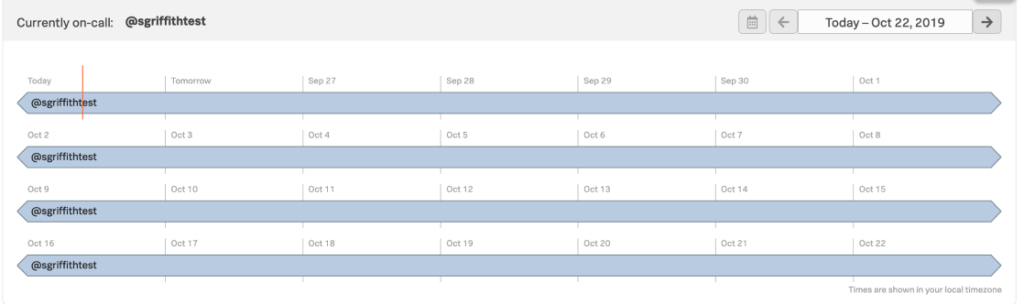
We, at Spike, also follow a weekly rotation. Here’s how our on-call schedule looks:
Why Do You Need an On-Call Schedule?
Atlassian’s major outage in 2022—caused by a faulty migration script and compounded by communication issues—resulted in a nearly 20% drop in share price and loss of customer trust.

While Atlassian did have on-call schedules, the incident highlights how quickly things can spiral when the response is slow or misdirected.
Now, imagine the plight of companies without any on-call coverage. It’s a nightmare! Teams scramble, customers get angry, and revenue is lost.
However, with an on-call schedule in place, you can
- Cut down response times when incidents strike
- Prevent on-call engineers from getting burned out
- Give your customers confidence that help is always available
- Build team spirit where everyone takes turns handling incidents
In short, an on-call schedule isn’t just a safety net—It’s long been the backbone that keeps businesses running and customers happy, even when the unexpected hits.
Who Goes On-Call?
Anyone who helps build or maintain a system can be on-call.
This often includes:
- DevOps Engineers
- Site Reliability Engineers (SREs)
- Software Engineers
- IT Technicians
💡 Pro-Tip: Implement shadow on-call rotations, where new on-call engineers observe and assist more senior ones. This way, they learn the ropes without the stress of being fully responsible.
When Daman joined Spike, we paired him with Divyansh, one of our senior on-call engineers. Daman participated in incident discussions, asked questions, and learned how to respond to incidents quickly. Now, Daman handles multiple incidents at Spike.
Key Components of an On-Call Schedule
Every on-call schedule needs these basic parts to work well:
- Rotation: This is the order people take turns for on-call duty. Rotations can be daily, weekly, or even custom.
- Shift Length: This defines how long a person is on-call. It could be 12 hours for a follow-the-sun model or a full week for a smaller team.
- Escalation Policy: What if the on-call responder misses the alert? Or stuck figuring out the incident? An escalation policy automatically alerts the secondary responder, so the downtime is reduced.
- Overrides: Sometimes, the on-call responder may fall sick or run into an emergency. Overrides let the responder temporarily assign their shift to someone else without messing up the whole schedule.
- Calendar Integration: It’s the ability to sync the on-call schedule with personal calendars like Google Calendar, iCalendar, or Outlook. This makes it easy for everyone to track their shifts.
What Are the Different Types of On-Call Schedules?
Different businesses need different on-call schedules based on their team size, location, and number of alerts they get.
Here are the most common on-call schedule types:
- Weekly Rotation: One person is on-call for a full week. This is simple and works well for small teams with a low number of alerts.
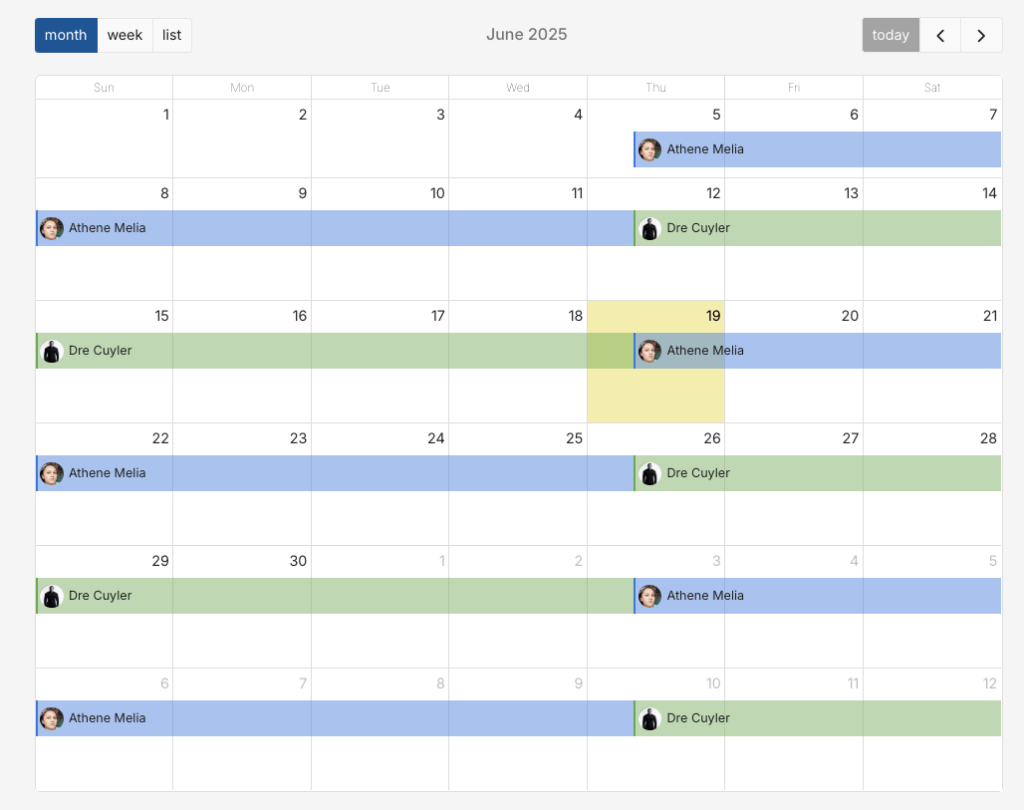
2. Daily Rotation: A different person is on-call each day. This is better for teams that get a lot of alerts, as it prevents anyone from having a terrible week full of 3 AM alerts.

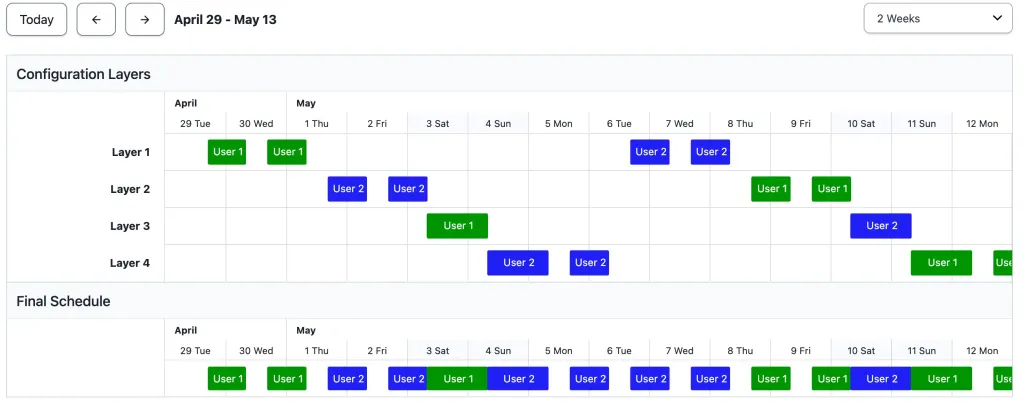
3. Custom Splits: You can get creative. For example, two people could split the weekdays, and a third person covers the weekend. Or you can have one person on-call during business hours and another person on-call overnight.
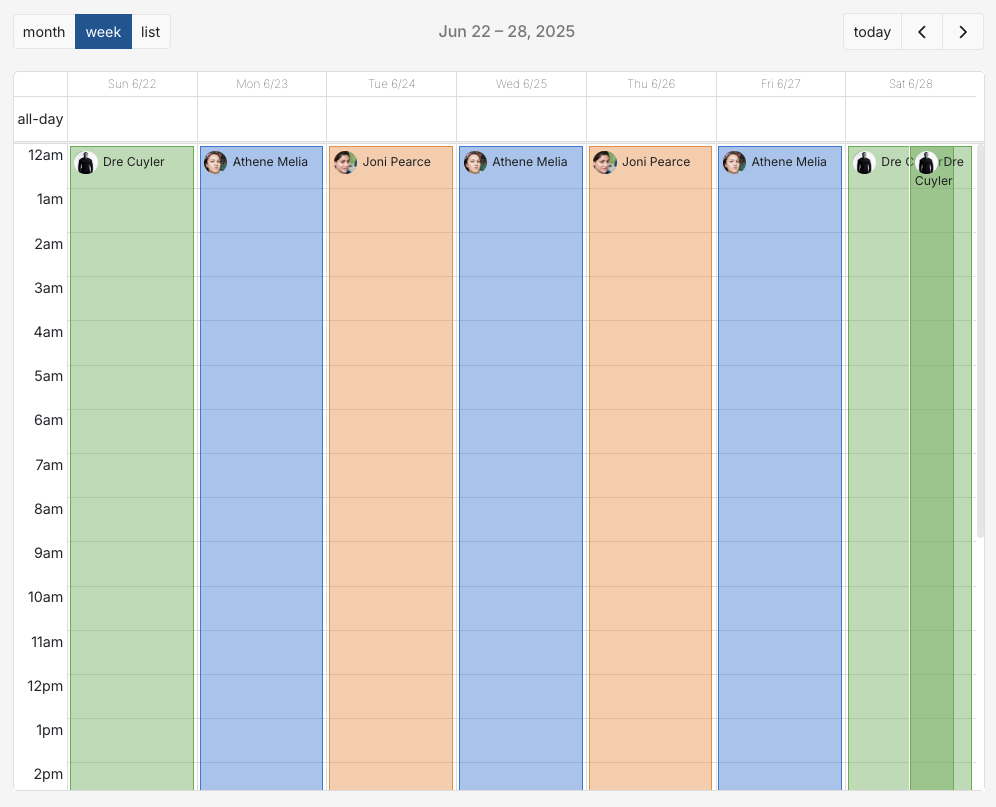
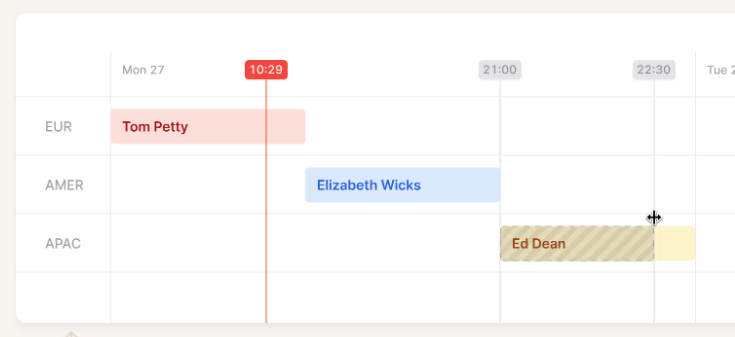
4. Follow-the-Sun: For teams spread across different time zones. The European team is on-call during their day, then hands off to the US team, who then hands off to the APAC team. This means no one gets woken up at 3 AM.
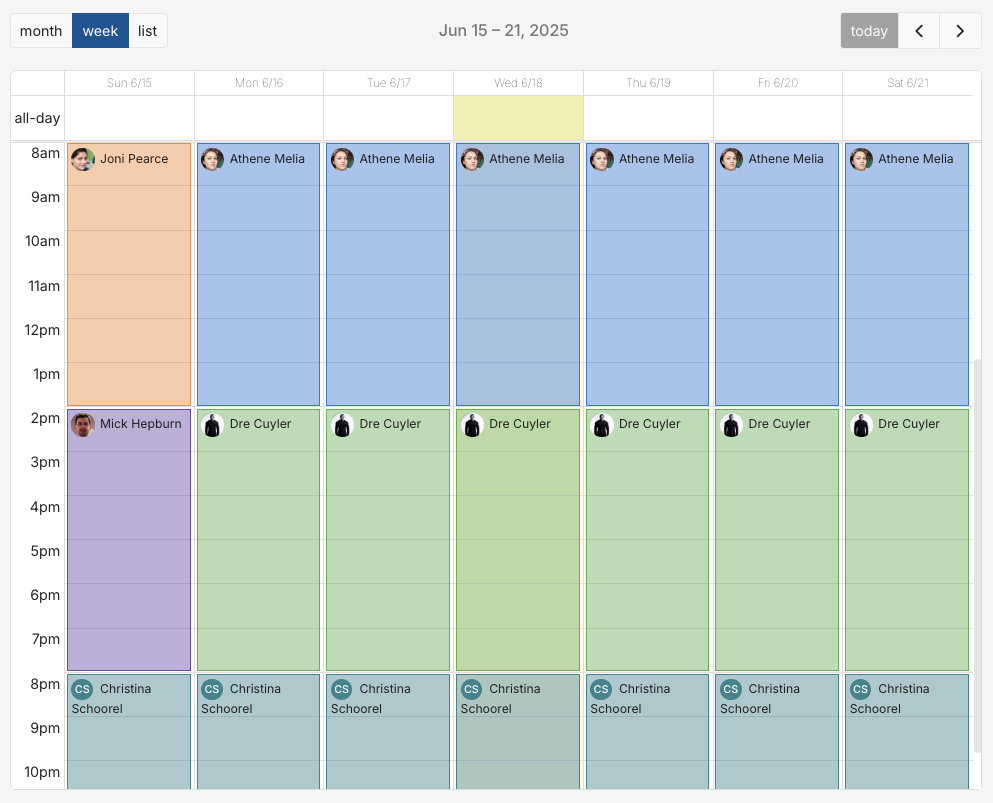
Virtually Human, one of Spike’s customers, runs the follow-the-sun on-call schedule with 15 members across 8 time zones in their globally distributed team.
How Do You Set Up an On-Call Schedule?
Setting up your first on-call schedule doesn’t have to be complicated. Here are the basic steps:
- Choose a Rotation Type: Start simple. A weekly rotation is a great starting point. You can always change it later.
- Define Shift Times: Decide when handoffs happen. For a weekly rotation, this might be Monday at 9 AM.
- Set Up Escalation Rules: Who is the backup? Decide how long the system should wait before escalating an alert to the next person.
- Use an On-Call Tool: Don’t try to manage on-call on a spreadsheet. Spreadsheets can’t send alerts, track who’s on call, or handle automatic escalations. Use on-call scheduling software like Spike to automate schedules and keep everything up to date.
Once you’ve set up the basics, make sure everyone syncs the on-call schedule to their personal calendar so there are no surprises.
Your first schedule may not be perfect, so regularly seek feedback from the team and make changes as you go.
What Are the Best Practices for Designing an On-Call Schedule?
- Keep it Fair: Distribute on-call duties evenly among the team members. Don’t let one person carry all the burden.
- Keep it Flexible: Allow on-call responders to swap shifts easily and use overrides for sick days or emergencies.
- Set Clear Expectations: Document everything. Every on-call person should know what their responsibilities are, how to respond to an alert, and who to contact for help.
- Have Backup Plans: Primary responders may get sick, go on vacation, or have family emergencies. So, always have a secondary responder ready.
- Listen to Feedback: Regularly ask your team how on-call is going. Are they getting too many alerts? Are the shifts too long? Use this feedback to make the process better for everyone.
At Spike, we started with a daily on-call rotation. But our team often got confused about who was on-call each day. After talking to everyone, we switched to a weekly rotation. This made it much easier to track, and since our incident volume is low, no one felt overloaded. Listening to feedback helped us find a schedule that actually works for our team.
Now, Spike makes it even easier for everyone to know who’s on call. You can check the current on-call status right from Slack, Microsoft Teams, or Raycast. This keeps the whole team in the loop and helps avoid any confusion.
What Are Common On-Call Scheduling Mistakes?
- Making Shifts Too Long: Long shifts, like a full week, can exhaust team members—especially if alerts are frequent. This leads to burnout and mistakes.
- Ignoring Time Zones: If your team works across different locations, plan handoffs carefully. Don’t make someone in London take over at 3 AM just because it’s convenient for your New York team.
- No Training: Don’t assume everyone knows how to handle incidents. Run practice drills and document common fixes before real incidents happen.
- Overlooking personal preferences: Some team members are night owls, others are early birds. Work with people’s natural schedules when possible instead of forcing everyone into the same pattern.
- Overloading Phone Alerts – Too many phone calls for minor issues make people ignore critical alerts. Save phone calls for true emergencies only.
In Spike‘s early days, we made a classic mistake—we didn’t talk to our on-call engineers regularly. This lack of communication made it hard to improve our systems or support our team properly. Once we started having regular check-ins, we discovered simple fixes that made a big difference. For instance, our on-call engineers told us they wanted personal alerts (like push notifications) in addition to Slack alerts, so we added them as well. Small changes like this came from just asking the right questions.
On-Call Scheduling Software: Find the Best Fit for Your Team
On-call scheduling software makes managing rotations much easier than spreadsheets or paper calendars, since it automates on-call schedules instead of relying on someone to update a doc by hand.
Popular options include:
- Spike – Known for being user-friendly and affordable. It’s great for teams of all sizes and has a simple interface that makes setting up schedules quick and easy.
2. PagerDuty – A powerful, enterprise-grade tool. However, it can be more complex and expensive, making it a better fit for large organizations.
3. Incident.io – Takes a Slack-first approach to incident response. Easy enough for anyone to set up schedules. However, charges an additional fee for on-call.
4. Splunk On-Call – Offers ML-based recommendations to distribute on-call duties based on expertise and past incident handling. A good choice for teams already using Splunk for logs and monitoring.
Conclusion
On-call schedules are essential for any business that can’t afford downtime. They protect your customers, your revenue, and your team’s sanity.
Start simple with a basic rotation. Test your setup with practice alerts and adjust based on what you learn.
With the right approach, on-call duty becomes just another part of running a successful business.
FAQs
What is an on-call rotation?
An on-call rotation is the system of taking turns being on-call. Team members rotate through on-call shifts on a daily, weekly, or custom basis to share the responsibility evenly.
What is an on-call shift?
An on-call shift is the specific period a person is designated as the primary responder for incidents. Shifts can vary in length, from a few hours to a full week.
How long should an on-call shift be?
The ideal on-call shift length depends on your team size and alert frequency. If you get many alerts, shorter shifts (like daily rotations) are better. If alerts are rare, a weekly shift might be fine.
What happens if someone misses an on-call alert?
If someone misses an on-call alert, escalation rules should automatically contact a backup responder if the primary responder doesn’t answer within a set time.