
If you’re not sure whether to choose PagerDuty for incident management, this blog post will end your confusion and help you make a decision.
To write this PagerDuty review, I did more than just read their documentation. I signed up for PagerDuty and put it through real-world tests.
I created a test service and connected it with Healthchecks.io. I designed escalation policies and triggered alerts. This let me see how PagerDuty handles alerting and incident response.
For on-call management, I built actual on-call schedules and set up rotations. I also created overrides for last-minute changes. My goal was to see how easy it was to use.
Then, I analyzed PagerDuty’s capabilities across four key criteria. You will discover them as you read on. For each criterion, I’ve shared what I liked and what I didn’t.
After reading this review, if you feel like PagerDuty isn’t the right fit, I’ve also shared a better alternative that might suit your team.
Let’s dive in!
Table of Contents
My Evaluation Criteria for PagerDuty’s Incident Management Capabilities
- Alerting: I checked how the platform alerts teams when an incident occurs. This covers ease of setup, the different alert channels, and how it prevents alert fatigue.
- Incident Response: Once an incident is declared, what tools are available to tackle initial response, team collaboration, stakeholder communication, and post-incident analysis.
- On-Call Management: I reviewed how easy it is to create, manage, and override on-call schedules. This includes everything from daily rotations to last-minute changes.
- Pricing: I broke down the costs, plans, and overall value of PagerDuty. This helps you see what you get for your money.
PagerDuty Review for Incident Management (2025)
| Criteria | What I liked | What I didn’t like |
|---|---|---|
| Alerting | Powerful Slack integration. Separate numbers for calls & SMS. Service-based on-call notifications. | No team-level alert settings. Costly add-on for noise reduction. Can’t act on email alerts. |
| Incident Response | Excellent Slack controls. Bi-directional Jira sync. Extremely detailed incident timelines. | Complex setup for war rooms & tickets. Status pages are expensive, paid add-ons. |
| On-Call Management | Intuitive schedule setup. Easy overrides from the calendar. Syncs with personal calendars. | Can’t clone schedules. No comments on overrides. No activity or override history. |
| Pricing | A free tier is available to test the basics. | Expensive paid plans. Core features require costly add-ons. The total cost is hard to predict. |
Alerting in PagerDuty
PagerDuty gives users complete control over how they get alerted. Each person sets their own preferences for channels, timing, and order.
The platform supports all standard alert channels like phone, SMS, email, Slack, and push notifications. It also handles alert deduplication and grouping to reduce noise.
What I liked
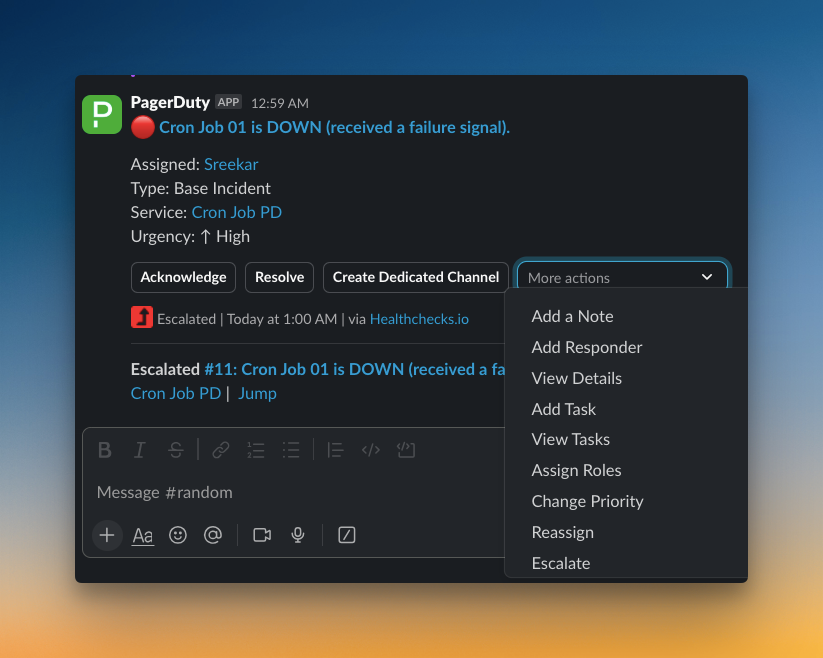
PagerDuty’s Slack integration is powerful. You can acknowledge, resolve, escalate, and manage incidents without leaving your chat. The platform also lets you use separate phone numbers for calls and SMS, which is helpful.
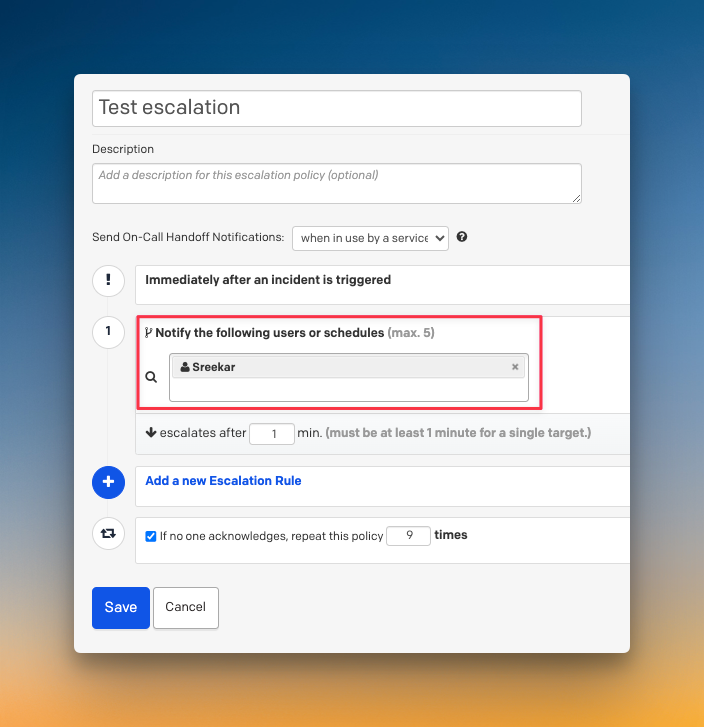
I also liked the flexibility to get on-call notifications only for critical services. This cuts down noise when you manage multiple services with different priority levels.
What I didn’t like
Team leads can’t set alert methods for their members. While individual control sounds good, sometimes managers need to specify how critical incidents are handled.
The advanced noise reduction requires AIOps, which costs an extra $799 per month. Email alerts don’t have acknowledge/resolve options, so you have to visit the dashboard.
For a detailed review on alerting, read the blog: PagerDuty Review for Alerting (2025)
Incident Response in PagerDuty
PagerDuty offers strong manual controls for incident response. You can manage incidents directly from Slack or through the web dashboard with granular options.
The platform supports team collaboration through dedicated Slack channels, war rooms, and integrations with tools like Jira and Linear. It also provides status pages for stakeholder communication and detailed timelines for post-incident analysis.
What I liked
The Slack integration is excellent. You can change priority, add responders, create channels, and assign roles without switching tools. The bi-directional Jira sync also stands out, letting you link incidents and tickets seamlessly.
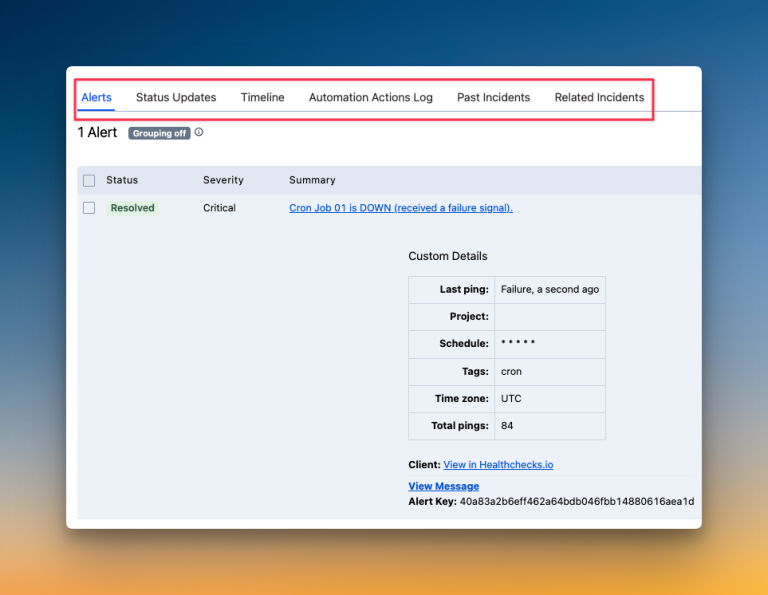
PagerDuty’s post-incident timelines are extremely detailed. They keep separate logs for alerts, status updates, and automation actions, giving you a complete view of what happened.
What I didn’t like
Many features require a complex workflow setup. Creating war rooms or tickets isn’t instant; you need to configure Incident Workflows first. This adds unnecessary steps when you need quick action.
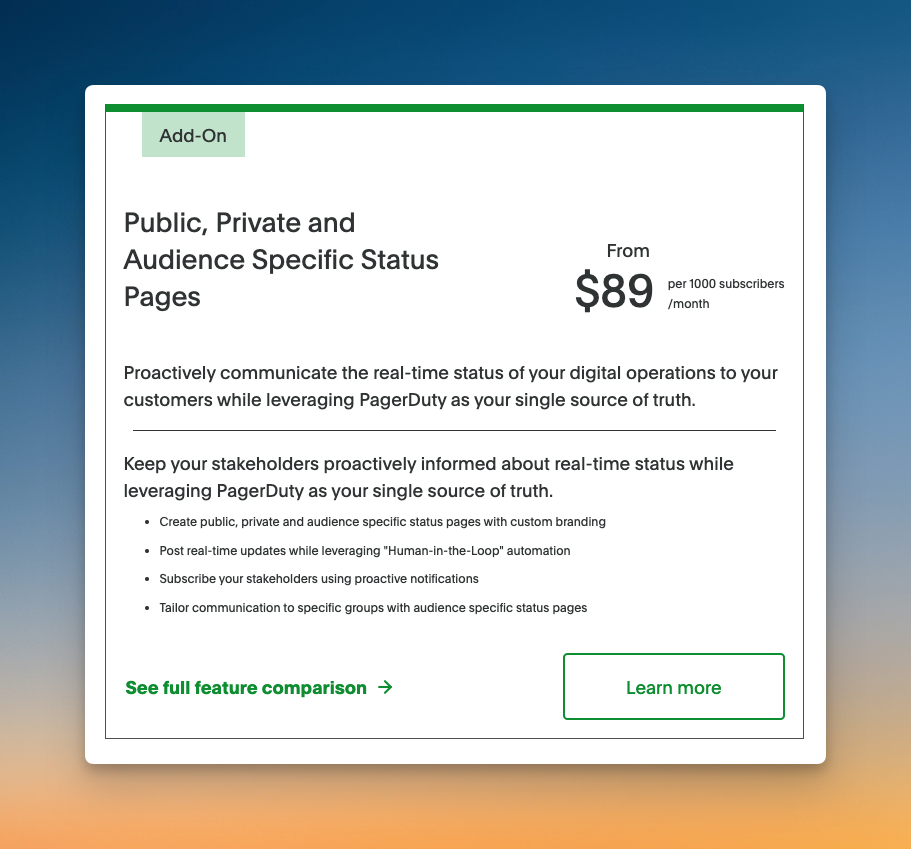
Status pages are only available on paid plans and have subscriber limits. If you exceed the limit, you pay $89 per 1000 subscribers monthly, making it expensive for larger customer bases.
For a detailed review on incident response, read the blog: PagerDuty Review for Incident Response (2025)
On-Call Management in PagerDuty
PagerDuty makes creating on-call schedules straightforward. You can set up schedule layers, add users, configure rotations, and pick handoff times through an intuitive interface.
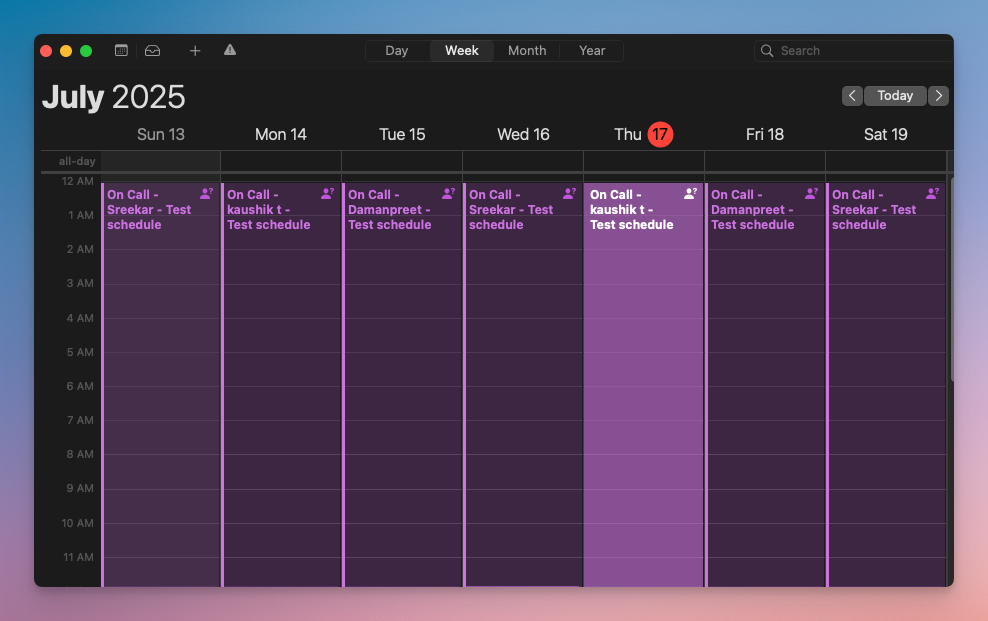
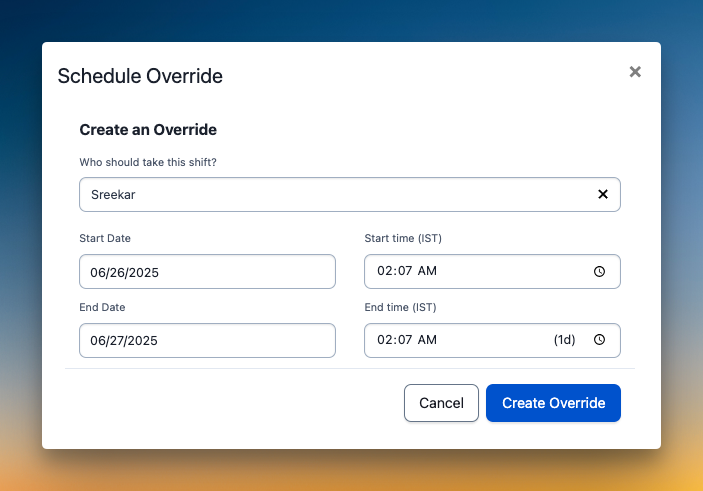
The platform offers good flexibility for managing schedules. You can duplicate layers, sync with personal calendars through iCal, and create overrides by clicking directly on the calendar.
What I liked
The setup process is intuitive, and the multiple calendar views help you visualize schedules easily. You can duplicate layer configurations across schedules, which saves time when setting up similar rotations.
Creating overrides is simple with direct calendar interaction. The calendar sync feature keeps everyone’s personal calendars updated automatically.
What I didn’t like
The calendar preview sits at the bottom of the page, far from configuration settings. This makes it hard to see changes without scrolling up and down constantly.
You can’t clone entire schedules or add comments to overrides for context. There’s also no activity log or override history, making it difficult to track past changes.
For a detailed review on on-call management, read the blog: PagerDuty Review for On-Call Management (2025)
PagerDuty’s Pricing
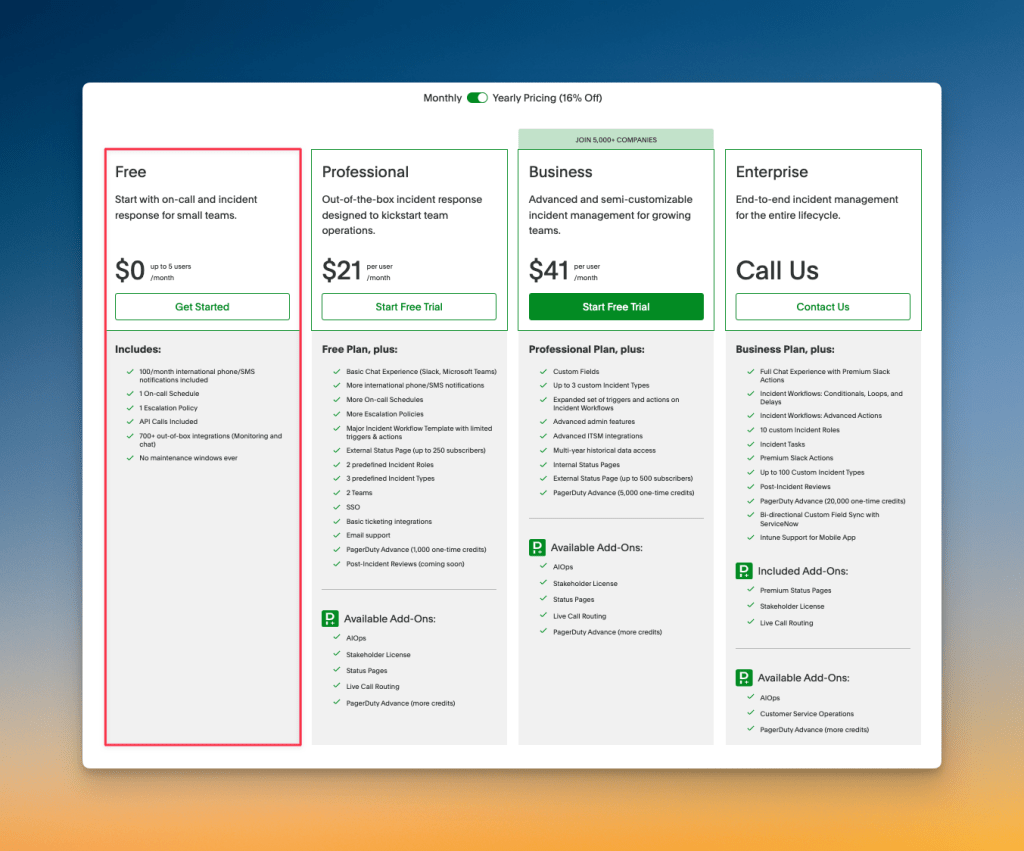
PagerDuty offers four pricing tiers: Free, Professional ($21/user/month billed annually), Business ($41/user/month billed annually), and Enterprise (contact sales). The structure appears straightforward.
However, there’s more to these plans. Many essential features are only available as expensive add-ons, which significantly increases the total cost.
What I liked
I appreciate that PagerDuty offers a free tier to test basic features before committing. This lets small teams explore the platform without upfront costs.
What I didn’t like
Essential features like advanced automation require expensive add-ons. A 25-person team can easily pay over $28,000 annually once you add necessary features.
The pricing becomes unpredictable with multiple add-ons and annual increases of 10-15%. Implementation also takes 1-4 weeks, adding significant time costs beyond the subscription fees.
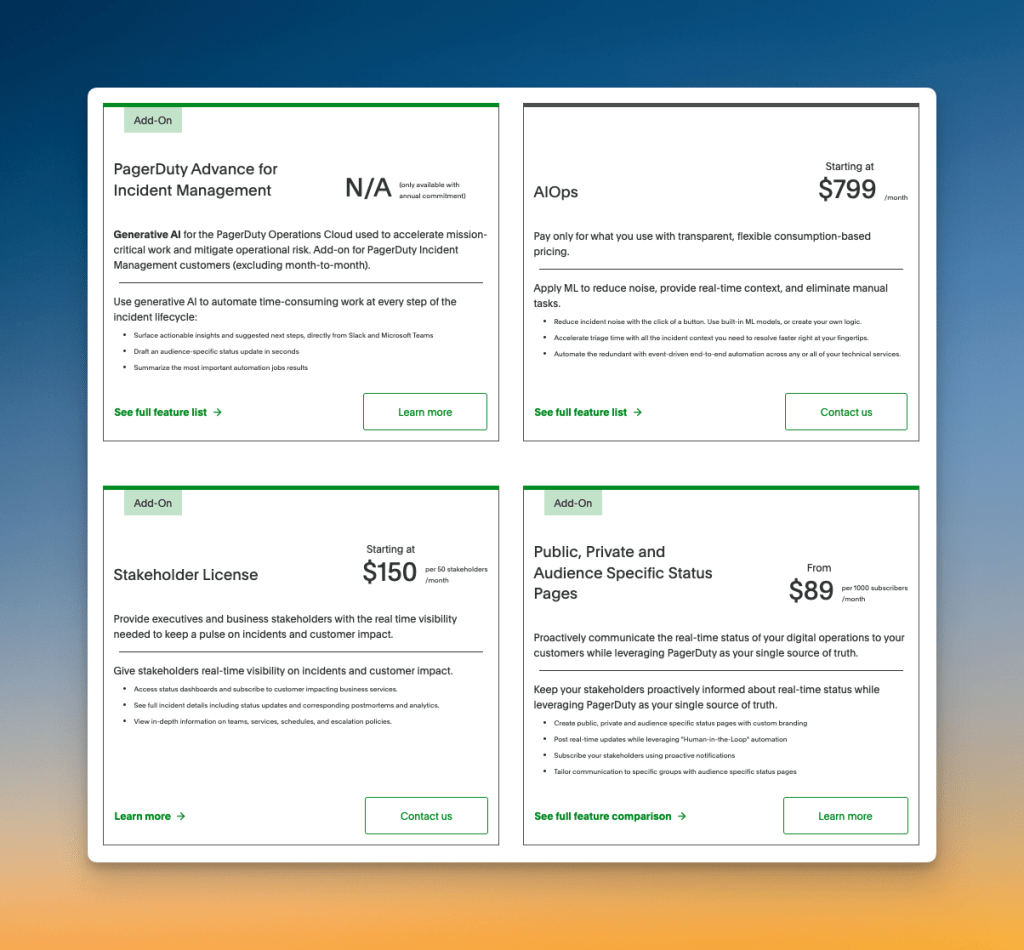
For a detailed PagerDuty pricing breakdown, read the blog: PagerDuty Pricing Breakdown 2026 (And How To Save Up To 86%)
So, Should You Choose PagerDuty for Incident Management?
PagerDuty gets many core incident management things right. The Slack integration is powerful, and the post-incident timelines are very detailed. It provides a solid foundation for on-call scheduling and incident response.
However, the platform has clear limitations. Important features like automation and status pages are expensive add-ons. Simple actions like creating a war room or a ticket are more complex than they need to be.
PagerDuty can also feel rigid in key areas. You can’t add comments to on-call overrides or clone schedules. Team leads also lack control over how their team members get alerted for critical incidents.
So, pick PagerDuty if you’re a large enterprise that needs its deep feature set and can manage the high costs and complexity.
If that does not sound like you, I have a better alternative. It fills the gaps PagerDuty leaves, offers more flexibility, and is much more affordable.
Spike: A Better PagerDuty Alternative for Incident Response
Spike is a modern incident management platform. It offers simplicity, flexibility, and powerful workflows. It gives you the tools to manage the entire incident lifecycle without PagerDuty’s complexity or high costs.
Here’s why Spike is a better alternative for your team:
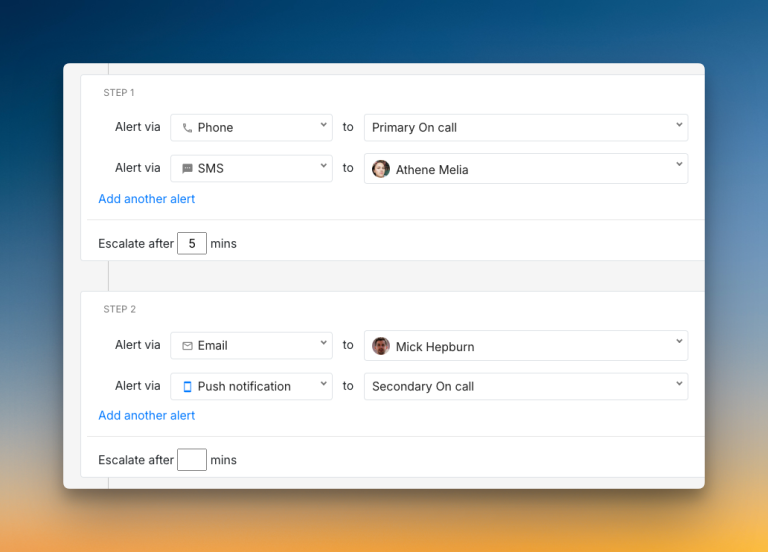
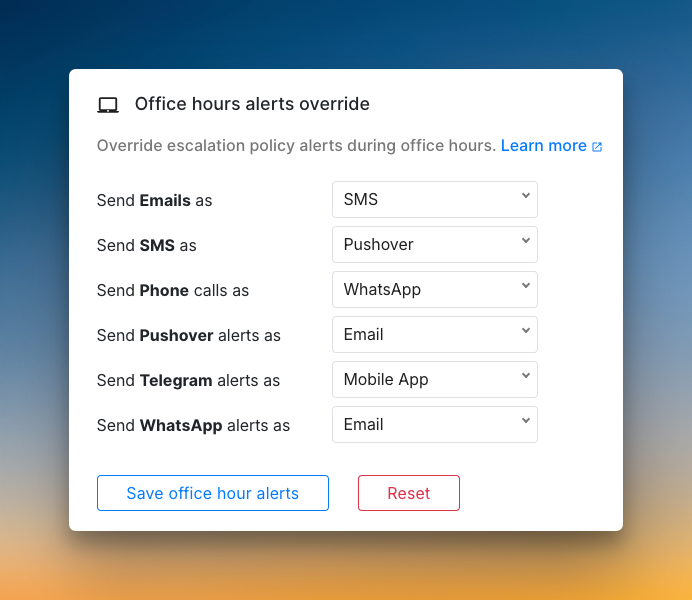
- Spike gives both managers and individuals alert control. Team leads can set specific alert methods, while users can still create personal preferences.
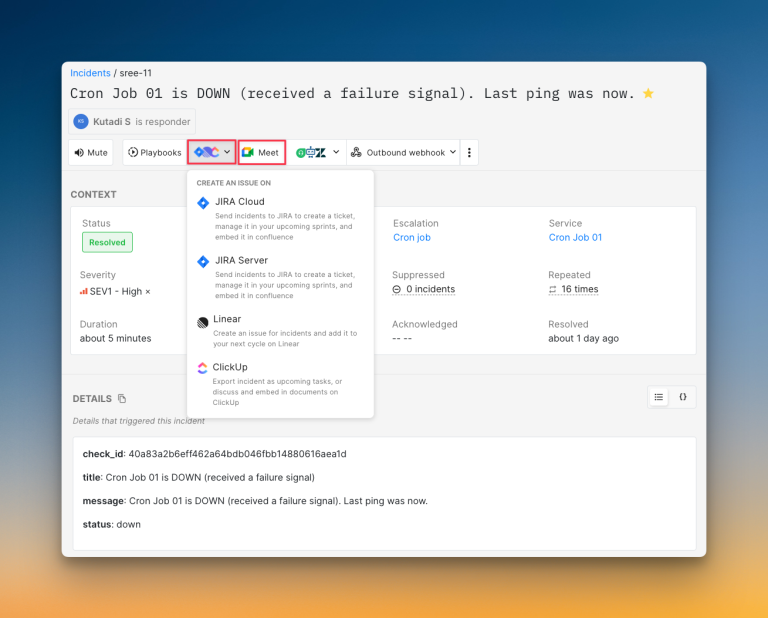
- You can create war rooms or tickets with a single click. There is no need to configure complex workflows for simple, everyday actions.
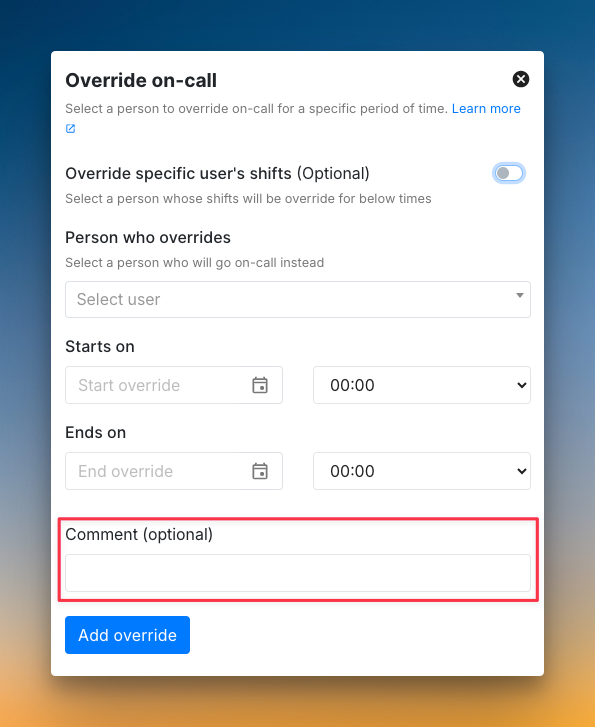
- On-call management is easier and more flexible. You can clone schedules, add comments to overrides, and see a full activity log of all changes.
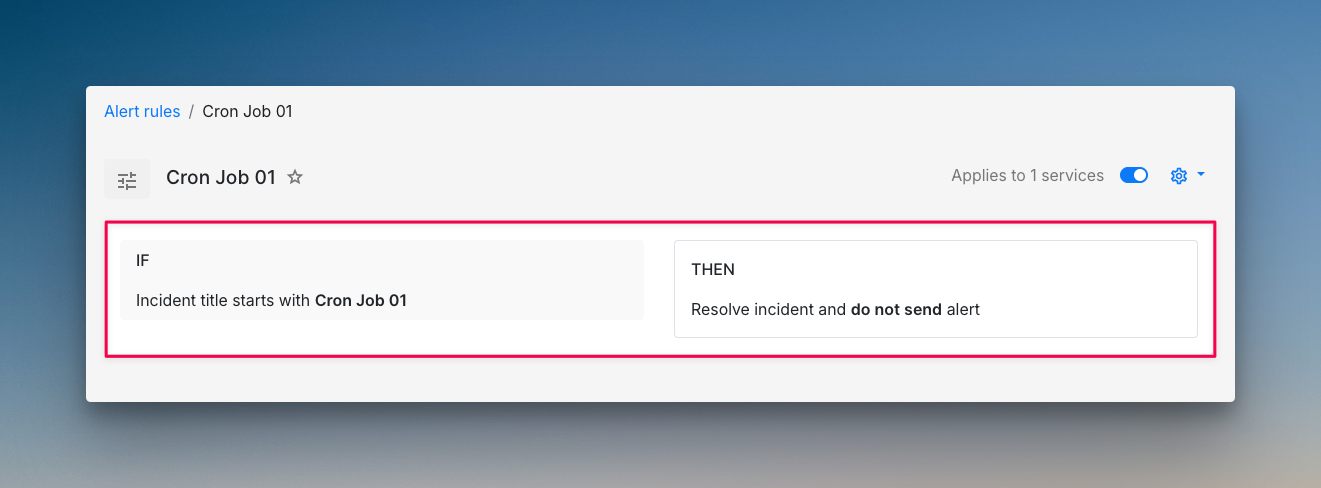
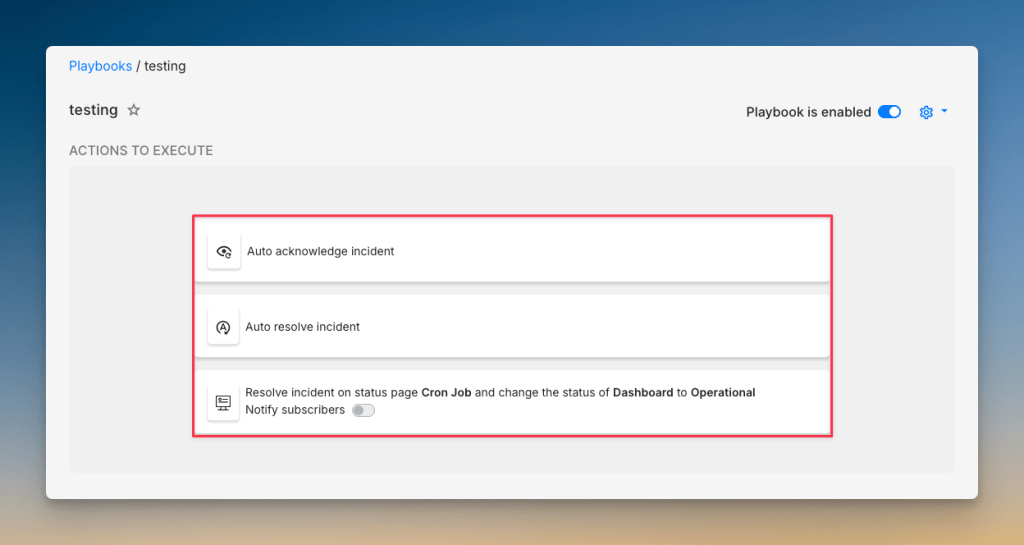
- You get powerful automation with alert rules and Playbooks at no extra cost. These help you reduce alert noise without paying for an expensive add-on.
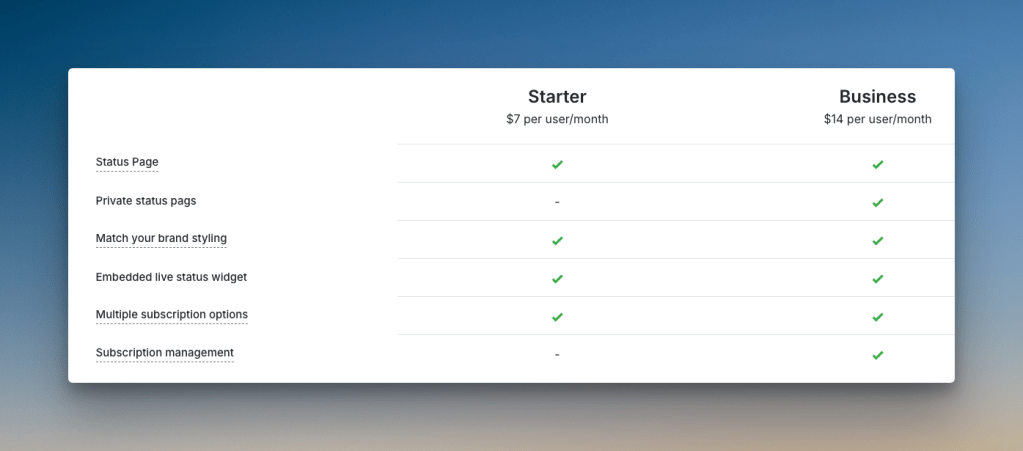
- Status pages are included on all plans. There are no surprise costs or subscriber limits, so you can communicate with everyone freely.
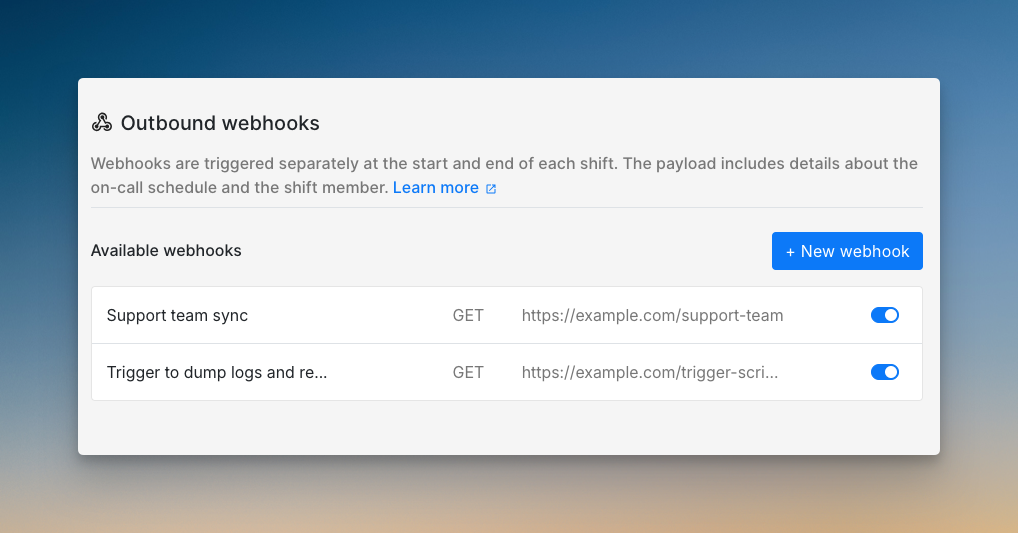
- Spike supports webhook triggers when on-call shifts change. This lets you automate tasks like granting or revoking database access to on-call responders.
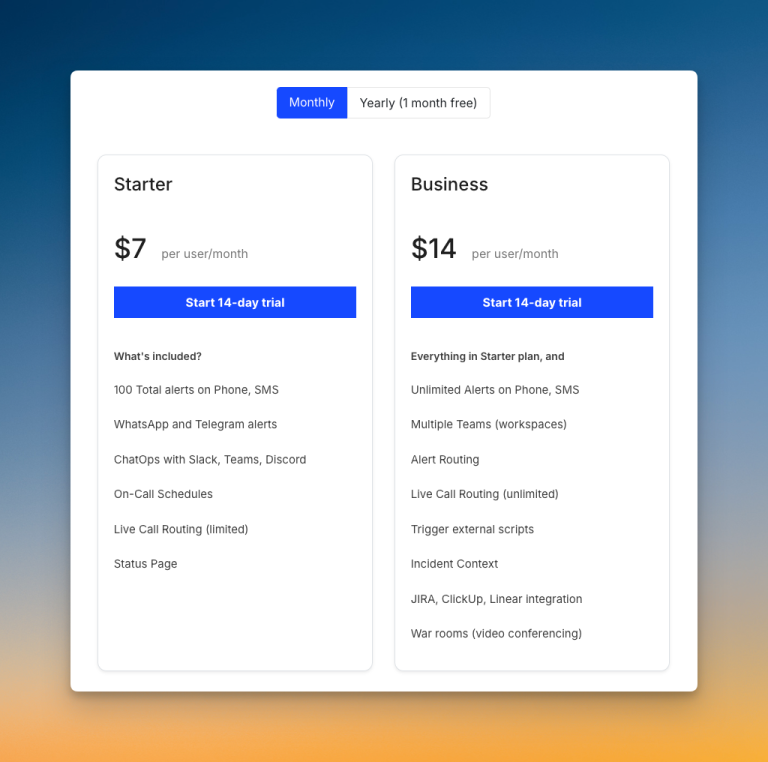
- You get all these features for about one-third of PagerDuty’s cost. The pricing is straightforward with no expensive add-ons for core features.
Read PagerDuty vs. Spike: Incident Management for a detailed comparison
Final Thoughts
PagerDuty is a powerful tool with a deep feature set. I was impressed by its Slack integration and detailed post-incident timelines. It gets the core of incident management right.
But its true power comes with high costs and complexity. I found that essential features require expensive add-ons. Simple workflows were often complicated, and the platform felt somewhat inflexible during my tests.
Spike solves all these problems. It offers a simpler, more flexible platform for modern teams. You get all the essential incident management tools in one package, at a much lower cost.