
If you’re unsure about choosing PagerDuty for incident response, this review will help you decide.
To write this PagerDuty review, I signed up for the tool and tested it thoroughly. I created a service called Cron Job, connected it to Healthchecks.io, and then triggered several test alerts.
This process allowed me to test different response actions and coordination features of PagerDuty. I also explored its communication tools and post-incident actions.
I evaluated PagerDuty’s incident response capabilities based on four key criteria, which you’ll find as you read on.
For each criterion, I’ve shared what I liked and what I didn’t to give you a balanced perspective.
If you finish this review and feel PagerDuty isn’t the right fit, I’ve also included a better alternative that might work for you.
Let’s dive in.
Table of Contents
My Criteria for Evaluating PagerDuty’s Incident Response Capabilities
- Initial Response: I looked at the first steps you take when an incident hits. This covers triage, acknowledgment, escalation, other actions (adding notes, merging incidents, etc), and automation.
- Team Collaboration: I tested how well teams can work together to fix an issue. This involved creating war rooms, dedicated Slack channels, and Jira & Linear tickets.
- Incident Communication: I checked how easy it is to keep people informed. This meant creating status pages and evaluating options to send updates to stakeholders.
- Post-Incident Actions: I reviewed the tools for learning after an incident is resolved. I explored the features for timelines, resolution notes, and postmortems.
PagerDuty Review for Incident Response
| Criteria | What I liked | What I didn’t like |
|---|---|---|
| Initial Response | Strong Slack integration and granular dashboard controls | Rigid escalations, no auto-acknowledgment, and expensive automation |
| Team Collaboration | Easy Slack channel creation and powerful bi-directional Jira sync | War rooms and ticketing require complex workflow setup |
| Incident Communication | Flexible, audience-specific status pages with human-in-the-loop automation | Status pages are a paid feature with costly subscriber add-ons |
| Post-Incident Actions | Extremely detailed timelines and convenient postmortem templates | No significant drawbacks were found during my review |
Initial Response in PagerDuty
PagerDuty offers a rich set of manual controls for the initial response. You can manage many aspects of an incident right from Slack or its dashboard.
What I liked
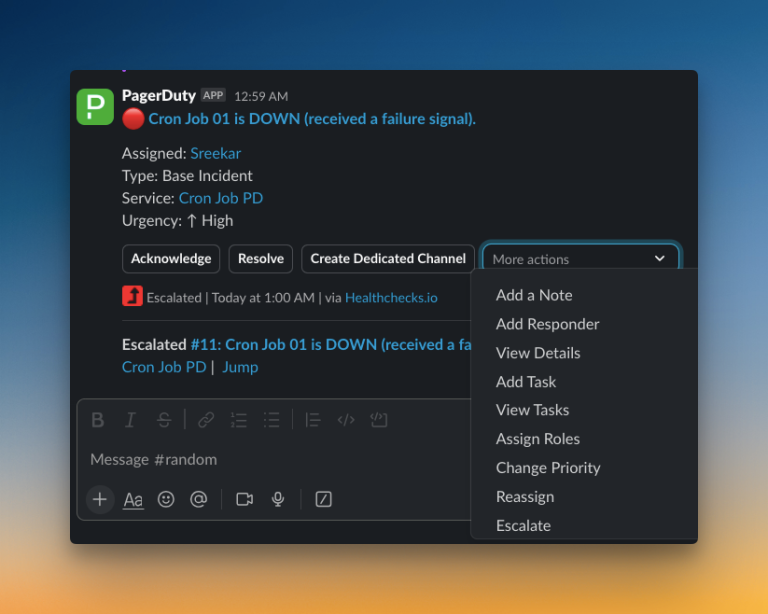
The ability to manage incidents directly from Slack is a major advantage. Without switching contexts, you can change an incident’s priority, add responders, create a dedicated channel, and assign roles. This makes the initial response quick and efficient.
The web dashboard provides even more granular control. I liked that you can merge related incidents, add custom actions to fit your workflow, and even define service dependencies to see the bigger picture.
What I didn’t like
Despite the rich feature set, the process feels rigid in key areas. For example, you can’t auto-acknowledge incidents. This is a problem when an automated fix is running, as it can create unnecessary noise for the team.
The escalation policies are also not so flexible. You can’t add a “wait time” for minor, self-resolving issues, leading to more needless alerts. There’s also no acknowledgment timeout, and while you can repeat escalation policies, you can’t set a custom time interval for the repetition.
Basic automation, like simple routing, is available through Event Rules. However, more advanced capabilities like AIOps require an add-on that costs $799 a month, which is a steep price for many teams.
Team Collaboration in PagerDuty
PagerDuty provides several tools to help teams work together during an incident. It supports war rooms, dedicated Slack channels, and integrations with tools like Jira, Linear, Zendesk, etc.
What I liked
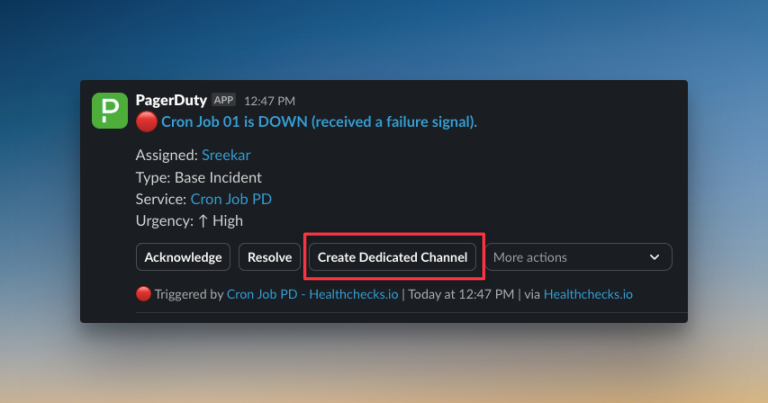
The integration with Slack is straightforward. For each incident, you can start a dedicated channel where everyone can coordinate and share updates. The dashboard also makes it easy to assign Slack channels.
PagerDuty’s bi-directional sync with Jira stands out. You can link incidents and tickets, track status from both sides, and make sure follow-up work doesn’t slip through the cracks.
What I didn’t like
War rooms for video calls are only available with paid plans. Even then, you can’t instantly start a call from the dashboard or alert. You need to set them up with Incident Workflows, which adds complexity.
Creating tickets for incidents, whether in Jira, ClickUp, or Linear, isn’t simple. There’s no instant button for manual ticket creation. Instead, you have to use Incident Workflows again. The same applies to support tools like Zendesk or Freshdesk.
Incident Communication in PagerDuty
PagerDuty’s status pages help you keep internal teams and external stakeholders informed during an incident. You can also communicate planned maintenance.
What I liked
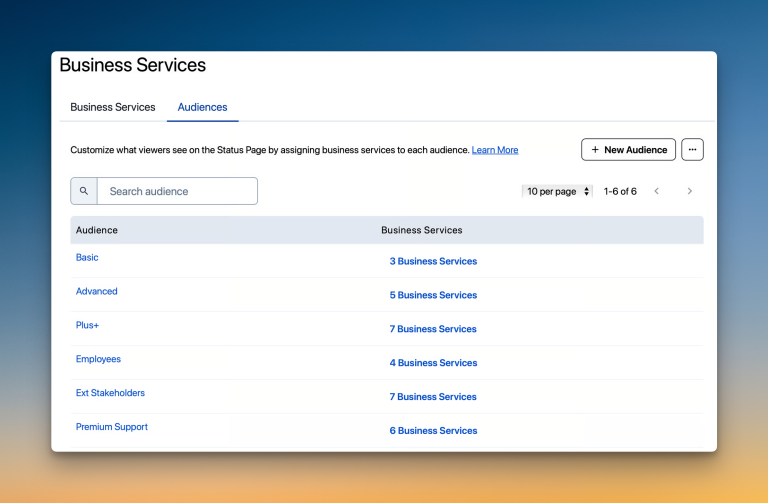
PagerDuty offers powerful and flexible status pages. The standout feature is the ability to create audience-specific pages. This lets you send tailored updates, sharing technical details with engineers and business impact with stakeholders.
I also appreciate the “human-in-the-loop” automation. This feature asks for approval before an update on the status page goes live, which is perfect for sensitive communications. You can also customize your status pages and automate their creation using Incident Workflows.
What I didn’t like
The status page feature is only available on paid plans. There are also subscriber limits on these plans. If you hit the limit, you need to buy a paid add-on, which costs $89 per 1000 subscribers per month.
This pricing model can make it expensive for businesses with a large customer base. Having such a critical communication tool gated behind high costs is a significant drawback.
Post-Incident Actions in PagerDuty
Post-incident analysis is crucial for learning and continuous improvement. PagerDuty offers several features to help teams review and document incidents.
What I liked
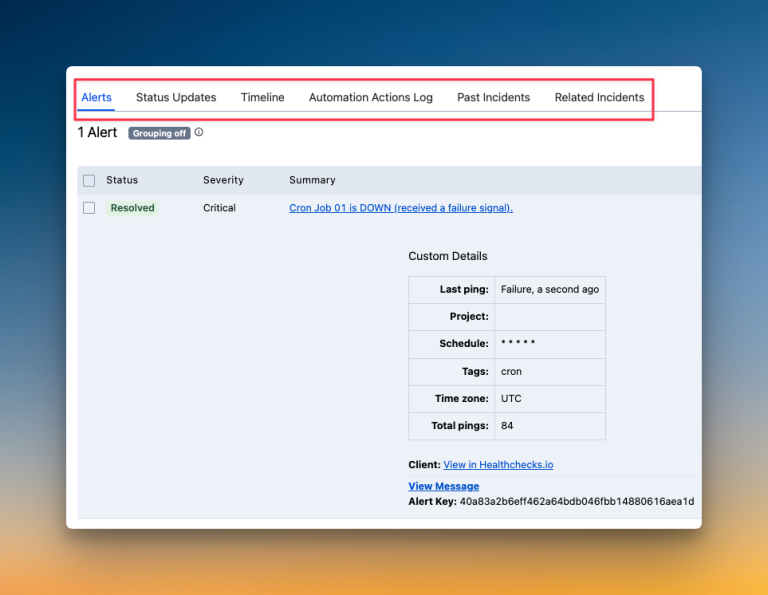
PagerDuty excels in providing detailed incident timelines. It keeps separate, granular logs for alerts, status updates, automation actions, past incidents, and related incidents. This level of detail gives you a comprehensive view of everything that happened during an incident.
The ability to add resolution notes directly from Slack is also a convenient feature, streamlining the documentation process.
PagerDuty also provides postmortem templates, which can help standardize how your team reviews and documents incidents.
What I didn’t like
I honestly found no significant drawbacks in PagerDuty’s post-incident analysis capabilities. It provides a robust set of features to help teams learn from incidents and improve their processes.
So, Should You Choose PagerDuty for Incident Response?
PagerDuty gets many things right in incident response. It offers strong manual controls through Slack and a powerful, bi-directional Jira sync. Its status pages are flexible, and the post-incident timelines are very detailed.
However, the platform has some clear limitations. Key processes like creating war rooms or tickets feel complex. Important features like status pages and advanced automation are locked behind expensive plans or add-ons.
The initial response also feels rigid. You can’t auto-acknowledge alerts or add wait times to escalations, which can lead to unnecessary noise.
Choose PagerDuty if you are a large enterprise that needs its deep feature set and can handle the cost and complexity.
If that doesn’t sound like you, I have a better alternative. It fills the gaps PagerDuty leaves, offers more flexibility, and is much more affordable.
Spike: A Better PagerDuty Alternative for Incident Response
Spike is a modern incident management platform built for simplicity and speed. It gives you the tools to manage the entire incident lifecycle, from the first alert to the final postmortem, without the complexity.
Here’s why Spike is a better alternative to PagerDuty for your incident response needs:
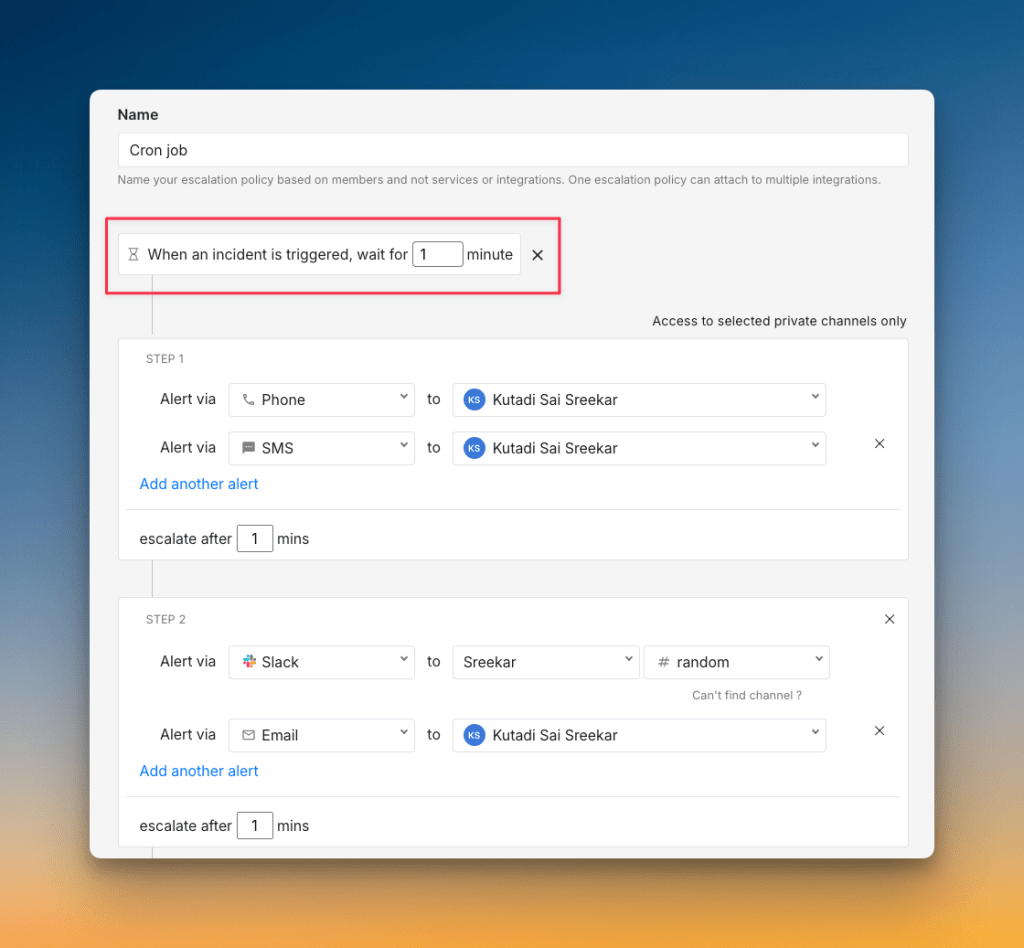
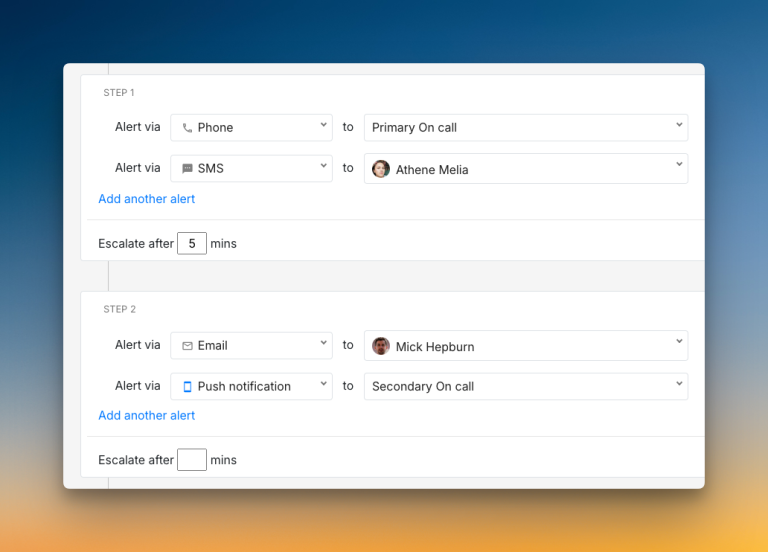
- You get more flexible initial response options. Spike helps you reduce alert noise by letting you add a “Wait Time” to escalations for self-resolving issues. You can also auto-acknowledge alerts, which is not possible in PagerDuty.
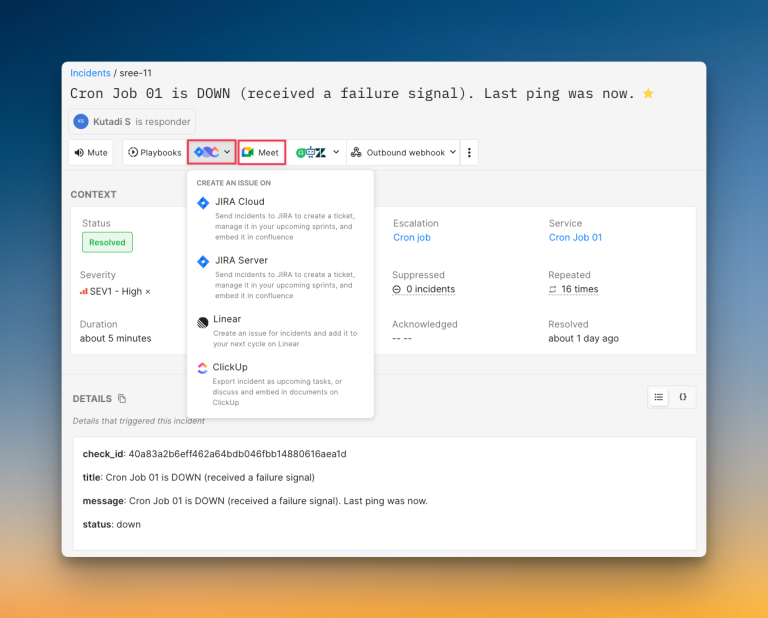
- Creating war rooms and tickets is simple. With Spike, you can start a war room or create a Jira, Linear, or ClickUp ticket with a single click. You don’t need to configure complex workflows as you do in PagerDuty.
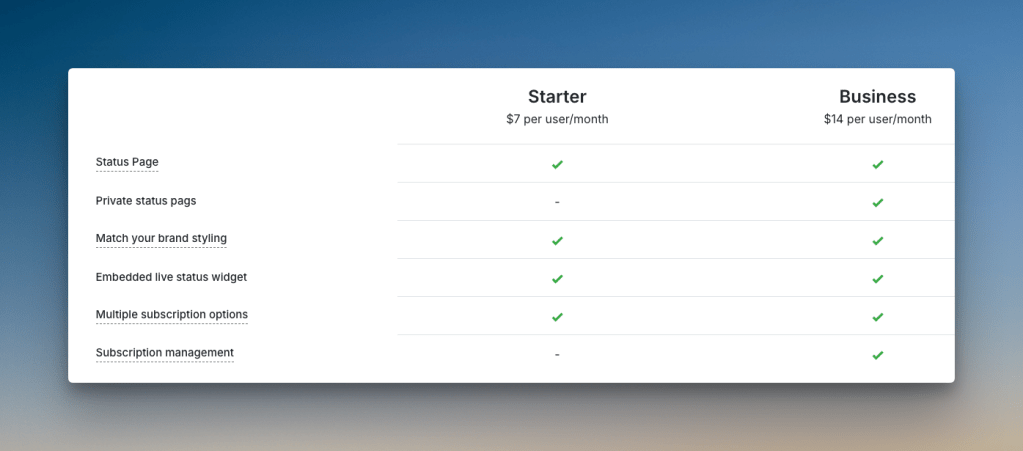
- Status pages are included without hidden fees. Spike gives you status pages on all its plans. There are no surprise costs or subscriber limits, so you can communicate with everyone without worrying about extra charges.
Check out these example status pages of Spike: AirBnB and SpaceX
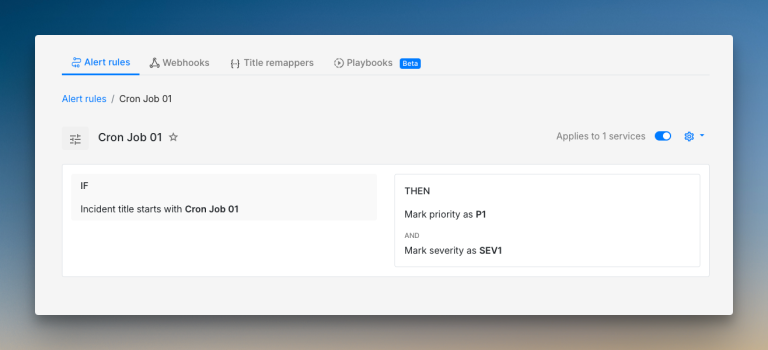
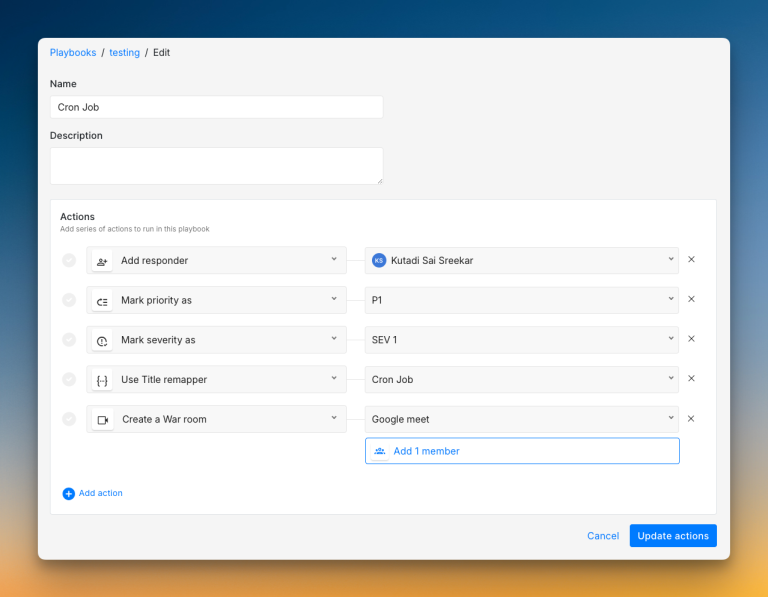
- Spike makes automation powerful and simple. You can create Alert Rules with
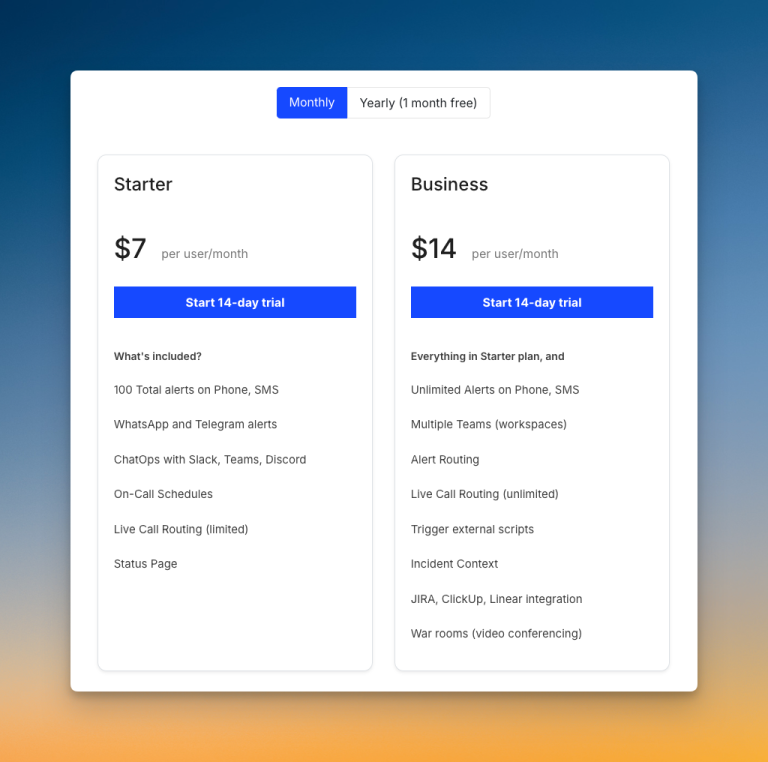
if/else-thenlogic, and build Playbooks to run a series of actions. All these features are included in the Business plan for just $14/user/month, unlike PagerDuty’s expensive AIOps add-on ($799/month).
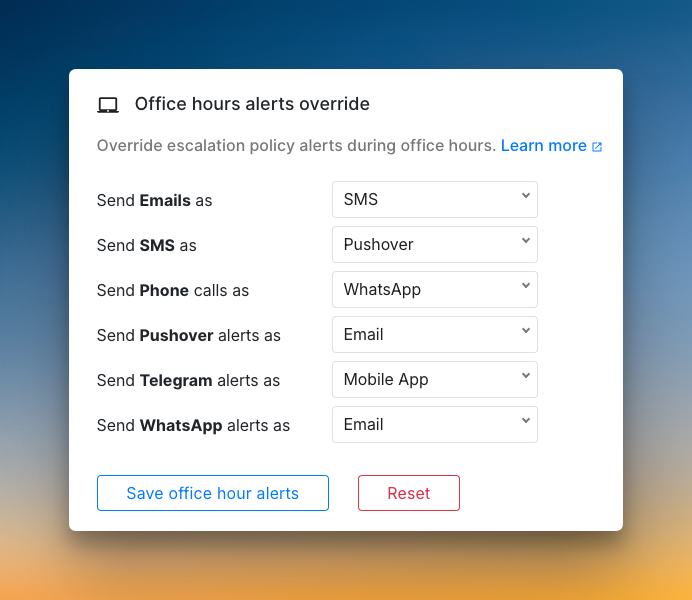
- You have both team and individual control over alerts. Managers can set specific alert methods, while users can still set personal preferences.
- Above all, Spike offers all this at a fraction of the cost. You get a more flexible and user-friendly platform for about one-third of what you would pay for PagerDuty.
Read PagerDuty vs. Spike: Incident Response for a detailed comparison.
Final Thoughts
PagerDuty is a powerful tool with a deep feature set. I was impressed by its post-incident timelines, flexible status pages, and great integrations with tools like Slack and Jira.
However, I feel its power comes with complexity and high costs. I found key workflows complicated, and essential features like automation and status pages are locked behind expensive plans. The initial response process also felt inflexible during my tests.
Spike solves all these problems. It offers a simpler, more flexible platform designed for modern teams. You get all the essential incident response tools in one straightforward package, at a much lower cost.