
When you launch a new service in production, you’re working with a lot of unknowns. You don’t yet know how it behaves under real traffic or which incidents are worth waking someone up for.
That makes alerting for a new service a little different from what you’re used to with an established one. The goal in the early days isn’t to get everything perfectly configured. It’s to learn enough about the service to get your alerting right.
This guide covers how to set up alerting for a new service and who should be on-call in the early weeks. It also walks through how to calibrate your setup once the service has been running for a while.
Table of contents
Starting with low thresholds
With an existing service, you have weeks or months of incident history to work from. You know which alerts matter and which ones never need attention. But a new service puts you in a completely different position. You have no reference point, and the only way to build it is to let the service run and observe what happens.
The easiest way to observe a new service is to keep your alerting thresholds low at first. More alerts come through, which means more data about how the service actually behaves in production. You’re not trying to build a clean, quiet alerting setup on day one. You’re trying to understand what normal looks like for this particular service.
For example, a low CPU threshold early on might trigger a lot of alerts. But those alerts could reveal that your service spikes every time a background job runs. Without that data, you’d never know. Once you spot the pattern, you can raise the threshold to filter out that noise and only get alerted when something genuinely needs attention.
Deciding who goes on-call first
Before the first incident triggers, it’s worth thinking about who should be on-call for this service in the early weeks.
There are a few directions you can go:
- Put the engineers who built the service on-call for the first couple of weeks. They have the most context about how it works and what could go wrong. If the service is critical to your business, this is probably the right call.
A fintech team launching a new payment flow would likely want those engineers close to any early incidents rather than handing off to a general rotation straight away. This on-call model is called follow-the-work and it’s worth understanding before you decide.
To learn more about this, check out this guide → - Assign an entirely separate team to be on-call for this service. This works well when the new service is significant enough to warrant its own dedicated coverage and you don’t want it mixed into the general rotation too early.
- Roll it into your existing on-call rotation. The important thing here is to give your team a heads up before the service goes live. They should know a new service just came online and the incidents from it may be unfamiliar. That context alone can change how a responder approaches an incident at 2 AM.
Calibrating alerts to the new normal
After a few weeks in production, you’ll have real data to work with. You’ll start to see which incidents trigger often. You’ll also see which ones quietly clear up and which ones always need action.
A good example is API call volume. In the first few days, 300 requests an hour might feel high enough to watch closely. A few weeks later, that same number may look completely ordinary. If the service now handles 1,000 requests an hour without trouble, the old threshold no longer tells you much. At that point, a higher threshold is probably more useful.
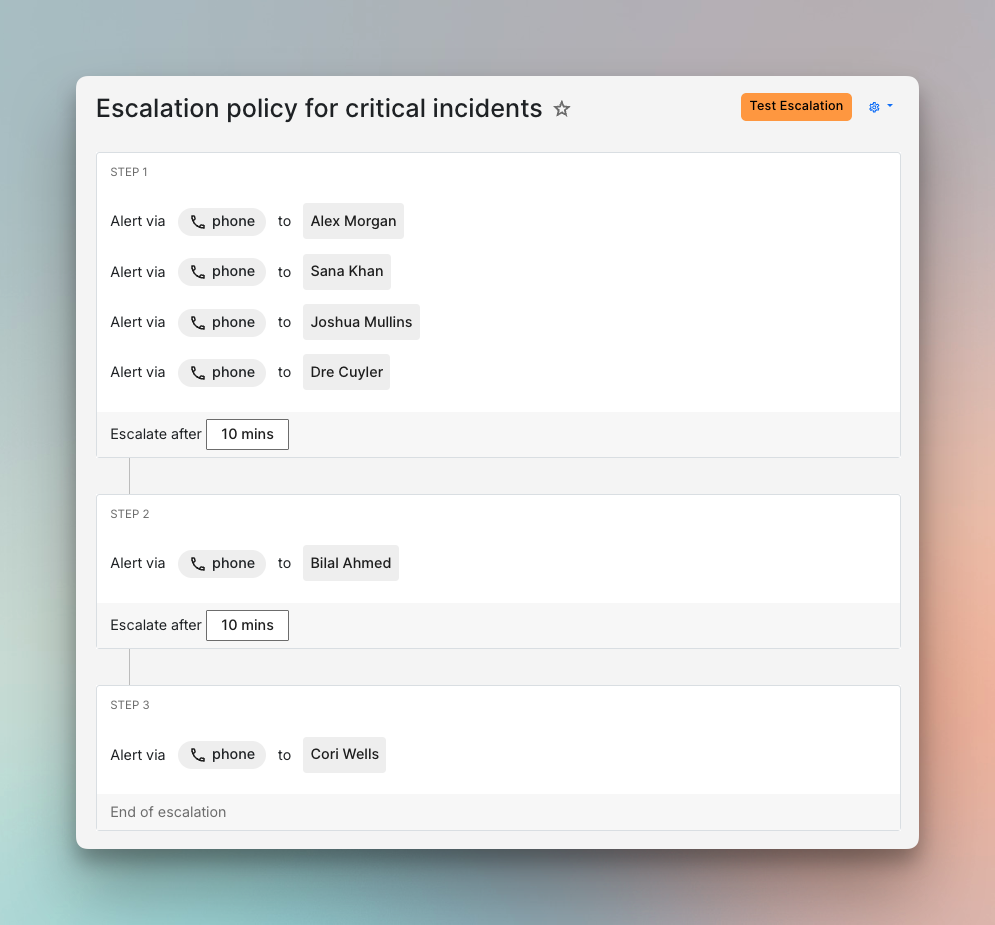
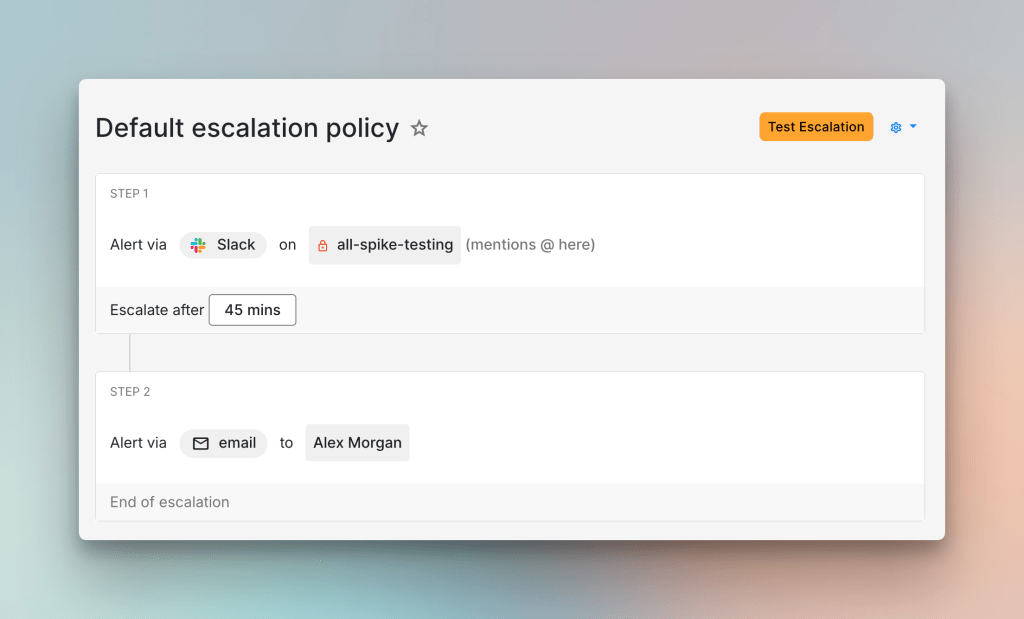
The same data also helps you separate critical incidents from the rest. Once that line is clearer, two escalation policies are usually enough to start with. A critical escalation policy can use phone calls and a short wait time of about five minutes. A default policy can use Slack and a longer wait before escalation. That gives the service a clearer response structure before you get more specific.
With thresholds and escalation policies in place, alert routing becomes much easier to set up. You now have real payloads to look at and a better sense of what each incident means. Incidents that rarely need action can auto-resolve or follow a quieter path. Incidents that matter can route straight to the right escalation policy based on what their payload says.
To go deeper on this, check out our guide on routing incidents based on what their payload says.
Bringing the wider team up to speed
The knowledge your team builds about the new service needs to be shared. The people who handled those first incidents now carry context that the rest of the team doesn’t have yet.
A short document that captures what the service does and what incidents to expect is a good place to start. It doesn’t need to be long. Even a brief write-up that answers “what should I know before going on-call for this service?” gives the next responder something useful to work from.
A walkthrough with the wider team often helps too. You can talk through the incident patterns you have seen. You can also cover the thresholds you settled on and the escalation policies you now use. That usually gives the next responder much better context than a handoff note alone.
Over time, the whole team builds enough familiarity with the service that on-call coverage for it feels routine rather than unfamiliar.
Setting up alerting for a new service is rarely a one-time task. The first few weeks in production will help you learn things no amount of planning could have surfaced beforehand. The thresholds you start with will shift. The incidents you thought were critical may turn out not to be. And the ones you didn’t anticipate will show up anyway.
That’s what makes this process worth doing carefully. Each round of calibration brings your alerting closer to something that actually reflects the service. Over time, your team stops guessing and starts responding with confidence.
If you’re setting up alerting for a new service, Spike is a good place to start. You’ll find everything you need, from escalation policies and on-call rotations to alert routing rules that sort incidents automatically.
FAQs
How long should the low-threshold phase last?
There’s no fixed answer, but a few weeks is usually enough to start seeing patterns. If incidents are still surprising your team after a month in production, it’s probably worth extending the phase rather than tightening thresholds prematurely.
What if even the engineers who built the service aren’t sure what’s critical?
That uncertainty is normal for a new service. A useful starting point is the 3 AM question: which incident would you actually want to be woken up for? That usually cuts through the ambiguity and gives you a working definition of critical to build routing rules around.
What’s the right way to handle incidents from a new service during off-hours before you have baselines?
A conservative approach is usually sensible. If you’re unsure whether an incident is critical, routing it to a phone call is safer than missing something important. You can always dial that back once you have more data.